Answered
Color
Why I copy and paste the same box of text in the same document and the color change a little bit?
Why I copy and paste the same box of text in the same document and the color change a little bit?
Hi amparoe75656164,
are you using RGB or HSB colors with the text frame you copied?
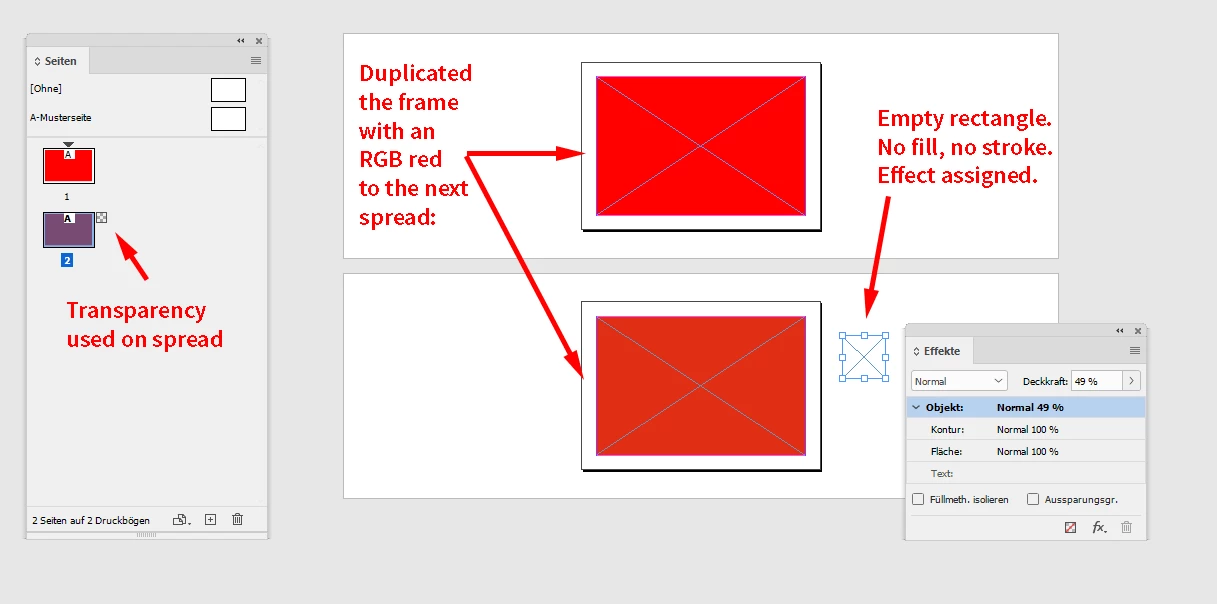
It might be that you copied the text frame from a spread with transparency to a spread without transparency. ( Or the opposite direction. ) In viewing mode Normal you'll see a difference if color management must simulate color conversion from RGB to CMYK on a spread with transparency. The RGB numbers of the fill color of both rectangles are still the same. From my German InDesign 2021 on Windows 10:
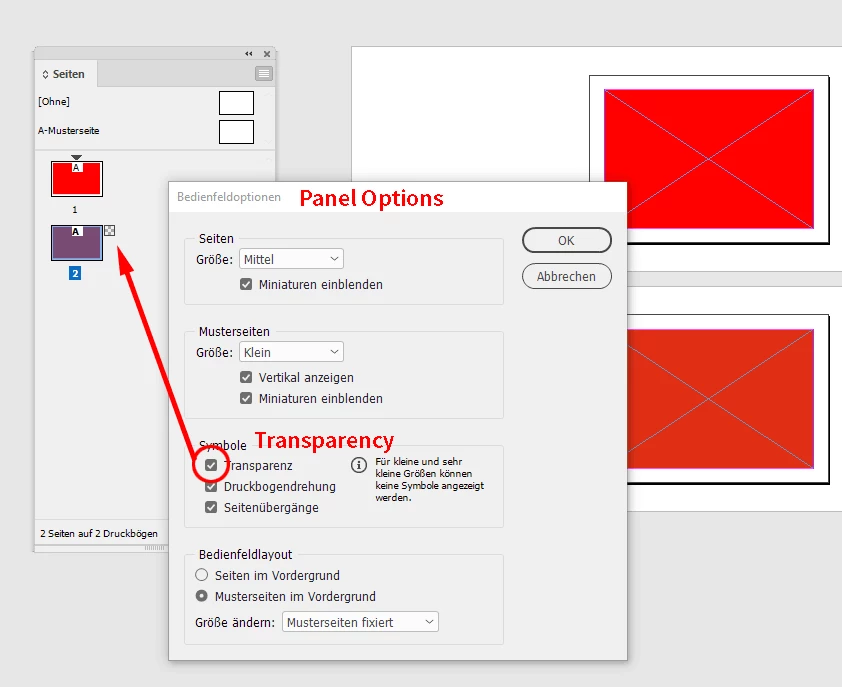
To see the small checkerboard icon on a spread in the Pages panel you have to enable the feature in the Pages panel's options:
Regards,
Uwe Laubender
( ACP )
Already have an account? Login
Enter your E-mail address. We'll send you an e-mail with instructions to reset your password.
 AdChoices