
NelsonCardosoMH
Participant
June 14, 2013
Answered

Color change when placing an eps file in inDesign

  • June 14, 2013
  • 3 replies
  • 35317 views

Hi everyone, I've created a document for a poster. I add some shapes setting all the CMYK colors for each... plus text etc.

I then place an eps file (logo) which was set with the same CMYK colors used on some of the shapes. Everything looks good.

When I export to PDF the logo I placed now looks different... the color that was the same is quite different from the shapes I added and filled in inDesign. Thoughts?

I had never experienced this before moving to CS6. Is it a color management thing?

Thanks in advance for any insights.

Nelson
This topic has been closed for replies.
Correct answer rob day

Any thoughts would still be appreciated if you have an idea of what might be happening.

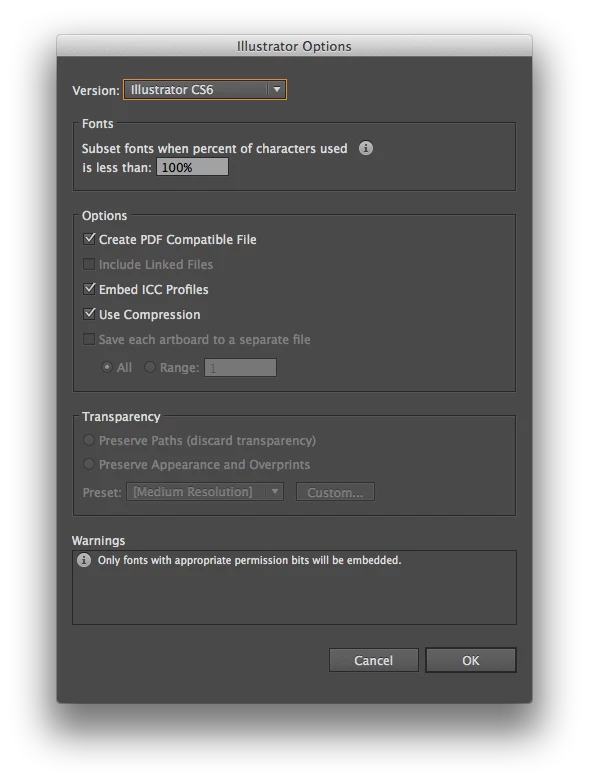
EPS doesn't have color management capabilities. Make sure the assigned CMYK profiles of your illustrator and InDesign documents are the same (Edit>Assign Profiles). Then resave as .ai and include the profile

3 replies

NelsonCardosoMH
Participant
June 17, 2013

Hi Peter and Fred, thank you so much for taking the time to respond. Fred, the Illustrator doc is set to CMYK. Peter I checked out the separations view and didn't seen any odd colours... all expected.

One interesting thing did help me move ahead. Instead of placing the eps, I went to illustrator, selected the logo parts, copied and pasted into inDesign. Then I was able to select each part and change the colour back. It's like inDesign isn't reading the colours from Ilustrator properly. The nice thing is that this allowed me to complete the project and it looks right. The bad part is I still don't know why it's doing this. I have never had this issue in CS5.

Any thoughts would still be appreciated if you have an idea of what might be happening.

Have a great day and thanks again.

Nelson

Willi Adelberger
Community Expert
Community Expert
June 17, 2013

Why do you use eps at all? Use ai.

NelsonCardosoMH
Participant
June 17, 2013

It's the file I got from the original designer.

Participant
June 15, 2013

Is your illustrator file set to Document CMYK or Document RGB?  Illy will allow you to put in CMYK values into an RGB document.  It just converts them over to RGB.

Peter Spier
Community Expert
Community Expert
June 14, 2013

Most likely. The .eps file probably has an embedded color profile that differs from the ID working space and your color settings are set to preserve profiles or convert the color to the working profile on import. When you open Separations Preview do you see the numbers you expect in file?