
Question
Color formatting in linked Excel Chart not correct in Indd
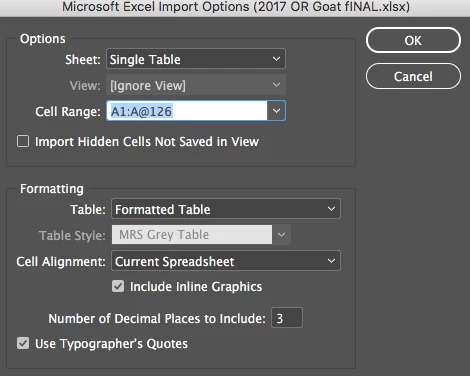
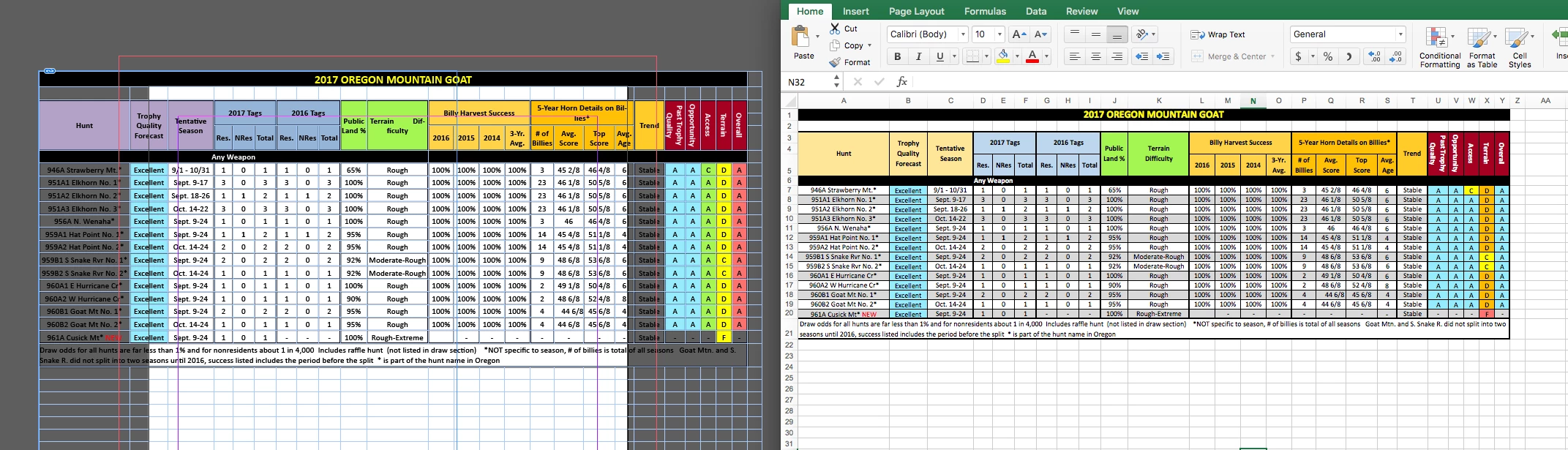
I am trying to learn how to import linked excel spreadsheets into my Indd doc. I want to keep the excel formatting so I place the table using the "Formatted Table" option (below). Everything works great except I noticed that the cell fill colors translate wrong. I have also attached a screenshot of my excel spreadsheet next to my Indd file so you can see what I am talking about. My OS is El Cap 10.11.6 and I am running Adobe CC & Microsoft office 365. The excel worksheets I am importing are ".xlsx". I have also tried saving them as ".xls" and the color are still wrong. Any help would be greatly appreciated!
 AdChoices