Answered
Color issue not matching
Hi everyone,
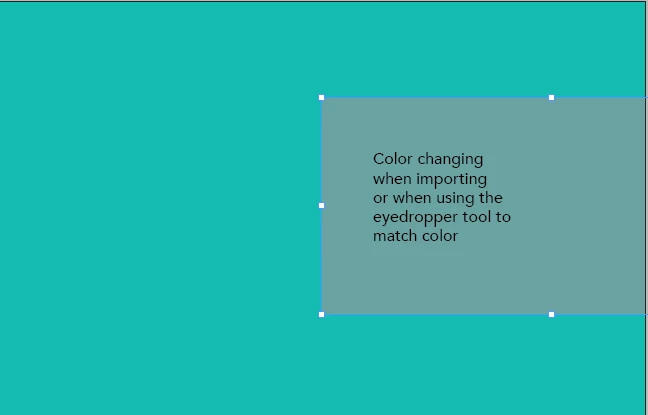
I am wondering if anyone knows why the color not matching. The Turquoise color is RGB 106, 165, 163. When I use the eyedropper tool it gives me a different shade.

Hi everyone,
I am wondering if anyone knows why the color not matching. The Turquoise color is RGB 106, 165, 163. When I use the eyedropper tool it gives me a different shade.
Hard tellin' not knowin' but there are a number of reasons why different colors appear from the same color build within InDesign — and other Adobe applications, for that matter.
Were both the general background turquoise and the color field for the text frame both created within InDesign? If not, do both of them have the same color profile settings applied? Just guessing, I would suspect not in either case. Differences in color profiles between placed graphics and Adobe application-built graphics will cause these kinds of diffeerences every time.
Is the InDesign document targeted for RGB or CMYK color output? If a given placed graphic is generated for RGB output but the document is targeted for CMYK, that can also cause this issue. If both are set for RGB, is the color build behind the text done with an RGB process color build? That would cause problems too.
I'd go through all these factors first, because those are the most common reasons for such issues. And they're also the easiest ones to fix. If all this, for lack of a better term, is copacetic, let us know and hopefully we'll find a way to help you past this issue.
Hope this helps,
Randy
Already have an account? Login
Enter your E-mail address. We'll send you an e-mail with instructions to reset your password.
 AdChoices