


Participant
December 18, 2025
Answered

Color mixer not working in IND 21.0.2

  • December 18, 2025
  • 1 reply
  • 133 views

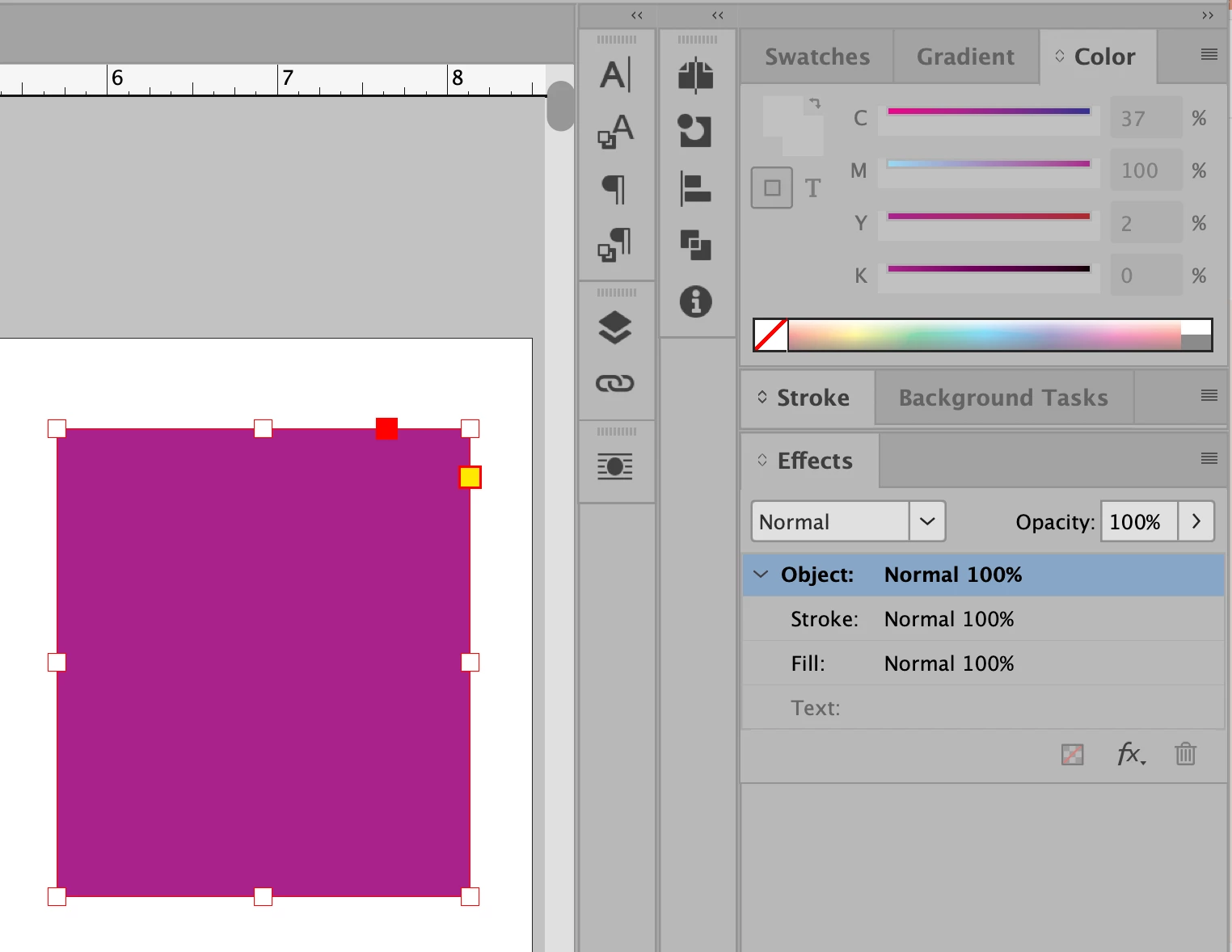
I just upgraded to IND 21.0.2 and Mac OS Tahoe (26.2) and since then my color mixer isn't available. When I click on an object and want to change the color, the mixer is simply grayed out. Is anyone else having this problem? Is there a solution?Screenshot 2025-12-18 at 8.22.33 AM.png
Correct answer Mike Witherell

Click the Fill icon, because you might have the stroke icon active (or vice-versa). This can be done at the bottom of the toolbar, or at the upper left of the Swatch panel and the Color panel. 

If these are still not waking up, you likely need to reset InDesign, possibly with the delete-the-InDesign-cache-files option.

https://community.adobe.com/t5/indesign-discussions/reset-indesign-preferences-and-other-troubleshooting/td-p/11990234

1 reply

Mike Witherell
Community Expert
Mike WitherellCommunity ExpertCorrect answer
Community Expert
December 18, 2025

Click the Fill icon, because you might have the stroke icon active (or vice-versa). This can be done at the bottom of the toolbar, or at the upper left of the Swatch panel and the Color panel. 

If these are still not waking up, you likely need to reset InDesign, possibly with the delete-the-InDesign-cache-files option.

https://community.adobe.com/t5/indesign-discussions/reset-indesign-preferences-and-other-troubleshooting/td-p/11990234

Mike Witherell
Participant
December 18, 2025

Thank you, @Mike Witherell ! It worked!!


Mike Witherell
Community Expert
Community Expert
December 18, 2025

Hoo! I am glad it worked for you.

Mike Witherell
