Participant
May 8, 2018
Question

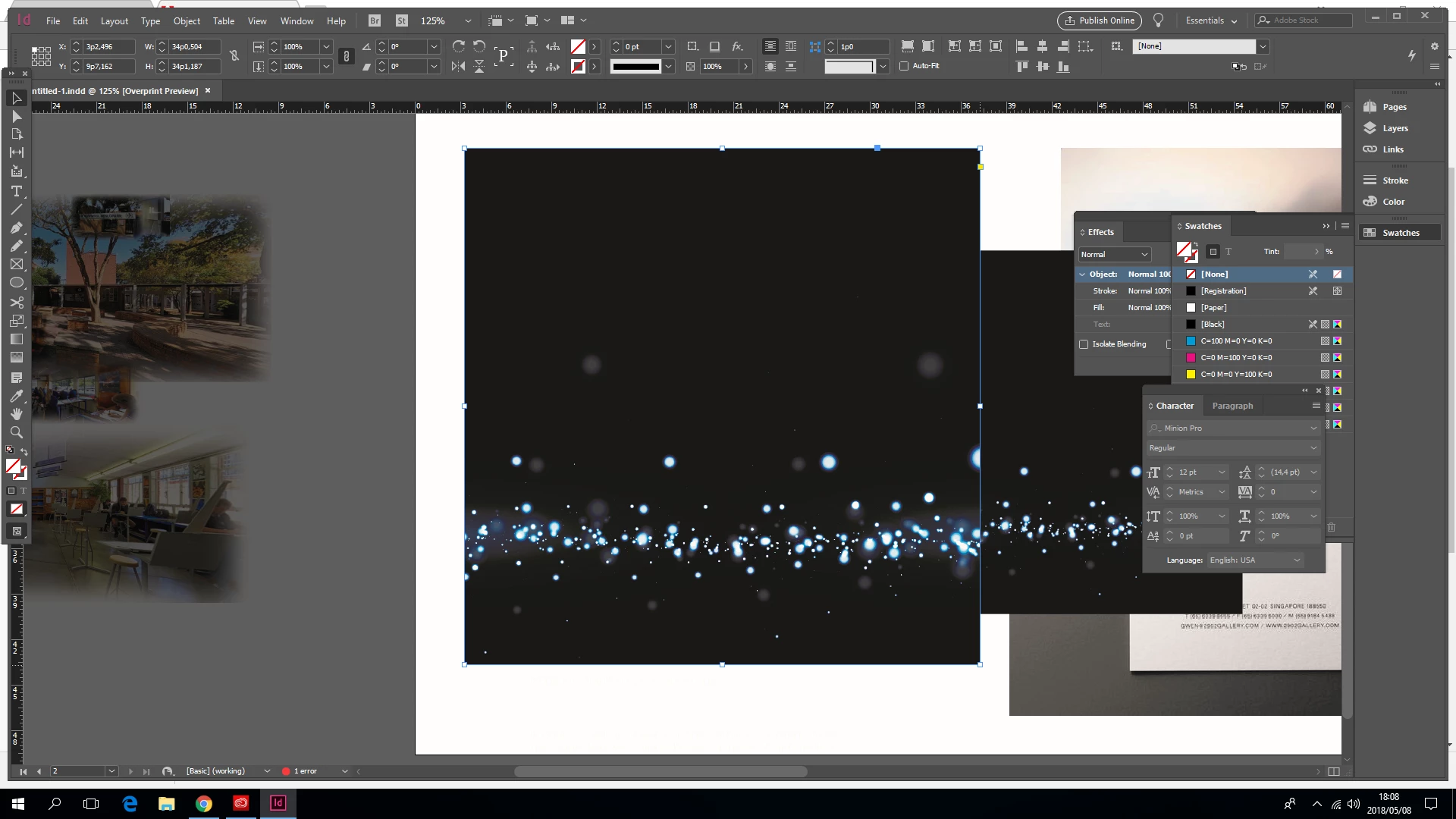
Color of my picture change as soon as I place it in Indesign

  • May 8, 2018
  • 1 reply
  • 215 views


original blue

how it imports into Indesign

    This topic has been closed for replies.

    1 reply

    Bill Silbert
    Community Expert
    Community Expert
    May 8, 2018

    Check that your color settings (found under the Edit Menu) in both Photoshop and InDesign to make sure that they match. If they don't and you fix one of the programs to match the other then you still may have to also go under Assign Profiles in the InDesign file to assign the correct profile being used in the Photoshop file.

    mj_designAuthor
    Participant
    May 8, 2018

    It seems that the picture only displays darker in Indesign when I export the picture and view it on computer it looks fine. Is it perhaps is display setting?

    Bill Silbert
    Community Expert
    Community Expert
    May 8, 2018

    If you're talking about exporting as a pdf then make sure that "No Color Conversion" is set in the Output section of the Export Adobe PDF dialog window when you make the pdf. See screen shot: