
Color values changing when using Color Picker in InDesign
Hello all,
I just started having issues with the colors matching up with the color picker in Indesign. I recently updated Indesign so I am not sure if that is the problem, but I also started working on a file that was sent to me and after I opened it I noticed the problem with the colors. The colors appear muted and dulled, and it also is not showing up with the color value I choose the the RGB Color Space View. For example, I will try to fill a box with blue with these values:
(sorry wouldnt let me post the picture for some reason)
R: 31
G: 10
B:235
L:28
a: 62
b: -103
#1f0aeb
But then it changes the color to this:
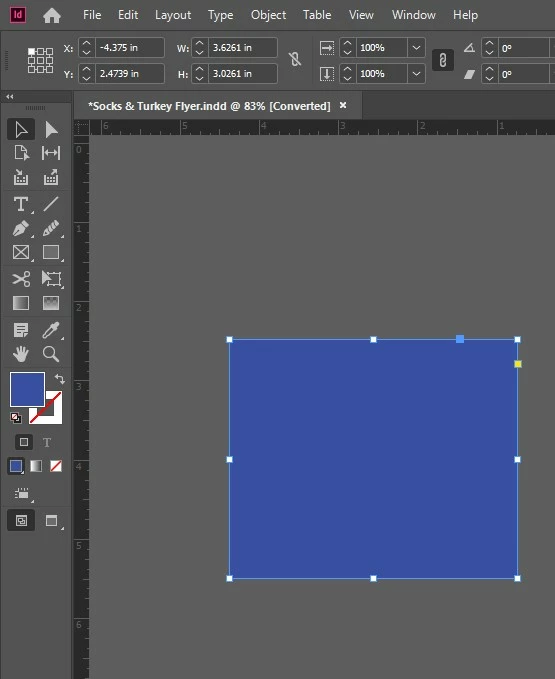
There is no proof set up or transparency effect on anything. (I will also just be using the document online, so I don't need to print the doc).
I am also self-taught in Indesign so apologies if this is elementary, I'm not very familiar with the technical aspects. I tried to include any document info that I thought might help. I also have not changed the document settings so I am not sure if something could be wrong there? I tried closing out of Indesign and restarting on a new document but no luck there. Any advice would be greatly appreciated!! Thanks!!
- document is in Document CMYK US Web Coated SWOP 2
{Renamed By MOD}


 AdChoices