
Color variation in printed items
Hi there,
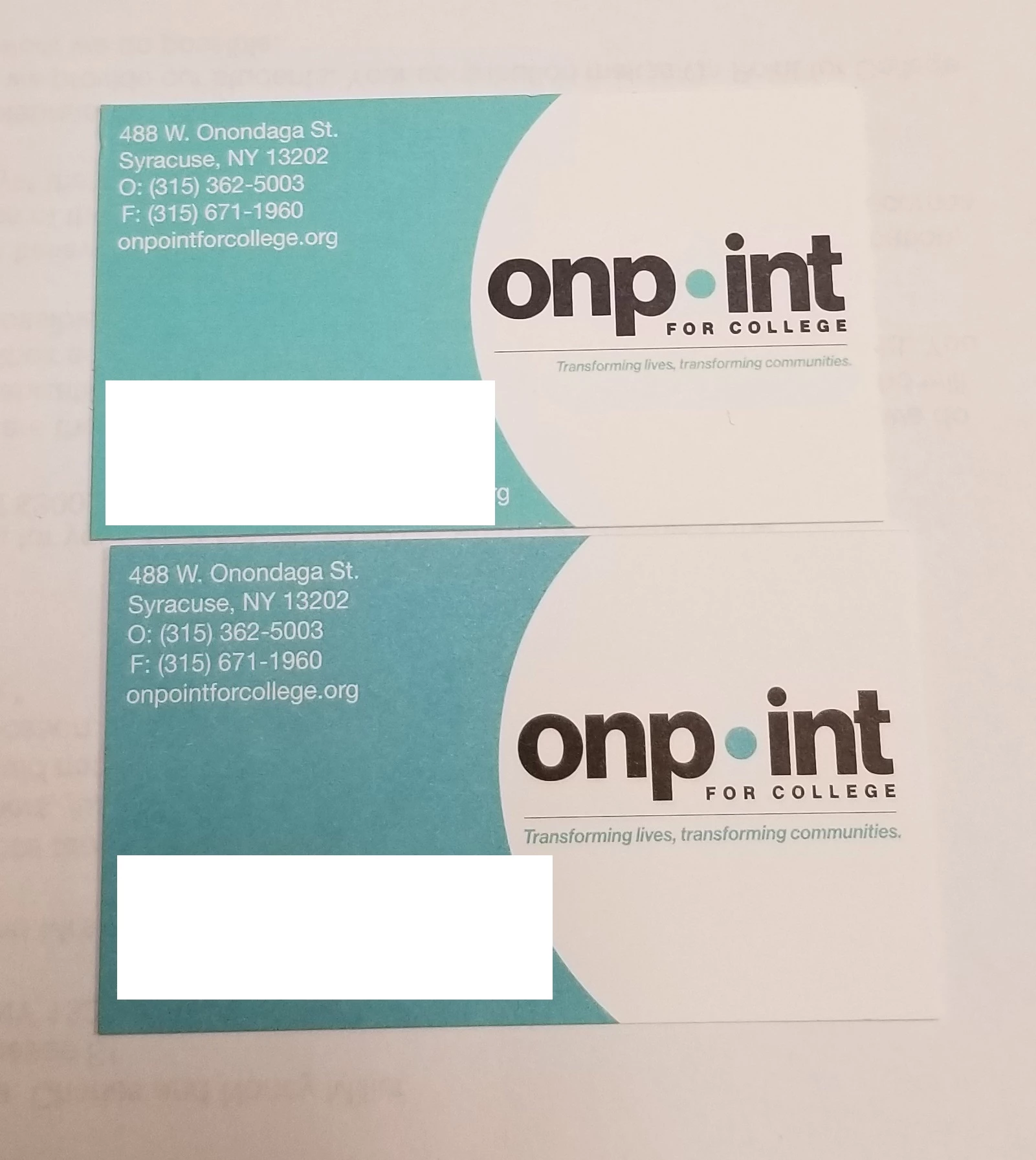
I just had a round of business cards delivered from VistaPrint Corporate. The color on them is slightly off from my previous print jobs, despite the fact that they are based on the same source file built in InDesign CS 5.5. The card on top is from an older print run and that is what I would like the lower card to match in terms of color. It's more of a Robin's Egg Blue whereas the lower one has a slightly more faded jeans look. The is the second print run I've received from VistaPrint of the lower card where the color is off (the stock was also off in the last run, but they now match). I have not had this problem before, despite printing numerous rounds of cards.
I don't really know much about color profiles or conversion. I did have a print job a few months ago where a different printer had me change a few of my PDF export settings and I'm wondering if I may have done something that's causing the files to export/print differently.
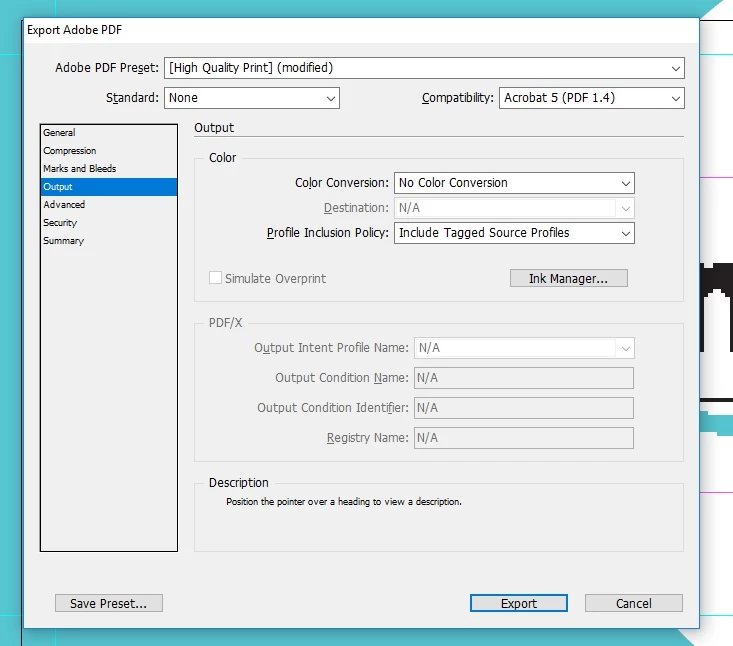
These are my current default PDF output settings in InDesign. I don't typically touch these.
This is what the printer had me change my settings to at the time:
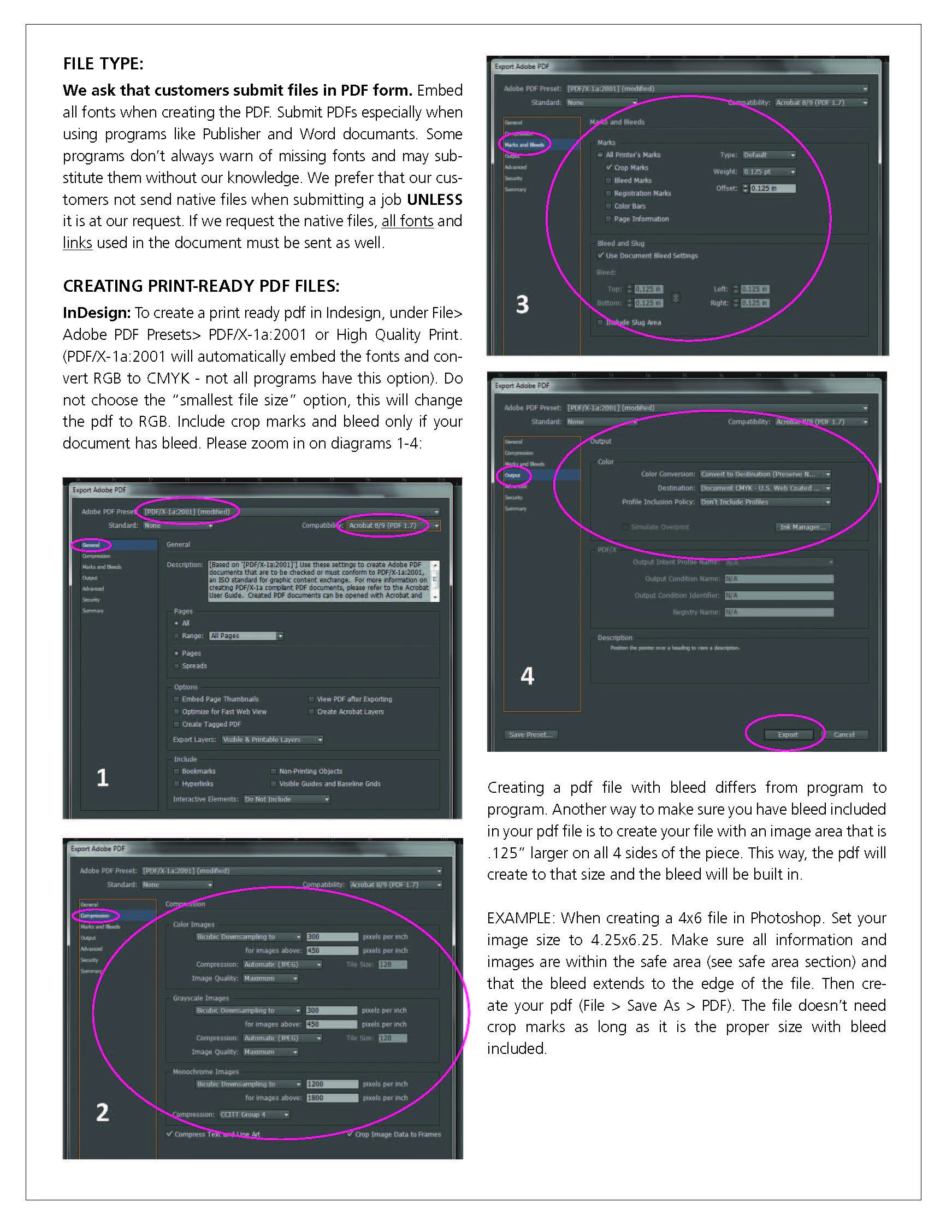
Here's a PDF of that same image in case it's not readable.
Finally, here's a PDF of the older card and one of the newer card. I looked through the color settings I could find and they appeared to match.
Is there something different about the old file and the new file that's making them print differently? Or is this just an issue on the printer's end? As I mentioned, I've printed numerous rounds of these cards before with VistaPrint and never had a problem until now and now I've had it on two runs in a row.
Any thoughts are appreciated.
Thanks!
 AdChoices