macOS Ventura 13.5.1
ID 18.2.1 (2023, but not the newest)
PS 24.5.0 (2023, but not the newest)
I’m matching the company version #s to avoid potential problems.
To get PS CMYK color setting GRACoL2013_CRPC6, I probably used “Load CMYK” from the drop-down menu if it wasn’t a preset option. I would have done the same in ID if “Other” had been available. If not possible, I will leave settings as swop 2, the default.
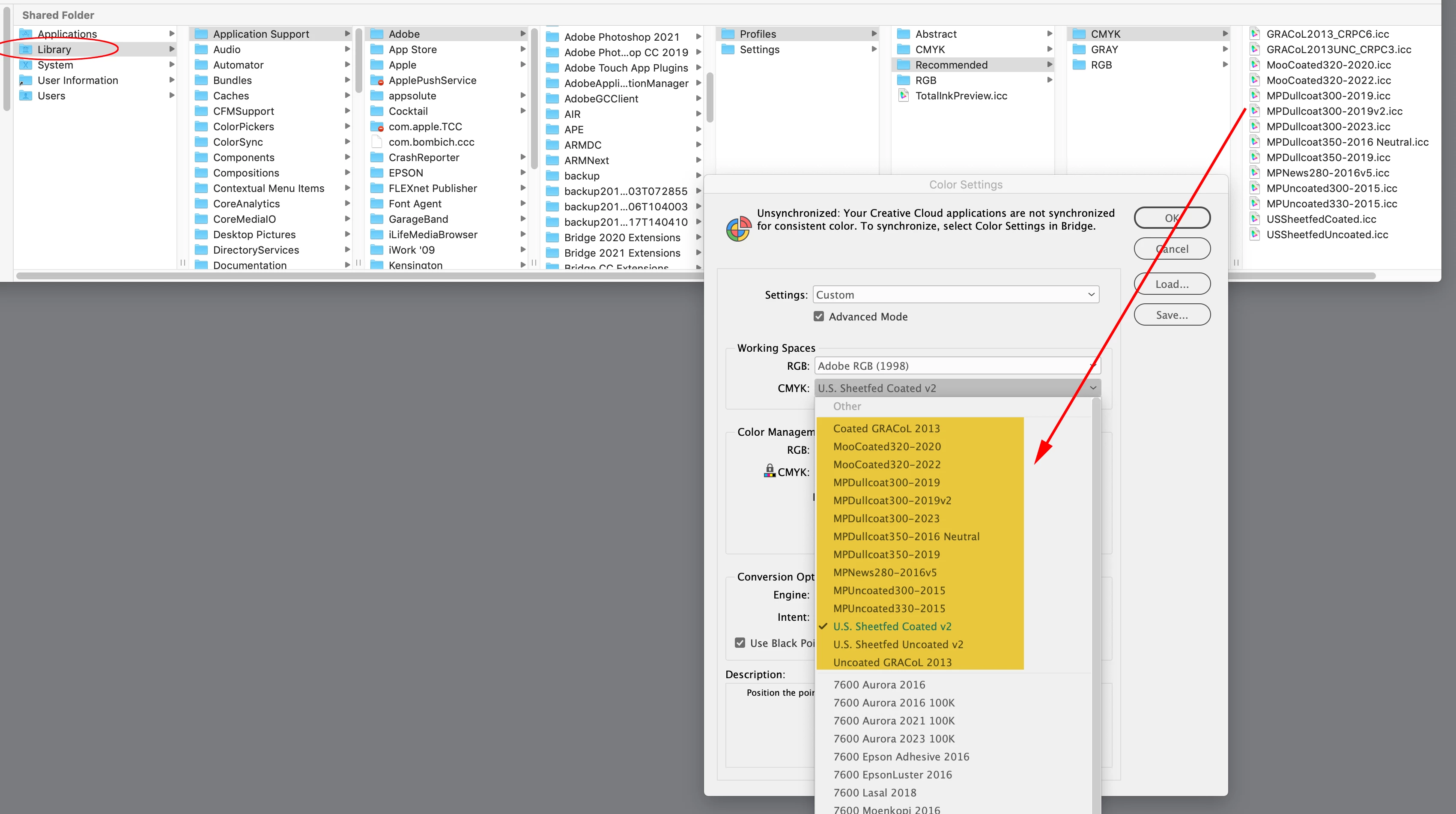
Library ▸ Application Support ▸ Adobe ▸ Color ▸ Profiles ▸ Recommended
I couldn’t follow your entire path to reach the Recommended folder. I got as far as the Color folder containing Proofing and Settings, both empty.
It’s the startup drive’s Library not the User Library. I’m on Mojave, but I don‘t think this has changed with Ventura:
I probably used “Load CMYK” from the drop-down menu if it wasn’t a preset option
Right, that would load the profile into Photoshop’s Color Settings but not the other Adobe Print Apps

 AdChoices