Colors Dulled in Indesign!
Hello,
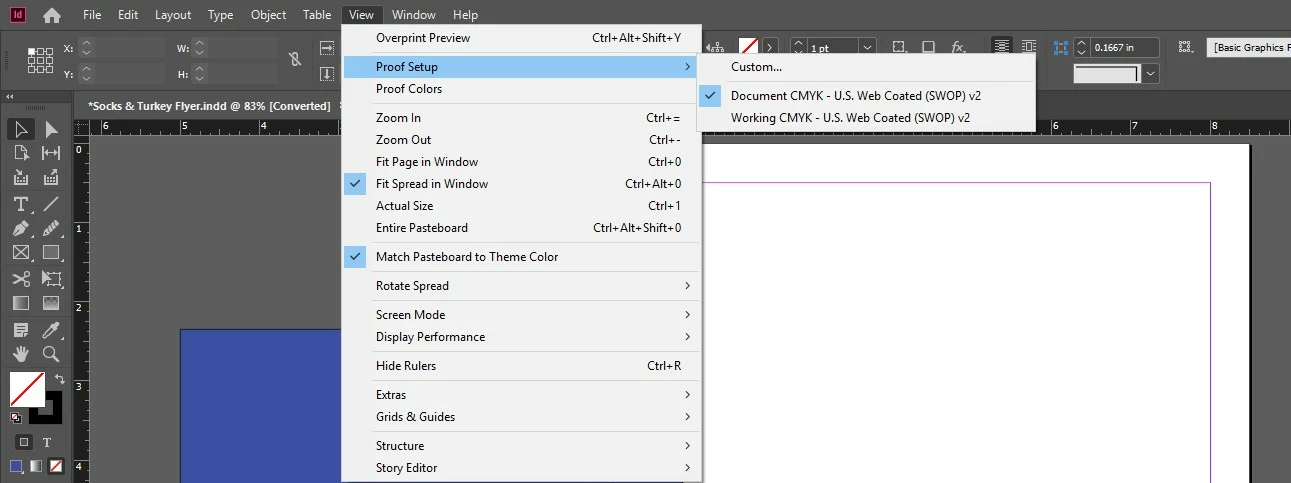
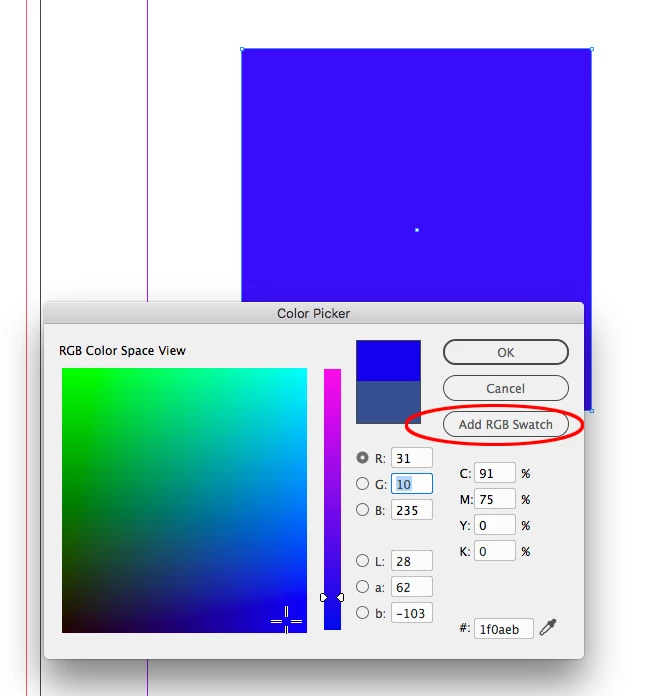
I recently started working on a file that was sent to me and now my colors in Indeisgn are all dulled. Im not sure if it had to do with the file or a recent update I just did. Whenever I go to select a color in the RGB color picker, it does not apply the actual values in the object. There is no proof color setup or transparency over anything. (I also am just email the document not printing it). Ialso have not adjusted any document settings or color values - what it is currently in is this:
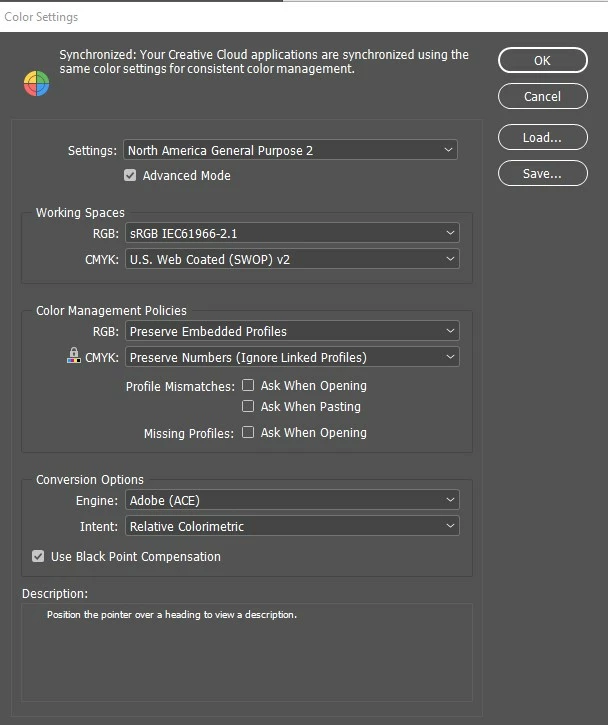
Not sure what to include but here is what my color setting are currently on: (not sure what is the norm)
I also closed out of the document I was sent and tried restarting indesign with a new document and the problem is still happening. I am also self-taught on Indesign so I am less familiar with the technical aspects so apoligies if this seems elementary or if i left out any information!! Any advice would be greatly appreciated!! Thanks!!
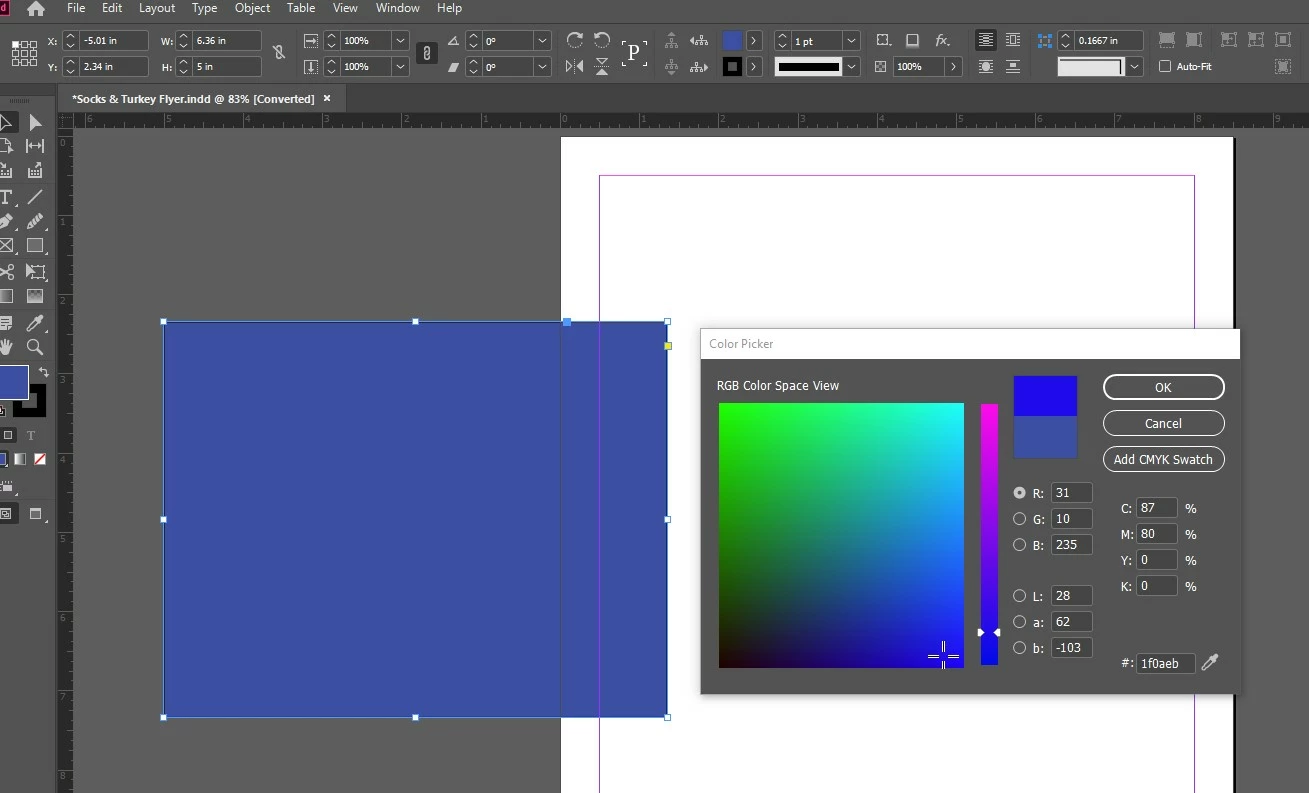
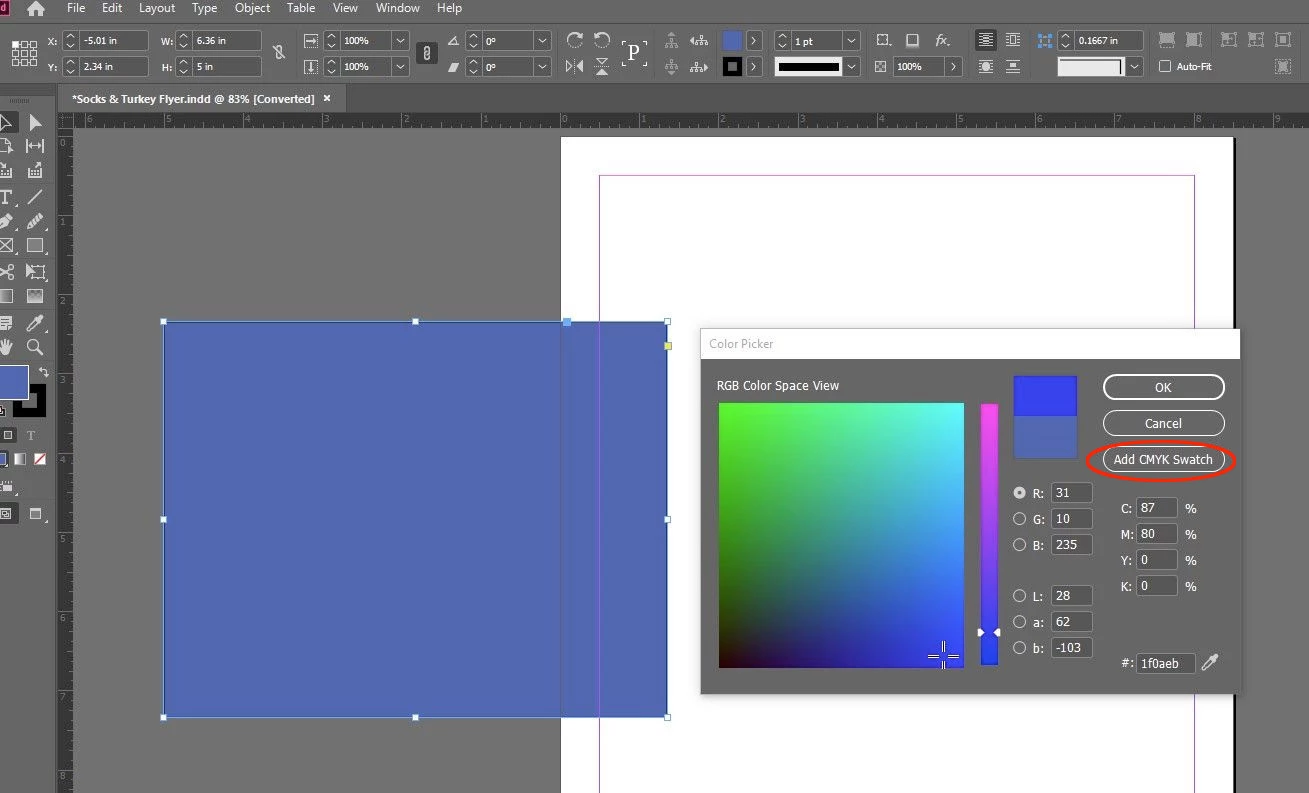
Here is an example of the colors being muted:
 AdChoices