Participant
October 22, 2018
Answered

colors look dull in indesign after upgrade

  • October 22, 2018
  • 11 replies
  • 52952 views

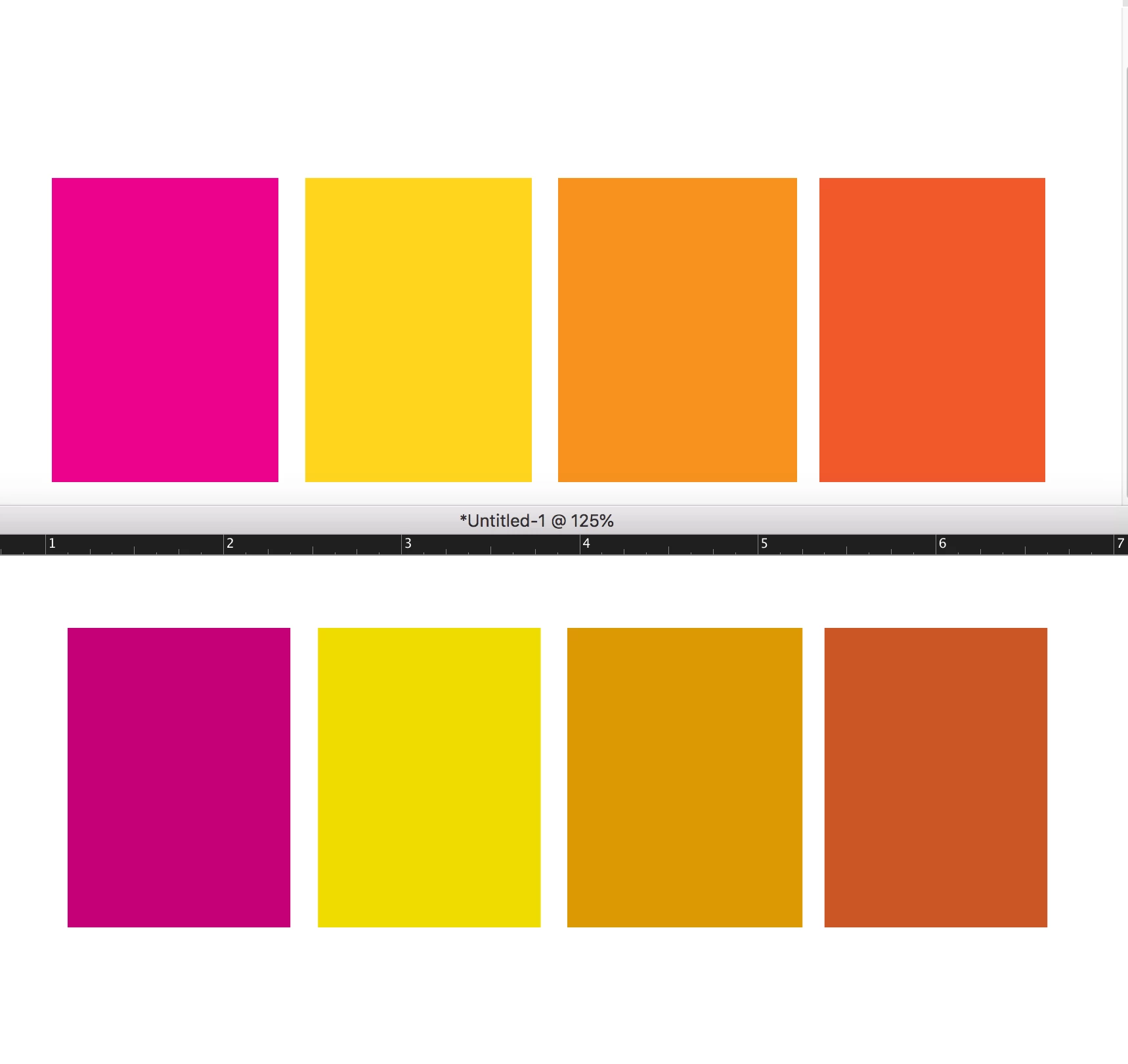
In the picture below the top row of colors is what the boxes look like when exported to pdf.

the bottom row is how they look in indesign, like they all have cyan added to them.

What setting in indesign is shifting my colors. New problem after upgrading to indesign 2019.
This topic has been closed for replies.
Correct answer Erik5ECA

Just wanted to reply to this thread in case Adobe is watching, as I had the same problem just now. After trying several solutions in this thread, the one that worked for me was the one beccaru posted about changing the color settings back to North America General Purpose 2 worked for me, but I don't know how it changed in the first place. It's concerning that this issue lingers three years after others have the same problem.


Specs for me:

  • MacBook Pro 16" (2019)
  • MacOS Catalina 10.15.7
  • InDesign 2021 16.1.0.20
  • Bridge 2021 11.0.1.109 (Included because Bridge is mentioned as a potential soure of problems below)

11 replies

Bill Silbert
Community Expert
Community Expert
October 22, 2018

Try turning off GPU Performance. There have been a number of reports of duller colors when GPU is on with CC 2019. Click on the rocket ship in InDesign's top menu bar for quick access to it.

bigchair2Author
Participant
October 22, 2018

the problem is the color setting in indesign in not staying synced across all the applications. I have set it in bridge, but inDesign will not retain the setting.

Bill Silbert
Community Expert
Community Expert
October 22, 2018

Did you try turning off GPU Performance?