
Inspiring
September 12, 2023
Answered

Colors on placed image change

  • September 12, 2023
  • 1 reply
  • 270 views

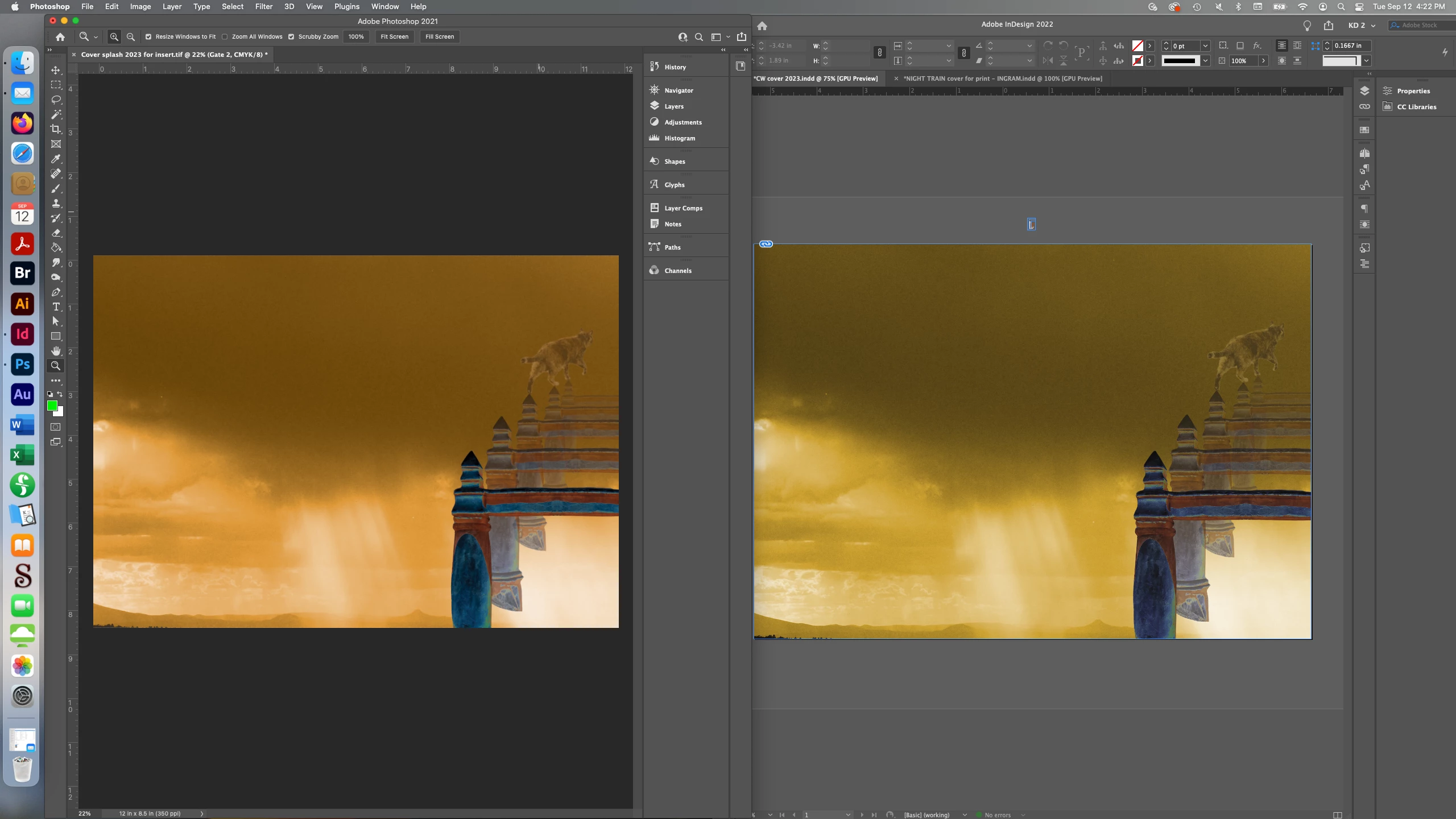
The colors on a TIFF I've placed in an inDesign doc changed upon landing. The TIFF is CMYK (this will be a print doc). When I made a JPEG out of the TIFF to see if this would solve the problem, no - the JPEG changed colors as well. I've attached a screenshot of the images side by side - on the left is the original in PhotoShop, on the right is that same image after it's placed in inDesign.


I've placed lots of images in lots of docs and have never run into this before.


I'm running PhotoShop 22.3.0 and inDesign 17.1 on a MacBook Pro OS Ventura 13.0.1.
 

This topic has been closed for replies.
Correct answer Willi Adelberger

In InDesign it is preferable to place RGB psd images with color profile and convert them upon PDF export or later. As InDesign and Photoshop use the very same color engine the result is the same with the very same setting. 

of course, the gamuts of CMYK and RGB profiles are different a color shift will always take place. 

1 reply

Willi Adelberger
Community Expert
Willi AdelbergerCommunity ExpertCorrect answer
Community Expert
September 12, 2023

In InDesign it is preferable to place RGB psd images with color profile and convert them upon PDF export or later. As InDesign and Photoshop use the very same color engine the result is the same with the very same setting. 

of course, the gamuts of CMYK and RGB profiles are different a color shift will always take place.