Inspiring
February 18, 2022
Answered

Colour Issue when creating alternate layout

  • February 18, 2022
  • 2 replies
  • 219 views

I was given a file with labels of one size.


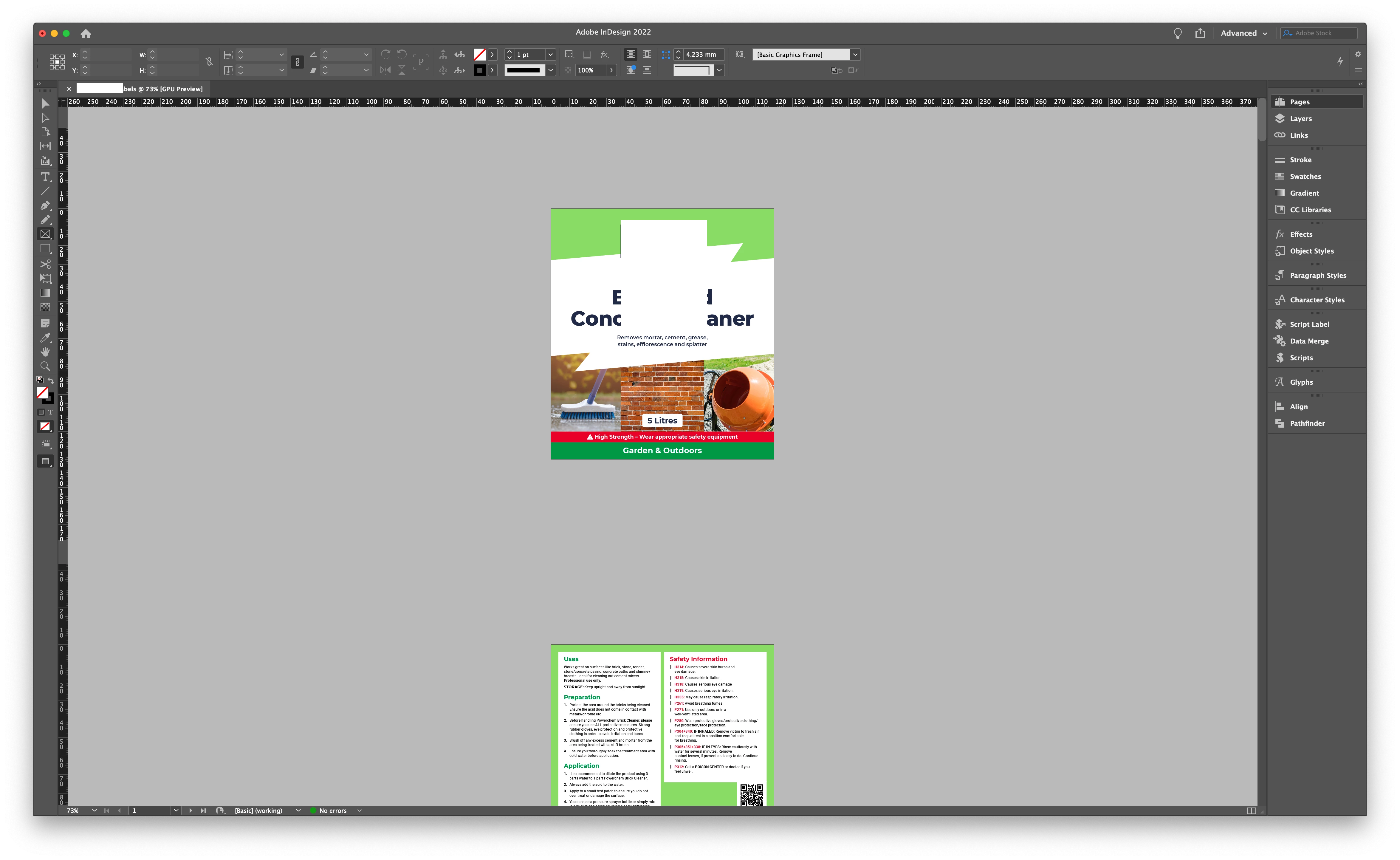
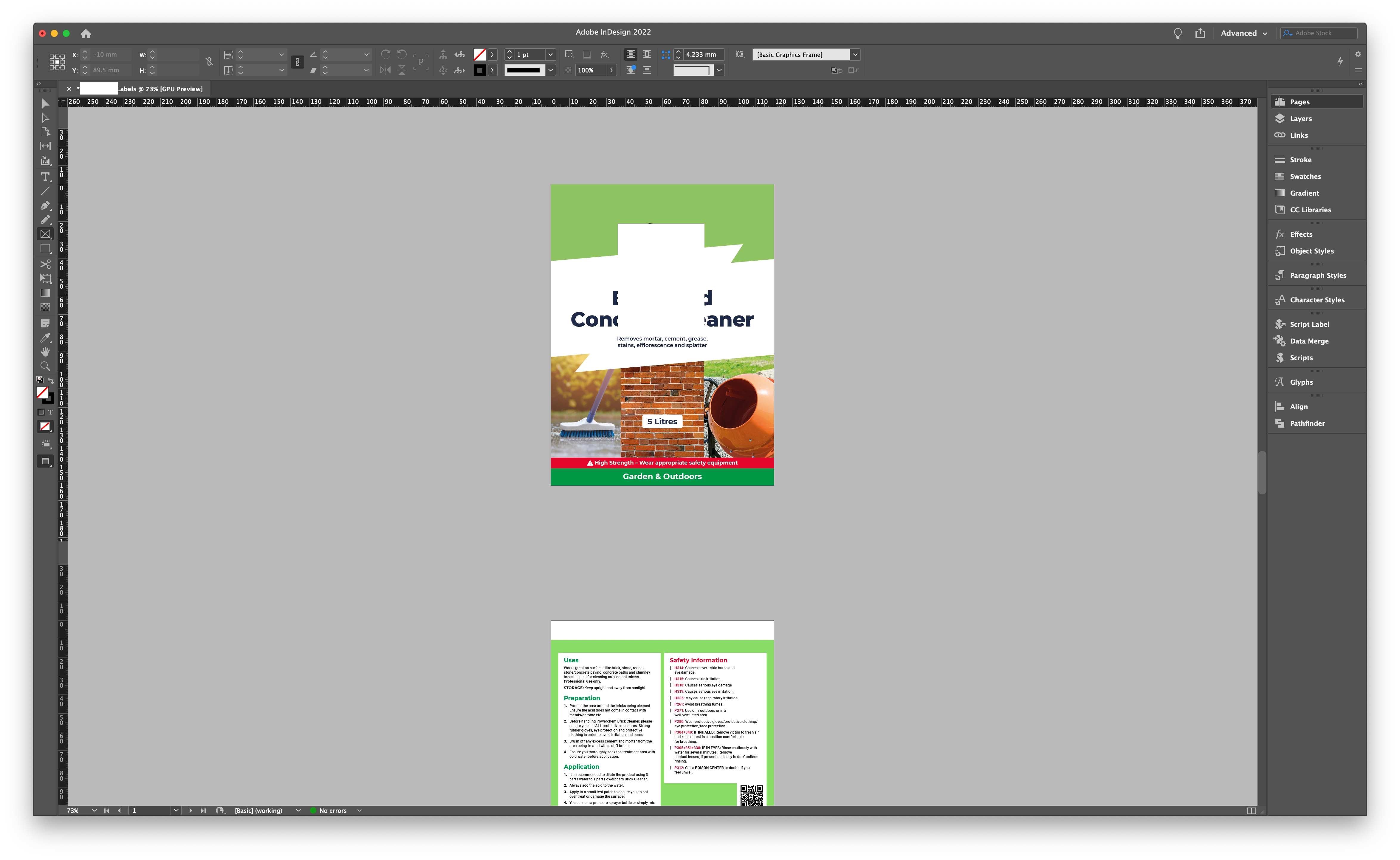
I created an alternate layout (the narrower one). But the colour on the new layout looks dull. Even though they are using the same swatch - pantone 7487C.


When i click overprint preview, the dull looks brighter.


Why is this?


This topic has been closed for replies.
Correct answer rob day

When i click overprint preview, the dull looks brighter.


Hi @Summayah5FC7 , Overprint Preview behaves differently for Process vs. Spot colors, and when there is transparency on the spread—unless you ediy the swatch Color Type, Pantone 7487C is defined as a Spot color.


Overprint Preview On shows the expected print preview of 7487C if it is printing as a solid ink Spot color (there’s no gamut limit with a solid ink Spot color so it doesn’t change). If there is transparency on the spread, Overprint Off shows how the Spot color would convert into the document’s Transparency Blend Space—CMYK in your case.


It can be confusing this thread has an illustrated explanation:


https://community.adobe.com/t5/indesign-discussions/indesign-rendering-illustrator-linked-graphics-differently-across-pages/td-p/10873261
2 replies

rob day
Community Expert
rob dayCommunity ExpertCorrect answer
Community Expert
February 19, 2022

When i click overprint preview, the dull looks brighter.


Hi @Summayah5FC7 , Overprint Preview behaves differently for Process vs. Spot colors, and when there is transparency on the spread—unless you ediy the swatch Color Type, Pantone 7487C is defined as a Spot color.


Overprint Preview On shows the expected print preview of 7487C if it is printing as a solid ink Spot color (there’s no gamut limit with a solid ink Spot color so it doesn’t change). If there is transparency on the spread, Overprint Off shows how the Spot color would convert into the document’s Transparency Blend Space—CMYK in your case.


It can be confusing this thread has an illustrated explanation:


https://community.adobe.com/t5/indesign-discussions/indesign-rendering-illustrator-linked-graphics-differently-across-pages/td-p/10873261

Brad @ Roaring Mouse
Community Expert
Community Expert
February 19, 2022

Your green is an out-of-gamut colour for CMYK, so how it appears on screen depends on a few factors: a)  whether you have your Transparecy Blend space set to RGB or CMYK,; b) if View > Proof Colors is toggled on; c) if there is any transparency effect used on that page. As a result InDesign will show you the closest green that is possible based on your CMYK output profile.

However, if you are intending to print the green as a spot colour, you can ignore the difference. Your green will still separate properly (you can check this under Window > Output > Separations Preview)