Participating Frequently
November 5, 2017
Answered

Column panel?

  • November 5, 2017
  • 3 replies
  • 5282 views

InDesign CS6 had the columns and span in the top tool box when you selected text, but now I have to go to Control-B and also the little hamburger menu (3 bars) to get into span columns. Is there not a panel that has all this for us? I guess I don't like how its all hidden in a few different places now.

This topic has been closed for replies.
Correct answer Steve Werner

The top "tool bar" is called the Control panel. And yes, you can include Columns and Span Columns in it, but it's been crowded out by default in CC 2018. A couple versions ago, they made the little icons a little bigger to make them more legible so now you have to customize the Control panel see them.

Start at the little "gear" icon on the far right end of the Control panel, just above the "hamburger menu". That opens Customize Control Panel. You may have turn off certain items in the Paragraph section. Like I turned off Paragraph Borders and Shading. It depends on your monitor resolution. You may also have to turn off something else further to the left:
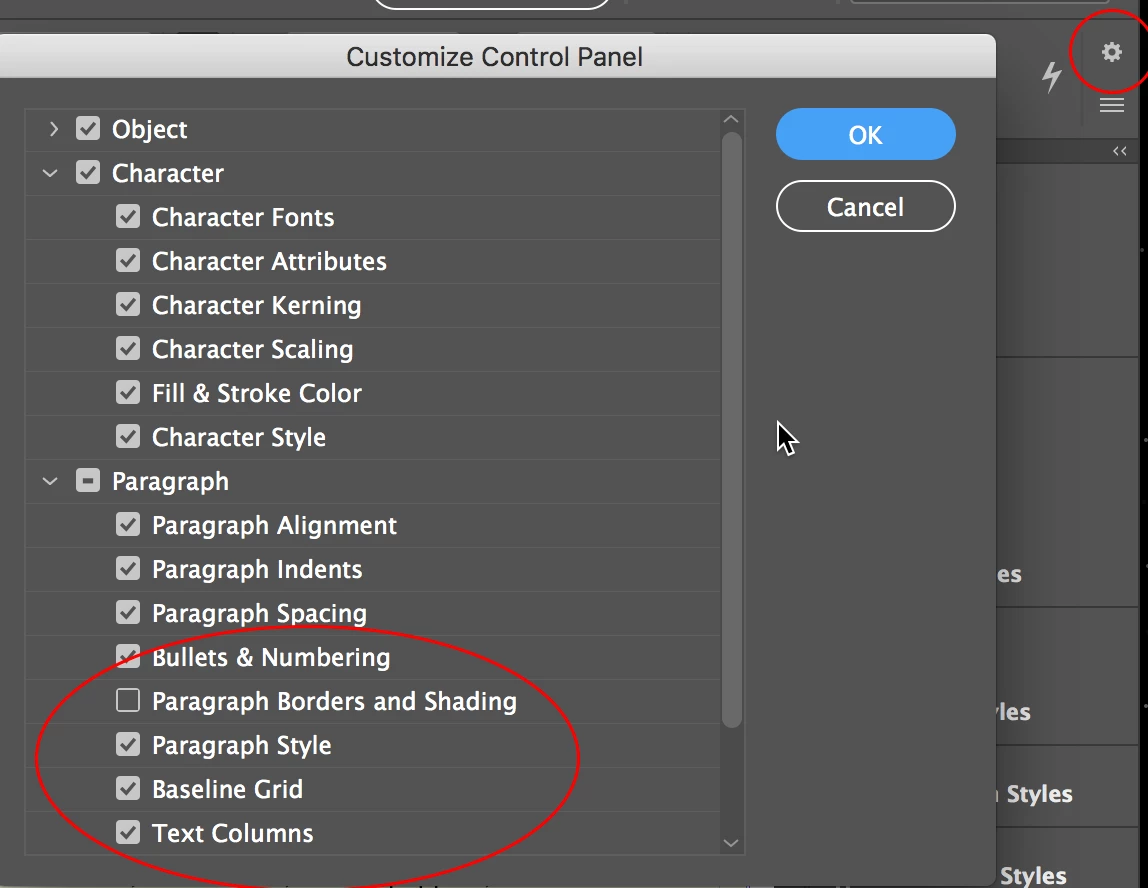
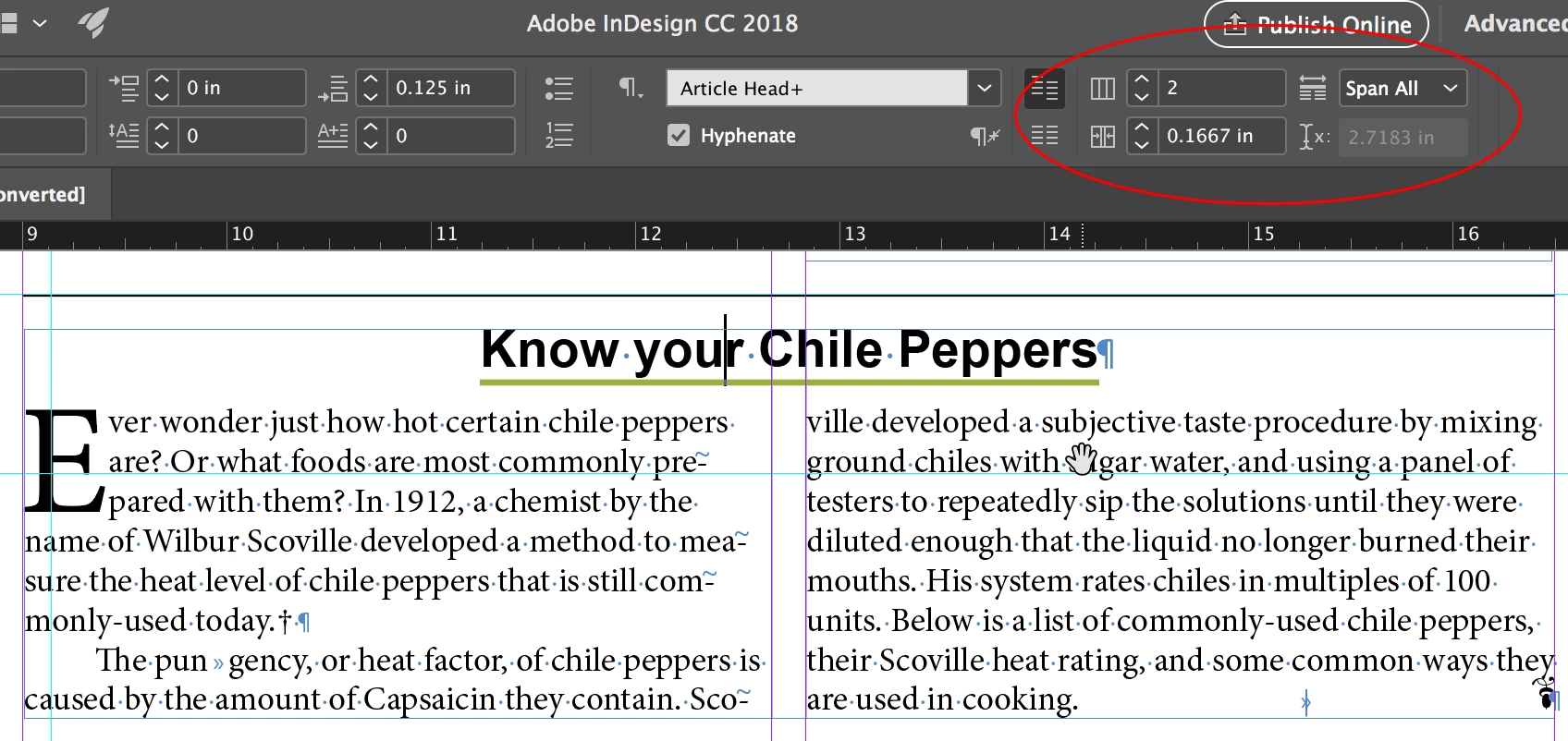
When you do that, you should see the icons you're expecting at the right end for Columns, Gutter and Span Columns:
3 replies

uzeruzerAuthor
Participating Frequently
November 5, 2017

I guess I just miss how CS6 had it at the very top visible all the time and didn't want to have to click to go into columns in 1 area, then setup the columns in another option (control-b).

Steve Werner
Community Expert
Steve WernerCommunity ExpertCorrect answer
Community Expert
November 5, 2017

The top "tool bar" is called the Control panel. And yes, you can include Columns and Span Columns in it, but it's been crowded out by default in CC 2018. A couple versions ago, they made the little icons a little bigger to make them more legible so now you have to customize the Control panel see them.

Start at the little "gear" icon on the far right end of the Control panel, just above the "hamburger menu". That opens Customize Control Panel. You may have turn off certain items in the Paragraph section. Like I turned off Paragraph Borders and Shading. It depends on your monitor resolution. You may also have to turn off something else further to the left:

When you do that, you should see the icons you're expecting at the right end for Columns, Gutter and Span Columns:

Bill Silbert
Community Expert
Community Expert
November 5, 2017

By the hamburger menu do you mean the 3 parallel lines at the far end of the Control Panel by which just clicking on it accesses the pull-down menu which has Span Columns on it? How much easier access could there be than that?

This pull-down is available when the Text tool is selected and either character or paragraph is chosen in the control panel.

macpawel
Participating Frequently
November 5, 2017

Spann Column is Paragraph feature - just go to Paragraph Panel (CTRL+Alt+T) and from options menu select Span Columns. You can also work with Span Columns via Paragraph Style Options when you use styles

pawel