


Participating Frequently
September 12, 2024
Question

Comment conserver 2 pages côte à côte

  • September 12, 2024
  • 2 replies
  • 329 views

Bonjour,


Lorsque je veux insérer de nouvelles pages dans le milieu de mon document. Je fais clique droit sur une page et je clique sur 'Insérer des pages' puis si j'écris 3 pages, ces trois nouvelles pages iront à côté de la page au lieu de rester corder à 2 pages côte à côte. Voici une image de ce que ça fait : 
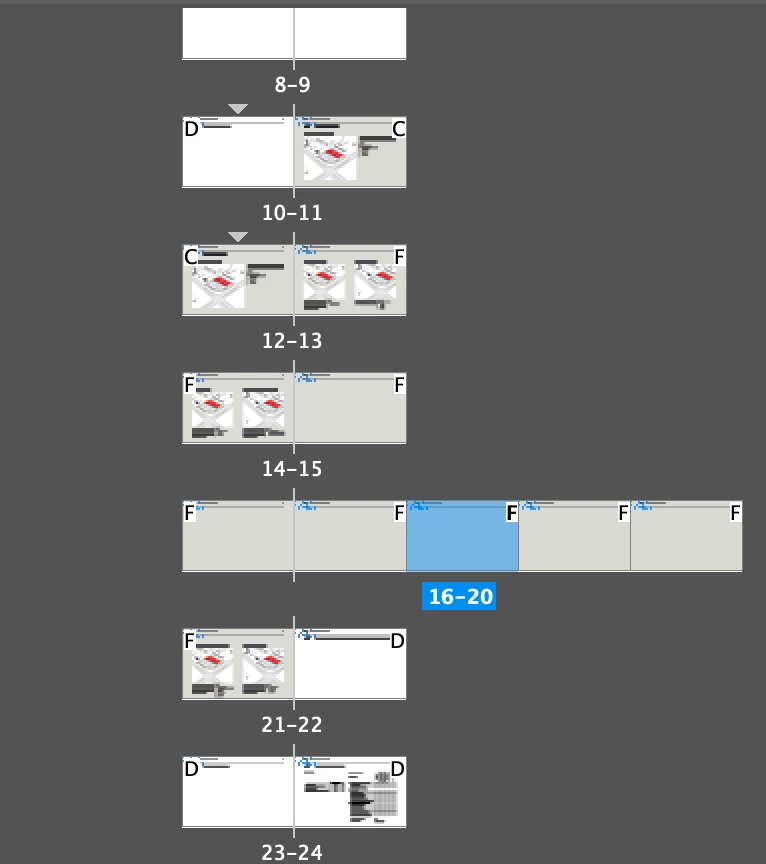
 Pouvez-vous m'aider et me dire comment conserver TOUJOURS 2 pages côte à côte?

Merci beaucoup!

This topic has been closed for replies.

2 replies

Abhishek Rao
Community Manager
Community Manager
September 12, 2024

Hi @Virg_inie,


Thank you for reaching out! I completely understand how frustrating it can be when pages don’t behave the way you expect them to, especially when working on a document layout.

It looks like the issue is occurring when you’re inserting an odd number of pages, which might be causing the page flow to change. To keep two pages side by side, you can go to "File > Document Setup" and ensure that “Facing Pages” is selected. This will ensure that pages are kept in spreads of two. When inserting new pages, try inserting an even number to maintain the side-by-side layout.


Could you also let me know which version of InDesign and what operating system you’re using? 


Looking forward to your response.


Thank you, 

Abhishek Rao 

Virg_inieAuthor
Participating Frequently
September 12, 2024

Hi! Thanks for your fast response. I'm using MacBook Pro and the latest version of Indesign (19.5)

I tried to insert 2 pages instead of 3. But it's still the same. 

And ''Facing pages'' is already selected.