
Inspiring
May 26, 2023
Question

Compiling Plug-In for M1 Computer

  • May 26, 2023
  • 5 replies
  • 579 views

Hi everyone,
Let me start off by saying that I currently develop plug-ins for InDesign.
Recently I was given a new computer with M1, before I used a computer with intel processor and macos 10.15 (Catalina) but now I'm using a computer with M1 processor and MacOs 12.6 (Monteray).
I specify that all the Plug-Ins I created worked correctly both on intel and on M1.
Now I have moved, with GitHub, all the projects created by the computer with Intel to the one with M1, I try to compile a plug-in it gives me this error.

This is the error, it's not for InCopy but for InDeisgn, i got it from google images : 
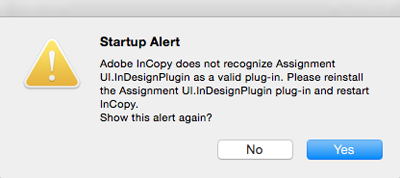
Startup Alert message after upgrading InDesign or InCopy with Smart  Connection installed – Home

Here's everything I tried to do:

  • The version of the SDK it's correct, because it's SDK v.17.0.0 for InDesign 17.4
  • The project is correctly signed

My doubts:

  • maybe changing the macos version could have made some confusion
This topic has been closed for replies.

5 replies

Community Expert
May 27, 2023

Echoing the suggestion made by @Dirk Becker please reverify that you are using the recommended version of the toolset i.e. XCode and the MacOS SDK. I have used both the Intel MAC's and just lately migrated on to creating the builds from M1 computers and did not face any issues. However, on M1 I compiled for CC2023.

-Manan

-Manan
Legend
May 26, 2023

Btw the InDesign 17 SDK specifies Xcode 12.3 which comes with OS_SDK_VERSION=110100

/Applications/Xcode.app/Contents/Developer/Platforms/MacOSX.platform/Developer/SDKs/MacOSX11.1.sdk

I wonder how you got that going in Monterey?


Xcode 13.3 specified for InDesign 18 works on Monterey but "only" has OS_SDK_VERSION=120300

Legend
May 26, 2023

You say you have a working plug-in for comparison.

In Finder:

Right click the icon, then Show Package Contents.

Use tree view (Cmd+3)

Alt+click the tree triangle for recursive expand

Right click the header row to show sizes if missing.


Repeat for the other plug-in.

Put the windows side by side.

Compare folder structure, check for reasonable* file sizes.

Code should be a dark "exec" icon within Versions / A named like your actual plug-in.

*With M1 and x86, code size should be larger than only x86.


Legend
May 26, 2023

I don't have an answer but I suggest you post your own error screen shot, not something similar from Google Images. There may be an important difference that you do not see.

Legend
May 26, 2023
Inspiring
May 26, 2023

I don't know why but every single plug-in I try to compile with M1 doesn't recognize them, I can't compile them anymore neither for M1 nor for intel.
While all the plug-ins I compile on the computer with intel work perfectly.
The project is exactly the same, only the computer change.