e ch n
Inspiring
May 2, 2025
Answered

Configuraciones para prensa.

  • May 2, 2025
  • 2 replies
  • 1024 views

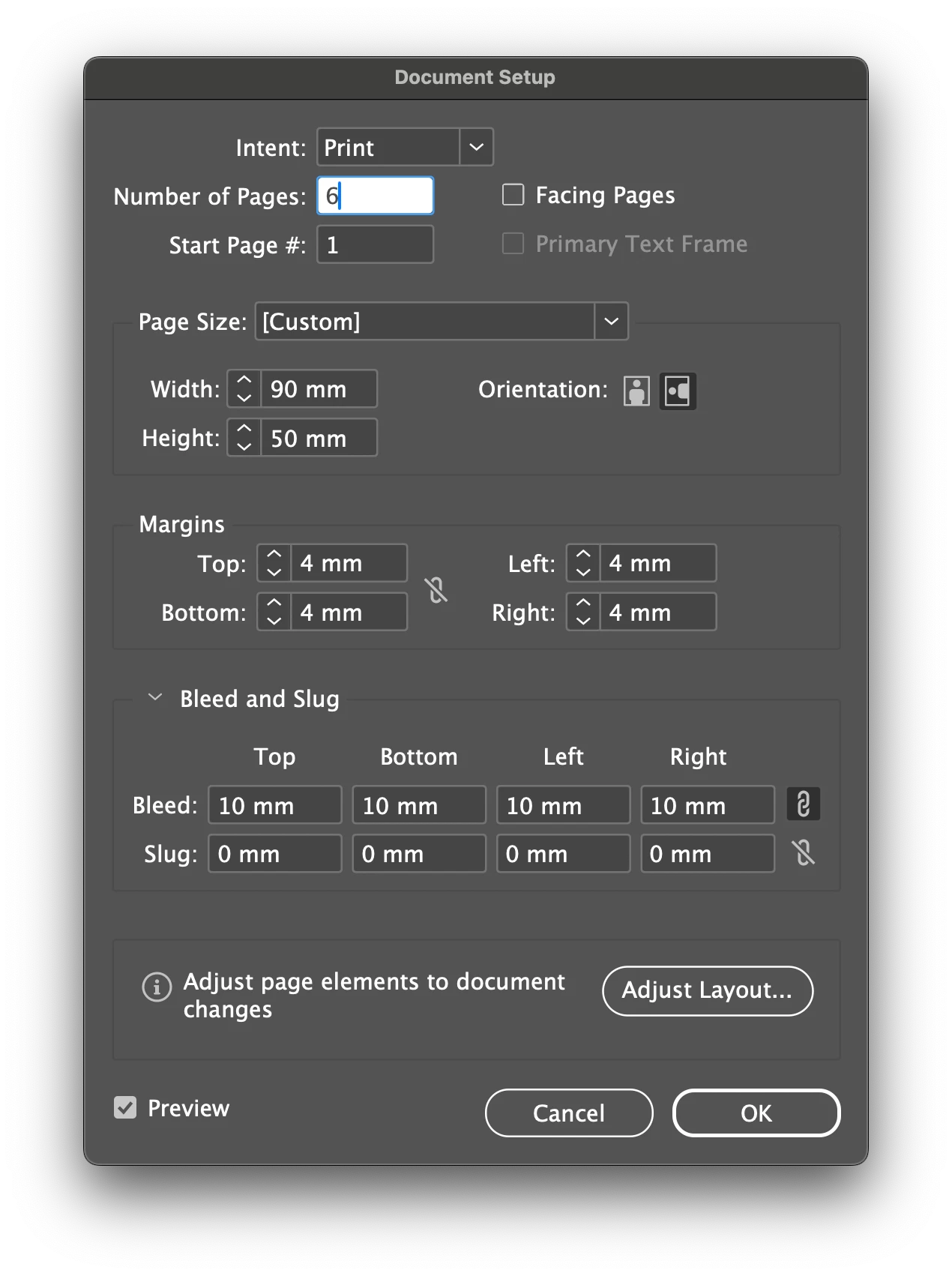
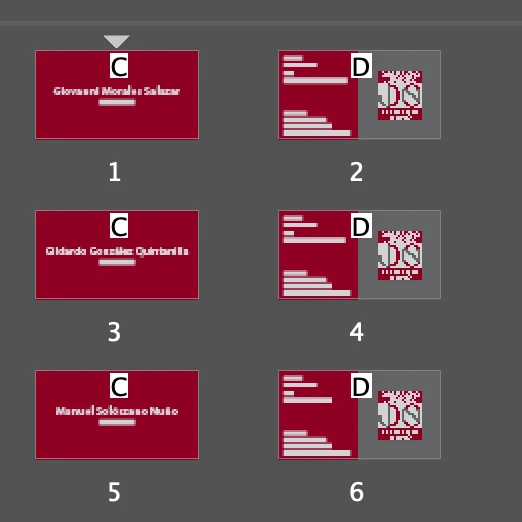
Voy a imprimir unas tarjetas de presentación por ambas caras y son 3 cambios, es decir, tarjetas para 3 personas impresas frente y vuelta.


¿Cómo debo de configurar el archivo ( tanto al diseñarlo como al exportarlo ) para que al exportarlo se creen 3 pdf separados, cada uno con frente y vuelta de cada tarjeta?


Actualmente el archivo está como muestran estas imágenes:


Gracias.


Correct answer Eugene Tyson

It can be done but the setup is a bit convuloted - so for 3 doing it 3 times is easier than doing it a different way that's long to setup. 

I've done it for 500 business cards. 


Yeh that's the safest option to provide them separately. 


As for your questions about the red rectangles - the printer should provide you with a .joboptions file this has all the settings - then you go to File>PDF Presets and import the file. 


Can't see what all the settings say so I can't advise further. 

However, send it to the printers and ask them for their advice, they are in the best position to help you with this.

2 replies

Community Expert
May 3, 2025

Are you printing these yourself? 

If you're sending to a printers then send them the PDF they'll sort out the logistics. 

Do all the backs have different information - it looks like they do. 


If you want 3 different files then you can use File>Export and select your page range 1-2 for the first one.

Then export page 3-4

Then export 5-6


Or export all to a single pdf and in Acrobat Pro you can extract the pages. 


But you don't have to do much more if you're sending to a printers - send them what you have and they will set up the printing and logisitics for you.


e ch n
e ch nAuthor
Inspiring
May 3, 2025

Hola, @Eugene Tyson 


  1. Serán impresas en imprenta digital.
  2. Sí, cada tarjeta es diferente en frente y vuelta, son 3 personas distintas.
  3. Sí... era tan obvio... que no lo vi... ciertamente limitar el rango de exportación a frente y vuelta por tarjeta y repetir la operación 3 veces.... quizá lo que tenía en mente era hacer eso mismo en una sola operación.
  4. El separarlas es para evitar un posible error del impresor en confundir el frente de una con la vuelta de otra.


Gracias. 

Eugene TysonCommunity ExpertCorrect answer
Community Expert
May 4, 2025

It can be done but the setup is a bit convuloted - so for 3 doing it 3 times is easier than doing it a different way that's long to setup. 

I've done it for 500 business cards. 


Yeh that's the safest option to provide them separately. 


As for your questions about the red rectangles - the printer should provide you with a .joboptions file this has all the settings - then you go to File>PDF Presets and import the file. 


Can't see what all the settings say so I can't advise further. 

However, send it to the printers and ask them for their advice, they are in the best position to help you with this.

Robert at ID-Tasker
Legend
May 3, 2025

I think too much bleed? 3mm should be enough. 


How it will be printed? 


Not sure if you need 3x separate files?


Do it as you've right now - just one file with 3x sets of front+back - and info for the printing place. 


e ch n
e ch nAuthor
Inspiring
May 3, 2025

Sí, tienes toda la razón @Robert at ID-Tasker  es demaciado sangrado, lo corregiré, imprenta me dijo que con 5 mm es suficiente.


La impresión se realizará en imprenta digital pues solo son 400 U de cada tarjeta

Bueno, quizá, tanto como "necesitar", ciertamente no, sólo quiero evitar alguna confusión y que impriman el frente de una con la vuelta de otra... por eso pensé en 3 archivos por separado incluyendo frente y vuelta de cada tarjeta.


Pensaba que para prevenir esa posible confusión, colcar el nombre en el "slug area", que el impresor tiene que leer... ¿a esto te refieres cuando dices "info for the printing place"? 

Robert at ID-Tasker
Legend
May 3, 2025

@e ch n


By "info for the printing place" I meant some extra note - in the email.