



Javier Gómez Laínez
Inspiring
September 27, 2022
Question

Content-aware fit "blind" to white background

  • September 27, 2022
  • 1 reply
  • 159 views

I thought the "Content-aware" fit option was using some sort of AI, but it seems that's not the case.


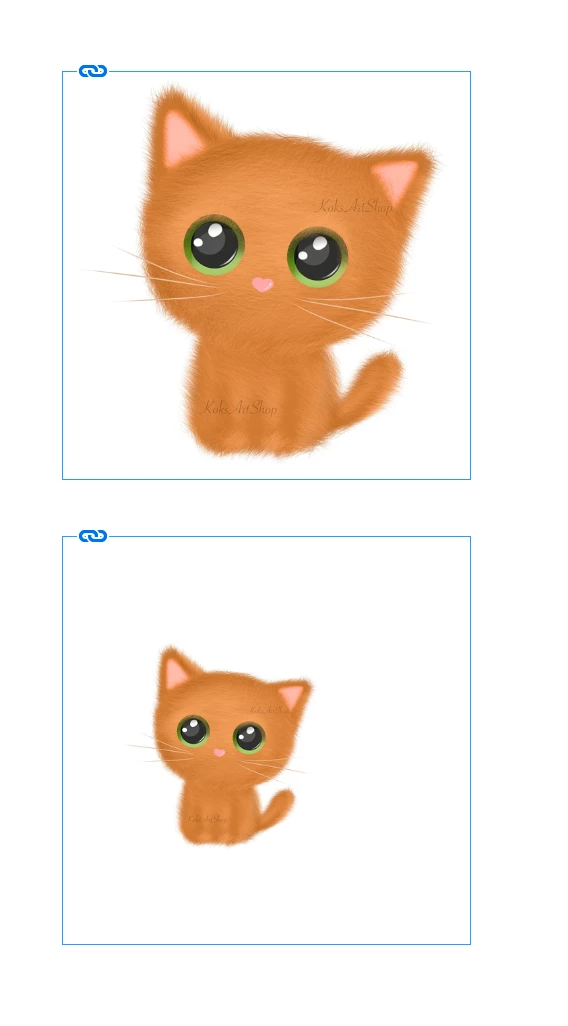
As a simple test, I've downloaded a random kitten image from Internet, and made two versions using Photoshop: one with a very small white background and another simply using a "negative" crop, obtaining a huge white space. This procedure aims to recreate a problem we are having with a client catalog, in which they take the product images EXACTLY in the same background (white light case) and with same scale and proportions, obtaining images with the same pixels count but with more or less white space depending on the object size.


Using the two kitten images and selecting the "content-aware" fit option, I was expecting to have roughly the SAME visual size, increasing or decreasing the image scale to obtain a pleasant framing: getting rid of the excesive white background. The top kitten is a 1000x1000px image, and the bottom one is a 2000x2000px image. I was expecting a "correct" framing for both images = the same framing (like the top image)


Is this a bug or "Content-aware" fit does not take into account the white space?
This topic has been closed for replies.

1 reply

James Gifford—NitroPress
Legend
September 27, 2022

That's how content-aware fit should work, and most of the examples I've seen are specifically for things like catalogs and the general need you outline.


I haven't used it enough to know the nuances, but if there's not a setting that would help or possibly stray pixels from your enlargement interfering (an outline?), I'd just say it's not as "aware" as it perhaps should be.


That example is going to haunt me all day, though. 🙂


Javier Gómez Laínez
Inspiring
September 27, 2022

Hi @James Gifford—NitroPress The AI used by Adobe in Photoshop correctly detects and selects the kitten, no matter how big the sorrounding white space is. So, I was expecting a similar result in InDesign, with some kind of Artificial Inteligence based in how any graphic designer would frame an image with such a lot of white space.

Of course, the proper solution is first get rid of that annoying white space using Photoshop, but it would be nice to have an intelligent alternative just by selection a menu option in InDesign.


Maybe future versions will be trained with graphic designer common approaches to image framing.