
Participant
April 13, 2025
Answered

Contour Options greyed out - Text Wrap

  • April 13, 2025
  • 1 reply
  • 304 views

Hello, I'm new to InDesign and following a tutorial on Text Wrapping. I'm trying to wrap the text around the image, excluding the white background.


I've placed an image that I downloaded via the tutorial exercise file so I know there is nothing wrong with the image itself, but the Contour Options section is greyed out?
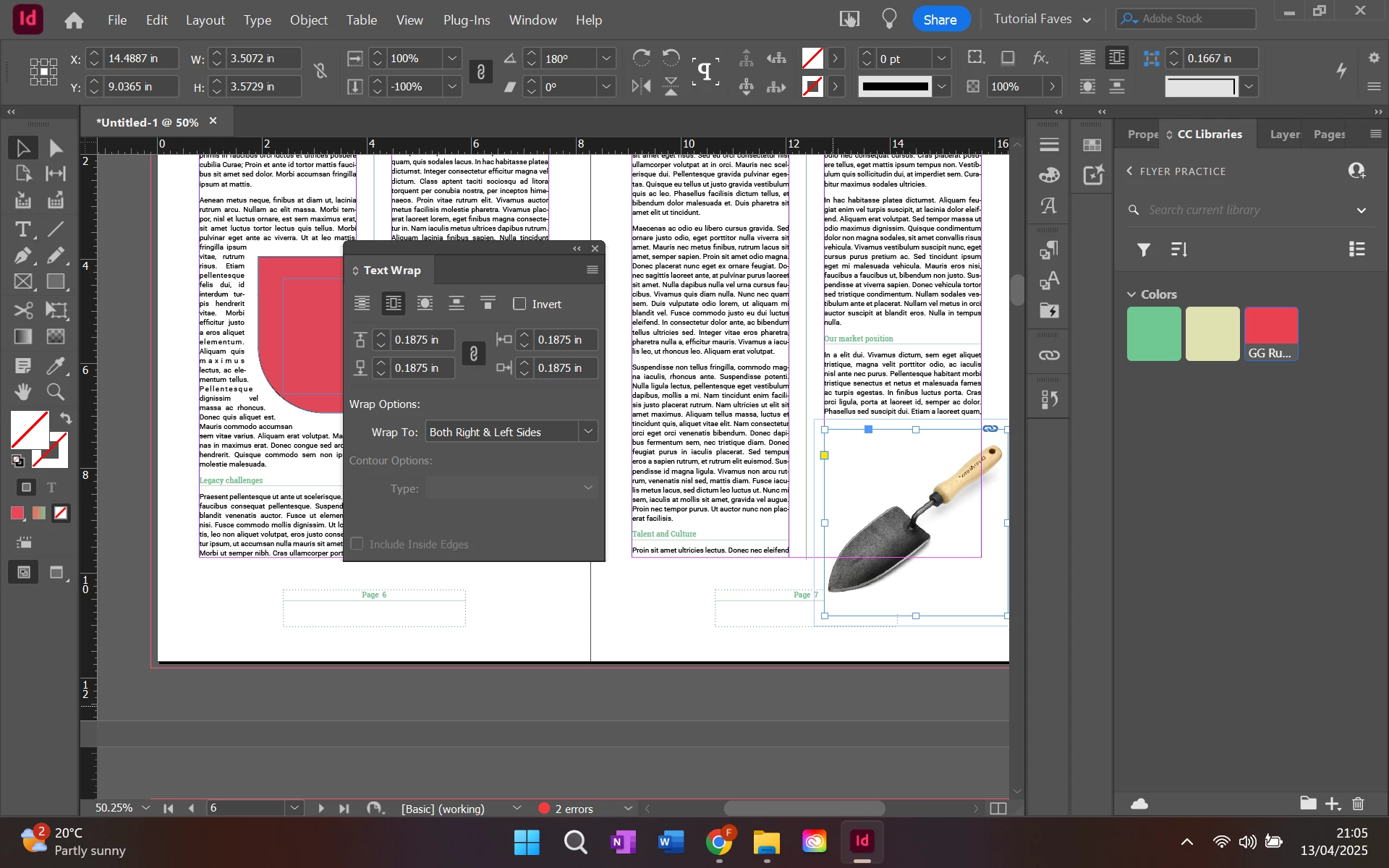
What could be happening here?

Correct answer Dave Creamer of IDEAS

The second button from the left (the one selected) only wraps text around the frame. Click the third button over. 

Also, the graphic needs to have an alpha channel (transparency in the background) or a clipping path--amd the text frame needs to extend to the bottom of the column (I can't tell from the image).


1 reply

Dave Creamer of IDEAS
Community Expert
Dave Creamer of IDEASCommunity ExpertCorrect answer
Community Expert
April 13, 2025

The second button from the left (the one selected) only wraps text around the frame. Click the third button over. 

Also, the graphic needs to have an alpha channel (transparency in the background) or a clipping path--amd the text frame needs to extend to the bottom of the column (I can't tell from the image).


David Creamer: Community Expert (ACI and ACE 1995-2023)
FaithAmsAuthor
Participant
April 14, 2025

Thank you, it was what you said in the first sentence.