
Question
Control Panel Malfunction in Objects subpanel
InDesign version 18.2.1 x64 PC
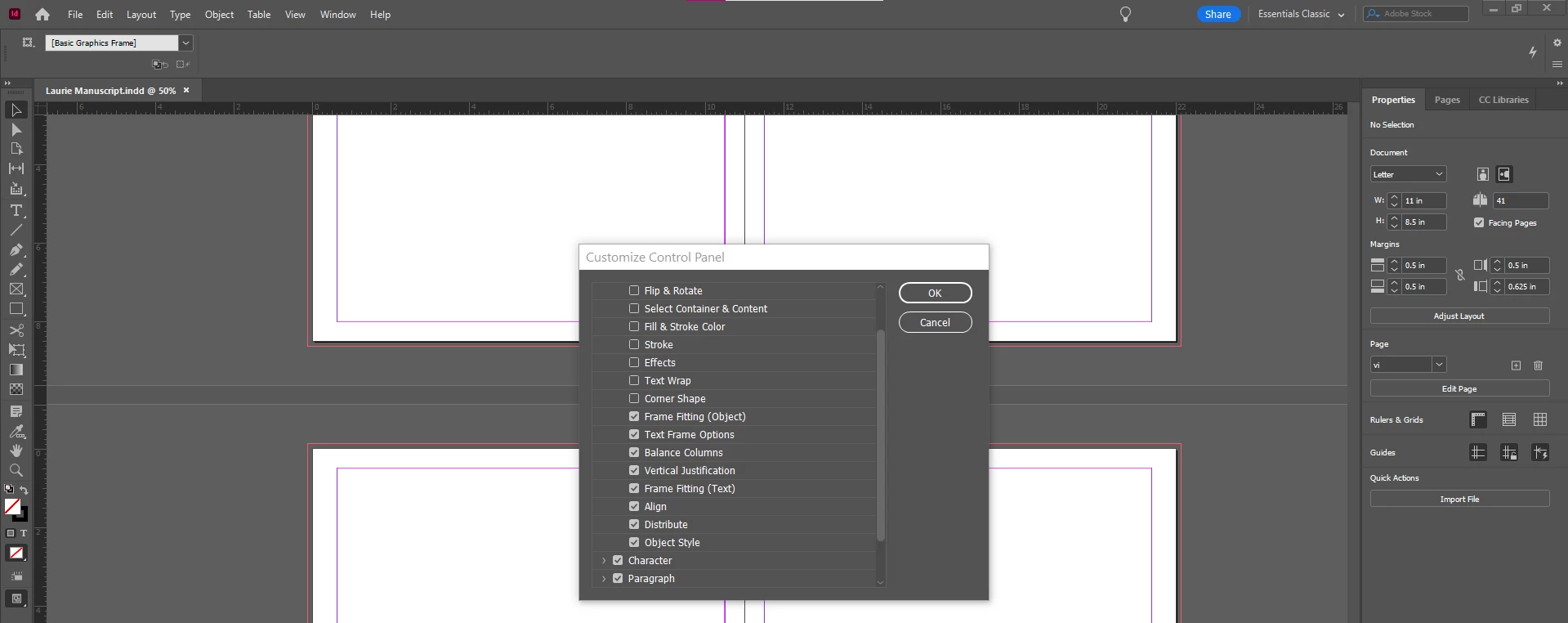
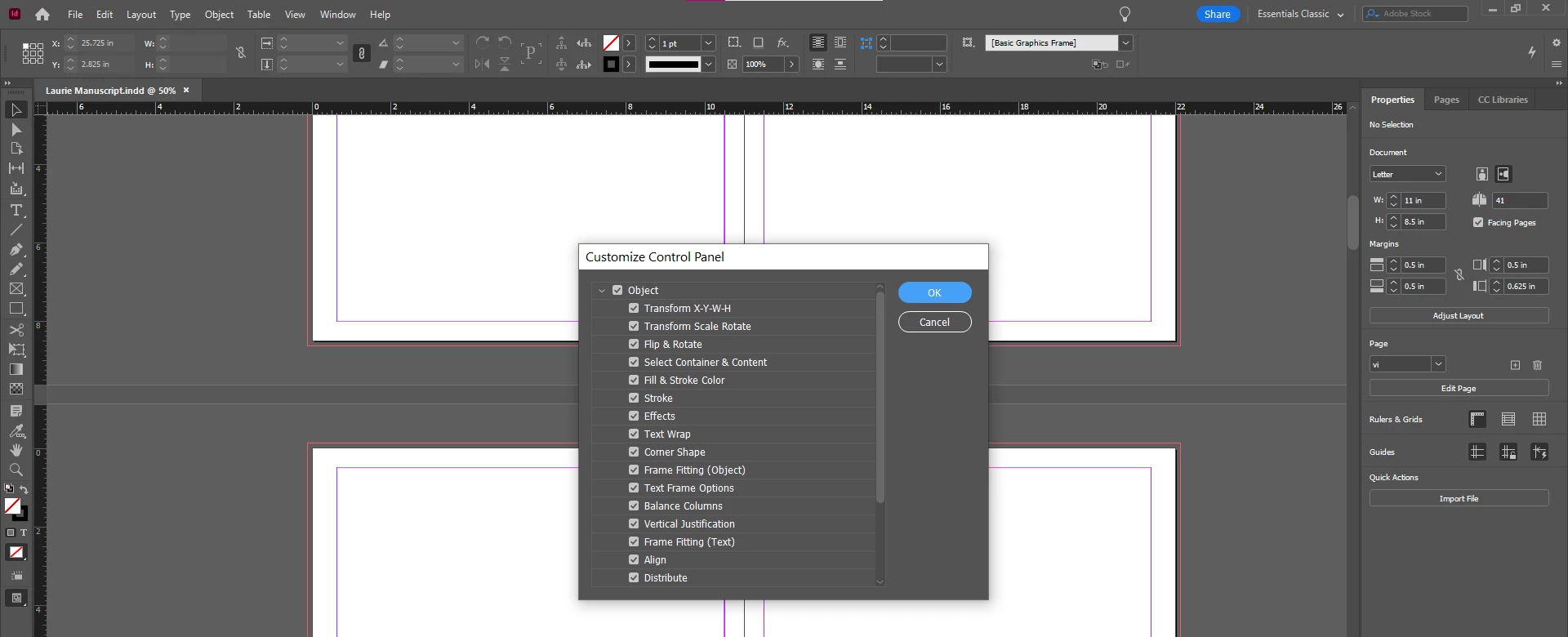
There are several selected items in the Objects subpanel that are not properly displayed in the Control Panel. I have ticked the checkboxes for each of the items one-by-one to see where the malfunction appears. On my system, the items between Frame Fitting (Object) down to Distribute do not display. Oddly enough, the next item after Distribute which is Object Style displays properly. (see screenshots)
I have tried the suggestions I found in the Community to try to solve my problem such as resetting the workspace, deleting my preferences at start-up, clearing the cache, and making sure the UI to small. However, none have restored the items.
 AdChoices