Participant
June 17, 2019
Question

Control panel remains empty.

  • June 17, 2019
  • 3 replies
  • 360 views

Control panel remains empty. Only gray boxes without content. No labels or icons. Please Help
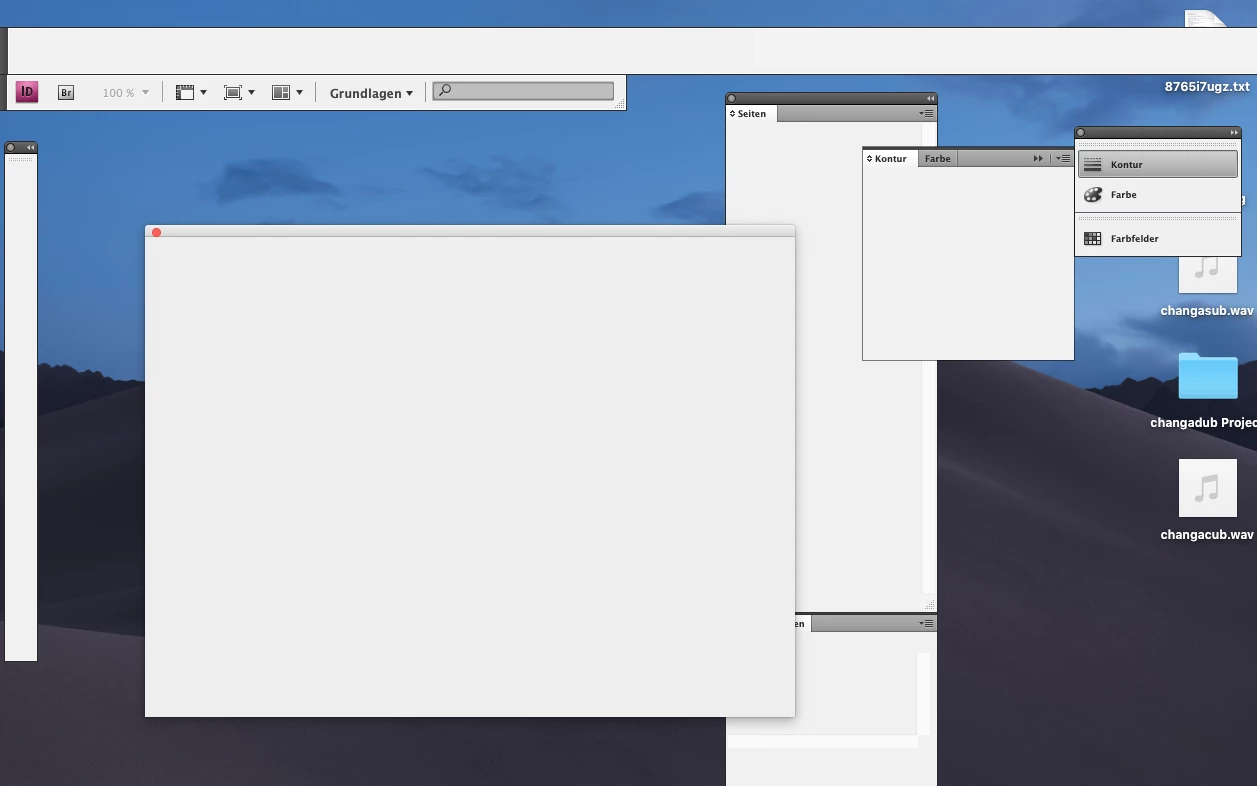
    This topic has been closed for replies.

    3 replies

    Bill Silbert
    Community Expert
    Community Expert
    June 17, 2019

    Try trashing your InDesign cache files. This is not the same as trashing preferences and it can be very helpful with interface issues.

    To do so:

    For Macintosh Users: The User Library folder in which InDesign’s cache files are stored is hidden by default on most Macintoshes. To access it make sure that InDesign is closed and click on the desktop to launch a Finder Window (Command-N). With this window in column view follow the path User>Home folder (it’s the folder with an icon that looks like a house—it may have the user’s name rather than “Home”) and click on the Home folder. With the Option Key pressed choose Library from the Finder Go Menu. “Library” will now appear within the Home folder. Within the Library folder find the “Caches” folder. Within the Caches folder find and delete the entire folder “Adobe InDesign”. I find that deleting the InDesign cache folder completely leads to a lasting change. 

    For Windows Users: On Windows 7 and above the caches files are hidden. To find them go to the Control Panel and open Folder Options and then click the View tab. Then select “Show hidden files and folders” or “Show hidden files, folders or drive options” in Advanced Settings. Then delete (or rename) the folder at the end of this path: C:\Users\[User Name]\AppData\Local\Adobe\InDesign\Version [#]\<Language>\Cache.

    Participant
    June 17, 2019

    did not work

    Bill Silbert
    Community Expert
    Community Expert
    June 17, 2019

    As Uwe has already asked we need to know what operating system that you are using. I have seen something similar to this when using an old unsupported program (CS4 would definitely be that) with Windows 10. If you are using Windows 10 then you should know that for most users it periodically runs automatic updates, many times with the user unaware of it. So you could go to bed one night with your CS4 (by the greatest stroke of fortune) running fine and then wake up to find it working erratically, if at all. The blank panels quite possibly is the result of this updating. If you are on a Mac and are on any OS after Yosemite (OSX 10.10) you will also be prone to old program meltdown after an upgrade. If you want to continue to use CS4 it will have to be on a computer with an older OS to assure it working correctly.

    EDIT: I just realized that the screen background you're showing is the default for Mojave (Mac OSX 10.14). The amazing thing here is that you got CS4 InDesign to work up until now.

    Michael Bullo
    Community Expert
    Community Expert
    June 17, 2019

    Have you tried resetting the preferences?

    Have you tried reinstalling the program?

    Expanding on what Laubender has already asked, what version of InDesign and your operating system are you running? Could something have updated recently that now makes these incompatible with one another?

    Participant
    June 17, 2019

    Yes, its CS4. Preferences already reseted but ive not tried to reinstall until yet. Photoshop and Illustrator works correctly.

    Community Expert
    June 17, 2019

    What's your operating system?

    Could be that InDesign CS4 is not supported.

    After an upgrade of the operating system it is not working as expected.

    Illustrator and PhotoShop are totally different apps.

    That e.g. PhotoShop is running on an unsupported system will not mean that InDesign has to run as well.

    Regards,
    Uwe

    Community Expert
    June 17, 2019

    Hi soonsuicide ,

    what's the operating system's version you are running this old version of InDesign?

    ( CS3 or CS4 I assume )

    Regards,
    Uwe
