


Inspiring
July 9, 2026
Question

Control spacing between nested styles with line break

  • July 9, 2026
  • 4 replies
  • 64 views

I am trying to create a paragraph style like the following:
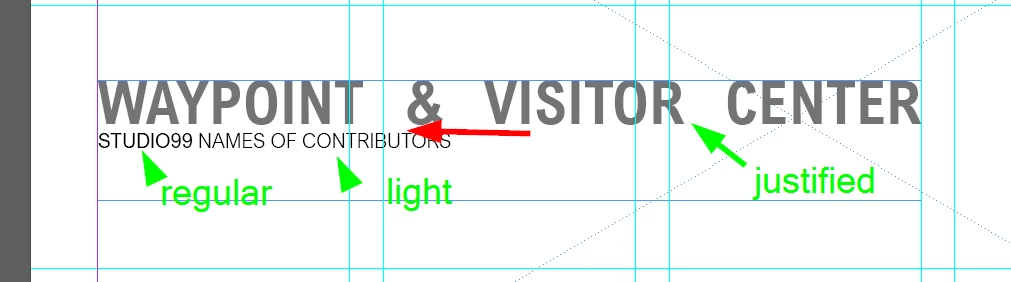
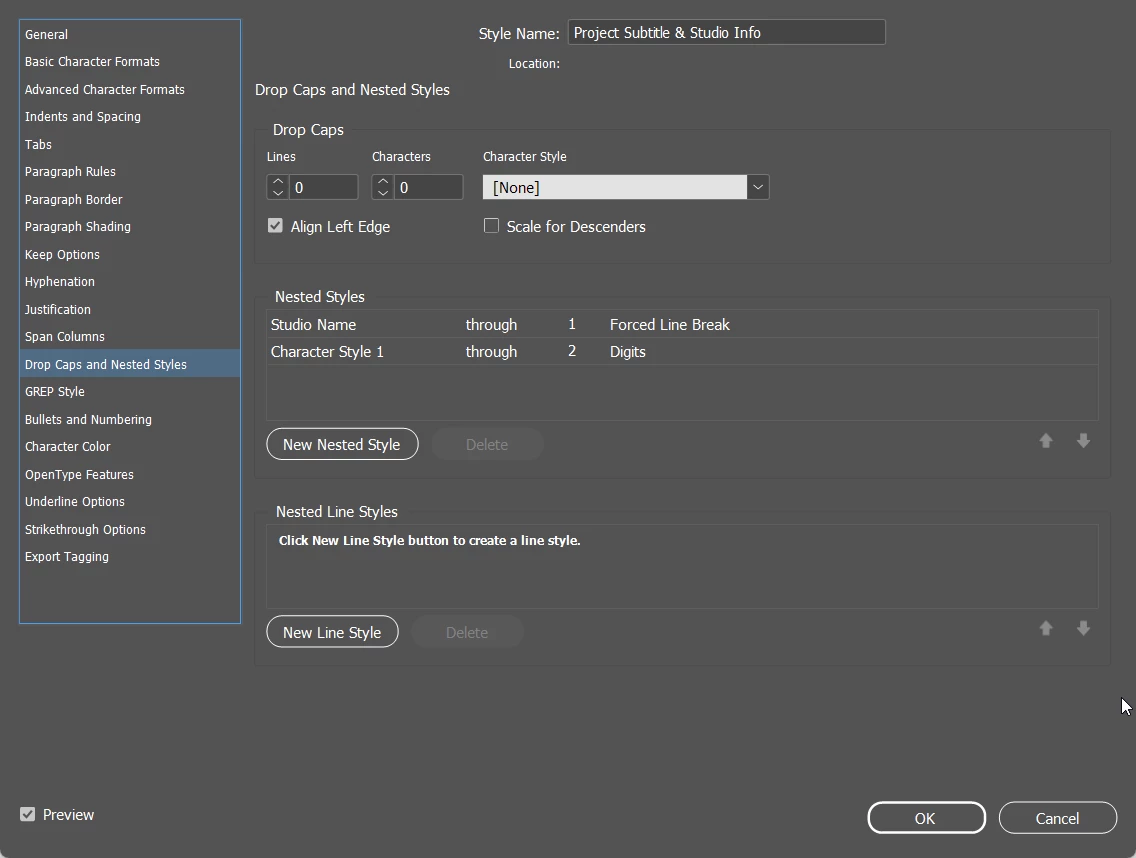
The problem is that I am unable to control the space between the first and second lines. Is there a flaw in the way I have set it up if I can’t control this?
 

    4 replies

    Barb Binder
    Community Expert
    Community Expert
    July 9, 2026

    The quick answer to your specific question is Basic Character Formats > Leading.

    But like Bob suggested, I’d change the line break to a paragraph break and define two paragraph styles. Then you can add spacing below Title or above Subtitle.


    ~Barb at Rocky Mountain Training
    BobLevine
    Community Expert
    Community Expert
    July 9, 2026

    This should absolutely be two paragraph styles.

    Bill Silbert
    Community Expert
    Community Expert
    July 9, 2026

    The space before the second line should be done by increasing the leading in the character style which you are applying for the second line. Since a nested style exists within a paragraph style you cannot do this with space before or space after.

    Inspiring
    July 9, 2026

    Control the space with leading as always.

    You have probably over complicated this with the forced line break. This is a use for Next style.

    Studio Name char style should be a Para style and define a next style as light with a single nested of regular through 2 digits