christinad99501559
Participant
April 30, 2018
Answered

Controlling a gradient applied to live text.

  • April 30, 2018
  • 3 replies
  • 521 views

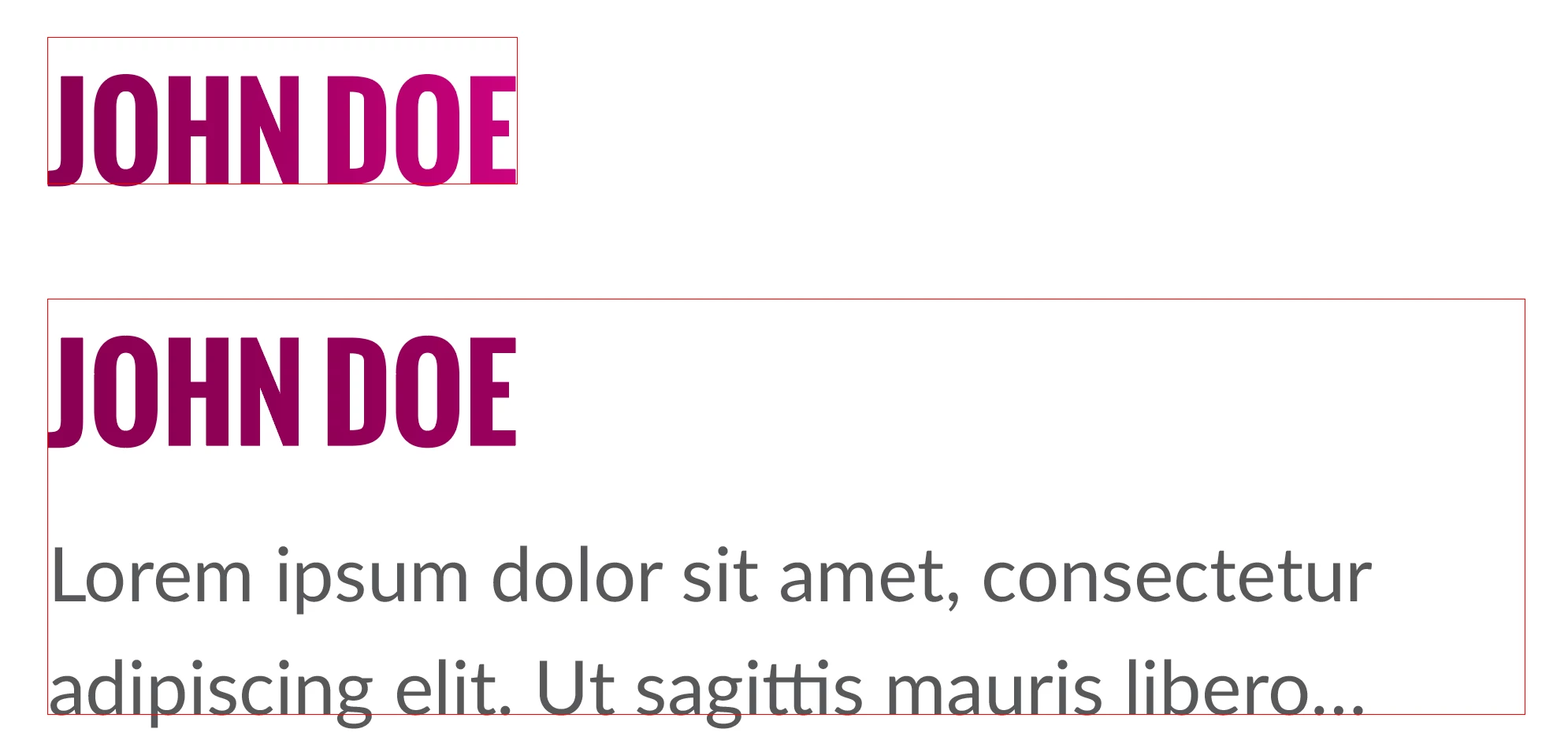
When applying a gradient to title text, is there a way to constrain the gradient effect so that the gradient's start and stop colors are defined by the width of the words and NOT the width of the text box? (See attached example)

Trying to work within a single text block (including columns) with multiple titles and trying to create a consistent treatment regardless of how long the titles are.
This topic has been closed for replies.
Correct answer rob day

When applying a gradient to title text, is there a way to constrain the gradient effect so that the gradient's start and stop colors are defined by the width of the words and NOT the width of the text box? (See attached example)

You can't do it with a paragraph style, but you can do it manually by selecting head text and dragging with the gradient tool.

It could be done via scripting because gradients have a fill start and fill length property, and text has beginning and end offsets.

3 replies

rob day
Community Expert
Community Expert
April 30, 2018

Here's an example in AppleScript where I've named my head style "Gradient Head"

set myheadstyle to "Gradient Head"

tell application "Adobe InDesign CC 2018"

    tell active document

        set properties of view preferences to {horizontal measurement units:points, vertical measurement units:points, ruler origin:page origin}

        set ps to every paragraph style whose name is myheadstyle

        set p to object reference of every paragraph of every story whose applied paragraph style is item 1 of ps

        repeat with x in p

            set eh to end horizontal offset of x

            set ho to horizontal offset of x

            set gl to eh - ho

            set gradient stroke start of x to {0.0, 0.0}

            set gradient fill length of x to gl

        end repeat

    end tell

end tell

rob day
Community Expert
rob dayCommunity ExpertCorrect answer
Community Expert
April 30, 2018

When applying a gradient to title text, is there a way to constrain the gradient effect so that the gradient's start and stop colors are defined by the width of the words and NOT the width of the text box? (See attached example)

You can't do it with a paragraph style, but you can do it manually by selecting head text and dragging with the gradient tool.

It could be done via scripting because gradients have a fill start and fill length property, and text has beginning and end offsets.

Anna Lander
Inspiring
April 30, 2018

no. You can only move the color stops of the gradient to the needed positions.