Participant
December 6, 2019
Answered

Couleurs qui changent d'une page à l'autre

  • December 6, 2019
  • 2 replies
  • 2241 views

Bonjour,

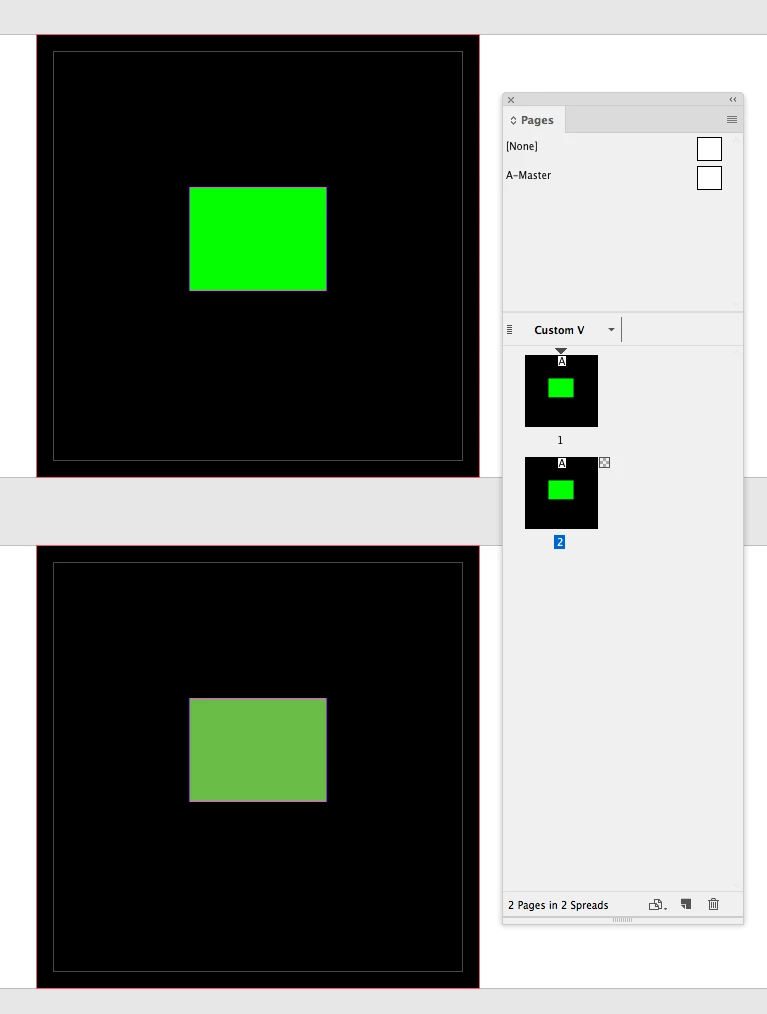
J'ai un problème bizarre d'affichage des couleurs sur Indesign CC 2015 (même problème sur le 2019). Sur un document j'ai du texte qui s'affiche d'une certaine manière sur une page et autrement sur la page suivante. Ce sont exactement les deux mêmes blocs. Quand je déplace celui de la page 1 vers la page 2, il change de couleur et inversement. Comme si chaque page avait son propre espace colorimétrique ou son propre affichage de surimpression.

Il me semble que ce sont des réglages globaux valables pour tout le document, non ?

Quelqu'un aurait-il une idée ?

Merci par avance.

Je joins une capture d'écran.

 

This topic has been closed for replies.
Correct answer rob day

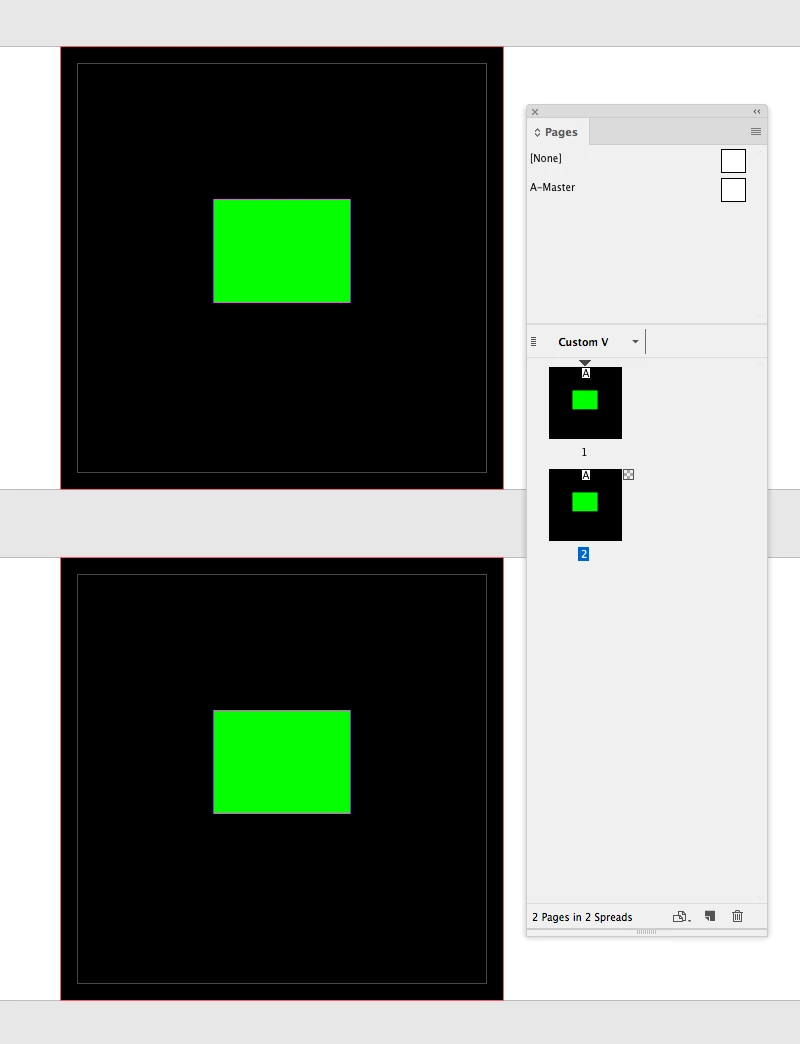
Set your Transparency Blend Space to Document RGB. If the blend space is set to CMYK, a spread with any transparent effect will display the entire spread as document CMYK.


CMYK Blend Space:


RGB Blend Space


2 replies

rob day
Community Expert
rob dayCommunity ExpertCorrect answer
Community Expert
December 13, 2019

Set your Transparency Blend Space to Document RGB. If the blend space is set to CMYK, a spread with any transparent effect will display the entire spread as document CMYK.


CMYK Blend Space:


RGB Blend Space


Participant
December 17, 2019

Best answer thanks!


I figured out it was linked to a transparent element on the page making it renderd in CMYK, but I didn't know about Transparency Blend Space.


Perfect thanks!

rob day
Community Expert
Community Expert
December 17, 2019

Just keep in mind that if you are printing the RGB colors will be eventually be brought into a CMYK gamut. An RGB blend space can also convert black only text to 4-color blacks if the flattening isn't handled correctly—that would be a problem on an offset press.

Ashutosh_Mishra
Inspiring
December 13, 2019

Hi there,


Thanks for reaching out. This is not the typical behavior with the app. If it is indeed a copied text, it should have the same color.
Would you mind sharing the file with us if it is not sensitive? You may upload it to the Creative Cloud (or any other) and share the link here.
It will help us find the issue and solve it accordingly.


Regards,

Ashutosh