
Cover rejected by Amazon KDP
Hi I am hoping you can help. I thought I had set up the cover and spine I designed for my first Amazon book as per the KDP cover calculator. But KDP has rejected it saying it is the wrong size.
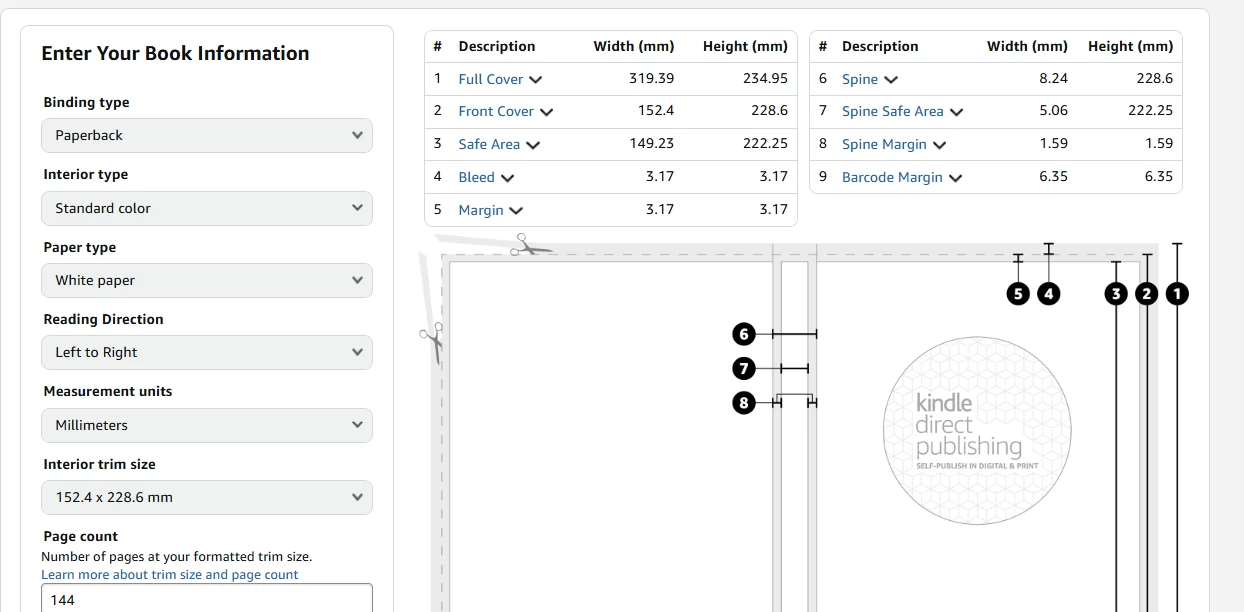
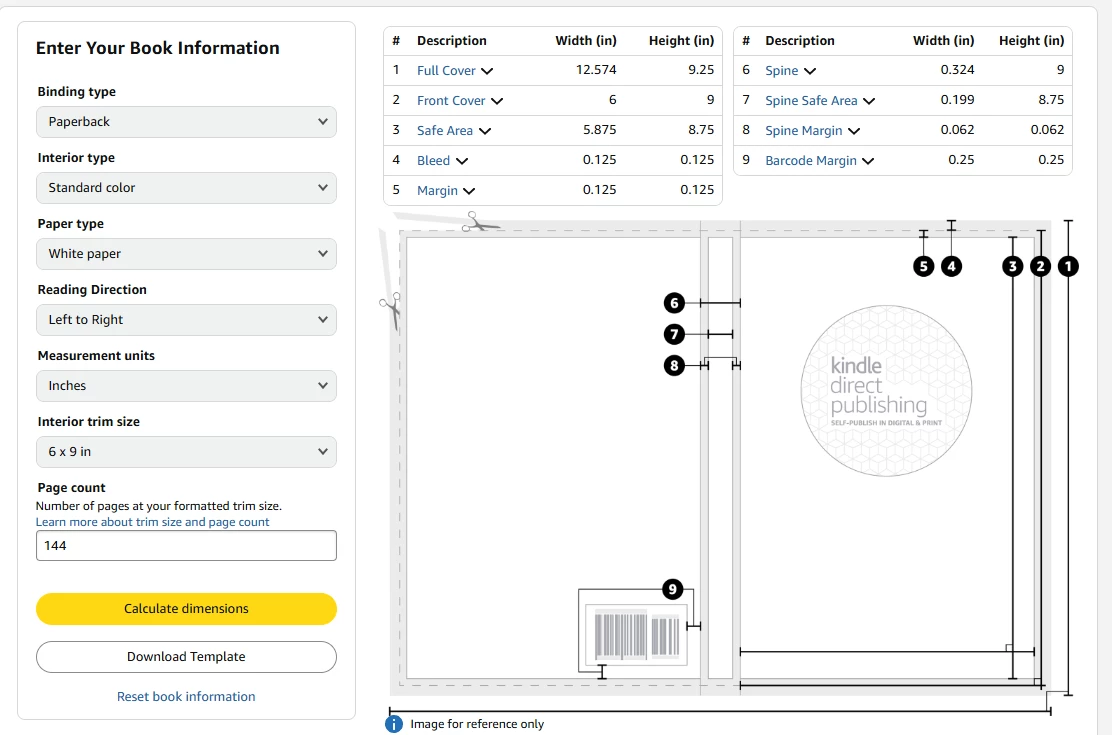
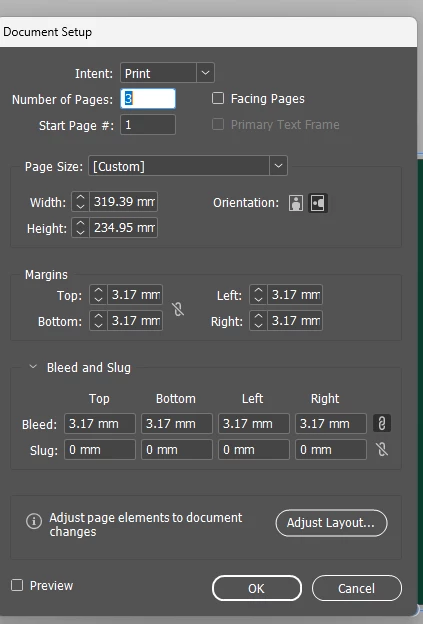
My book is 152.4 x 228.6 mm (6x9 inches) with 142 pages. The calculator says the front cover is 152.4 x 228.6 mm, with 3.17 mm margins and 3.17 mm bleed all round. I assumed the back cover would be the same. So I created a three-page spread with facing pages unticked. In document setup, I put 152.4 x 228.6 mm, and bleed and margins of 3.17mm all round. Once the document was created, I unticked allow pages to shuffle and docked the three pages together. Then I changed the spine to 8.24 x 228.6 as per the calculator.
Amazon rejected this when I uploaded it, saying it was only 6x9 inches. I uploaded it as one PDF with front and back cover and spine. Please can you tell me how I fix this in document setup after selecting adjust layout. I looked again at the KDP calculator and it says the full cover is 319.39 mm x 234.95. Which by my calculation is how I have set it up including bleed.
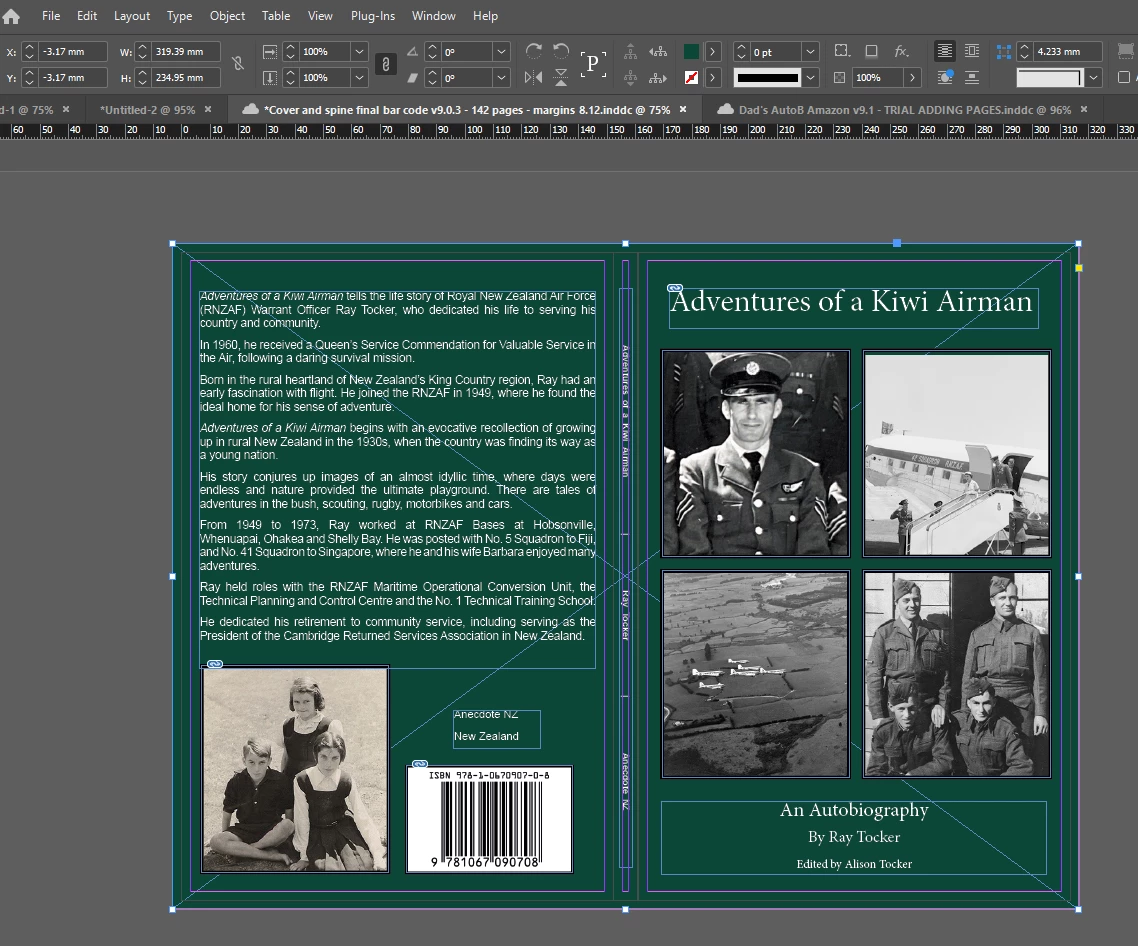
Below is the Amazon calculator in both mm and inches, depending on how you think. Below that is how Amazon is showing the problem. I don’t understand why they are showing it as a one page cover when they require you to upload the front and back cover and spine as one PDF which I did. And below that is my document setup then how my cover design looks. Many thanks in advance.
KDP cover calculator - in mm
KDP cover calculator - in inches
Below is my document setup and below that my design.
Here is how my cover looks.


 AdChoices