Participant
April 8, 2022
Answered

Coworker is having Read only InDesign Files

  • April 8, 2022
  • 1 reply
  • 530 views

I am working remotely now and we are using the Creative Cloud Files to share our InDesign Files with me and the office. Only one of my coworkers is having a Read only problem with all of the InDesign Files. How do I help him make it to where he is not having to have the Read only instead of GPU Preview. He does have access to the creative cloud folder that I have shared with everyone in the office. I found another disscussion where there was this problem and I tried it (Right click-> Properties-> General->Read only) and it did not work, he said that read only wasn't even checked. He is also on Windows
This topic has been closed for replies.
Correct answer rob day

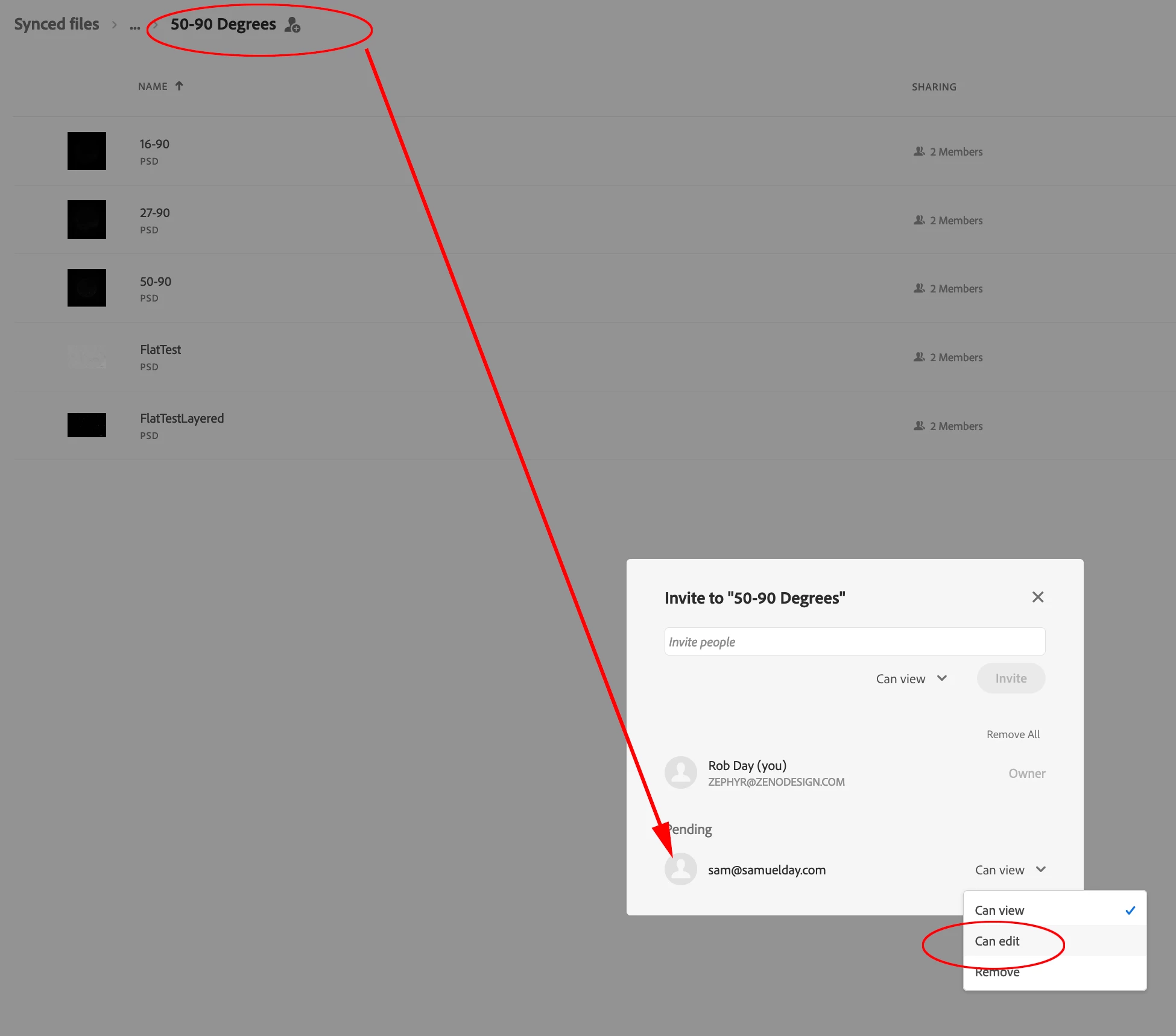
Hi @Jordan239617456wih , when you invited your co-worker to Sync to the folder, did you check Can edit next to the email in the invitation?


If you right-click the shared folder in your local Creative Cloud Files folder and choose View on Website, you should be able to edit the invitations for the folder by clicking the + button

1 reply

rob day
Community Expert
rob dayCommunity ExpertCorrect answer
Community Expert
April 8, 2022

Hi @Jordan239617456wih , when you invited your co-worker to Sync to the folder, did you check Can edit next to the email in the invitation?


If you right-click the shared folder in your local Creative Cloud Files folder and choose View on Website, you should be able to edit the invitations for the folder by clicking the + button

Participant
April 8, 2022

That was the problem! I didn't give him Edit when i invited him