
Participant
August 26, 2025
Question

Crazy difference in Pixel set up

  • August 26, 2025
  • 2 replies
  • 185 views

Hello!

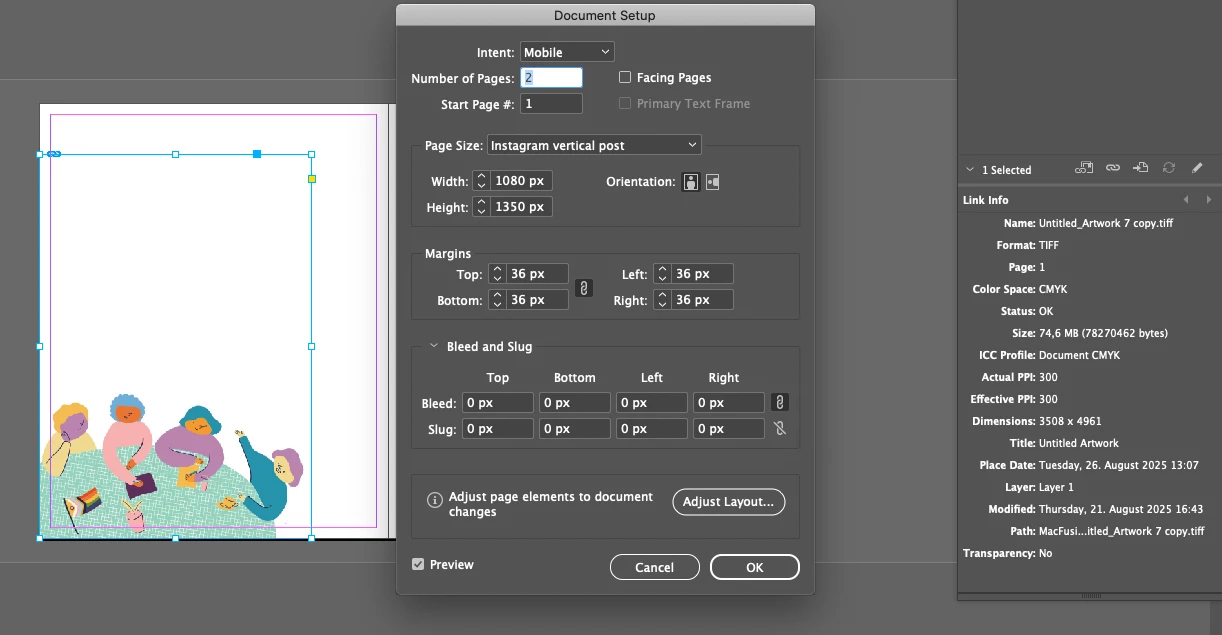
I am working on some Instagram posts and trying to add a pre-made image, but although my document is set up as 1080x1350 and the image is 3508x4961, the image still looks tiny. Is there a way to change my document's PPI? or does anyone know what the problem is? Pleeeaaase I do not want to re-draw my illustration.
2 replies

Dave Creamer of IDEAS
Community Expert
Community Expert
August 26, 2025

To add to Rob's post, your image is at 300 ppi, so its size is 11.7x16.5 inches (3508x4961 /300 each).

Your image is showing properly on an 15x18.75 inch page.


Why did you export as a CMYK TIFF file for a social media file? Why not keep it as an RGB AI file (for import into InDesign)?

David Creamer: Community Expert (ACI and ACE 1995-2023)
Participant
August 26, 2025

Thank you!

The illustration was made for print on Procreate before deciding to use it for social media as well 😕😕

rob day
Community Expert
Community Expert
August 26, 2025

Is there a way to change my document's PPI?


Hi @kathering626 , InDesign is not an image editing applcation so the pages have no resolution. Pages can contain images of any resolution, and you can choose to resample on an export to PDF, JPEG, etc. There is a Pixel ruler unit which is a static 72 pixels per inch. If you change your ruler units to Inches, the 1080 x 1350 pixel page dispay as 15 x 18.75 inches (1080/72 = 15).

Participant
August 26, 2025

Now I get it, thank you! I was worried that if I changed the document size it would affect the final resolution but sounds like I can just change the document size and my images will be ok 🙂