


Participant
July 10, 2024
Answered

create fillable form in indesign - text formatting

  • July 10, 2024
  • 2 replies
  • 486 views

hello everyone, I have a problem in creating a form with indesign: I can create and order the text fields to be edited in the .pdf file, I can change font and size of the boxes BUT I CANNOT FORMAT THE RIGHT FLAG TEXT: in fact I have to create a form to enter prices and the numbers have to be pasted on the right! can someone help me? thank you very much!

This topic has been closed for replies.
Correct answer Dave Creamer of IDEAS

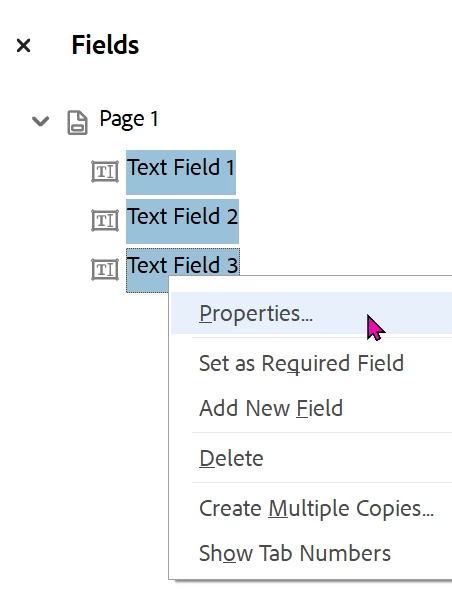
You can also edit the fields in Acrobat Pro after exporting. You can use the shift-click or Cmd/Cntl-click to select the fields.


2 replies

Dave Creamer of IDEAS
Community Expert
Dave Creamer of IDEASCommunity ExpertCorrect answer
Community Expert
July 10, 2024

You can also edit the fields in Acrobat Pro after exporting. You can use the shift-click or Cmd/Cntl-click to select the fields.


David Creamer: Community Expert (ACI and ACE 1995-2023)
TᴀW
Legend
July 10, 2024

You can't set the alignment (left, right, center) of form fields in InDesign natively, unfortunately.

You may want to look at something like my FormMagic (https://www.id-extras.com/products/formmagic/) script, which would allow you to do this in InDesign.

It's free for short, 1-page forms.