
Answered
Create PDFS at 70% of original size = A4 reduced to A5
I have an A4 document and my client wants both A4 and A5 high res PDF. Is there a way to simply create a smaller PDF rather than recreate the artwork? i.e. send to PDF at 70%?
I have an A4 document and my client wants both A4 and A5 high res PDF. Is there a way to simply create a smaller PDF rather than recreate the artwork? i.e. send to PDF at 70%?
More specifically, Acrobat Pro DC provides a Preflight fixup that allows you to scale PDF (page size and content) without disturbing any other aspect of the PDF file. Operation is for all pages of a single PDF file.
- Dov
Dov's suggestion is an excellent one, but it requires you know how to run a Preflight profile.
(1) In Acrobat Pro DC, open the Print Production tool. Then click on Preflight in the options on the right.
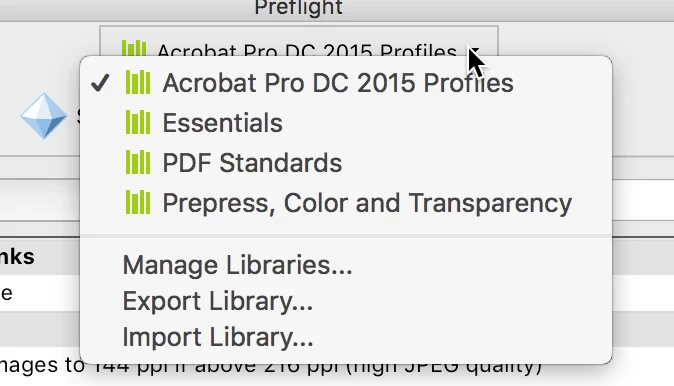
(2) In the list at that top, where it by default shows Essentials, select Acrobat Pro DC 2015 Profiles.
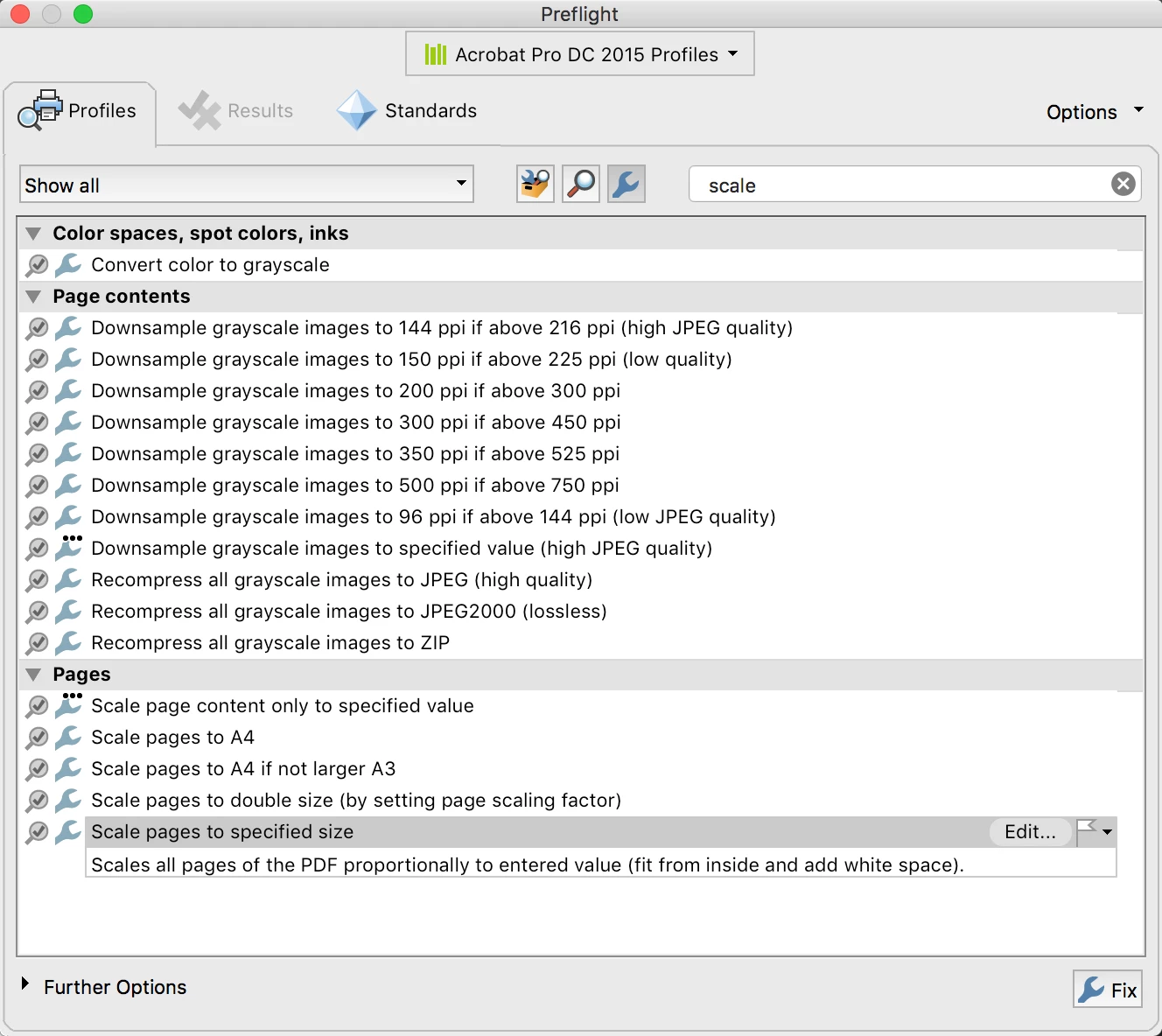
(3) Click the "wrench" icon which indicates FixUps. In the Search field, enter "scale" and press Return. That will show you fixups which match. I used Scale Pages to Specific Size.
(4) Edit the fixup to enter the sizes (and units) you need. I edited a multi-page PDF that was 8-1/2 in by 11 in to 6.953 x 9 inches (I had to change millimeters to inches for units):
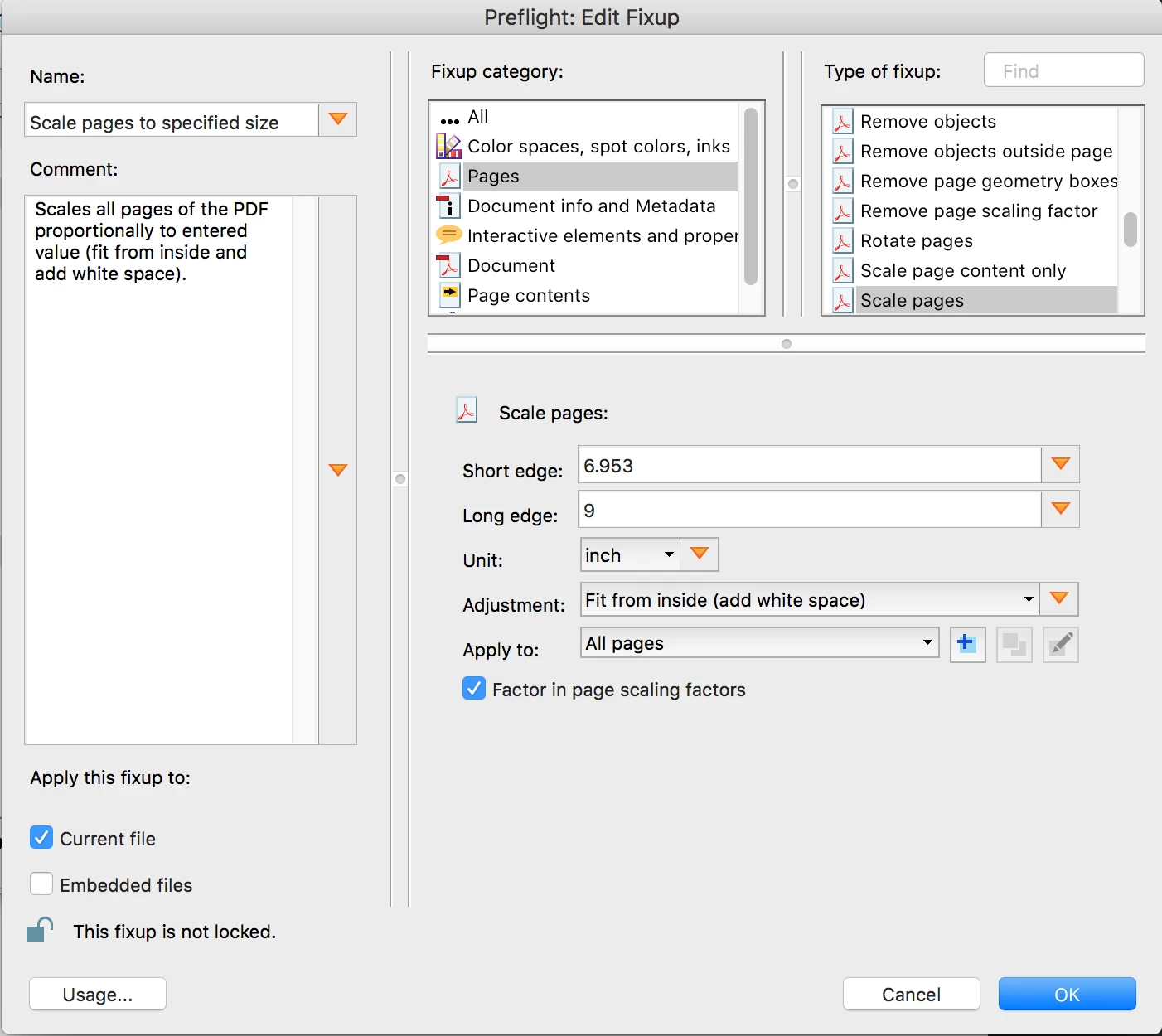
When you click OK, you'll save your new scaled file with a new name.
Already have an account? Login
Enter your E-mail address. We'll send you an e-mail with instructions to reset your password.
 AdChoices