Answered
Creating 2 line of text next to a single line
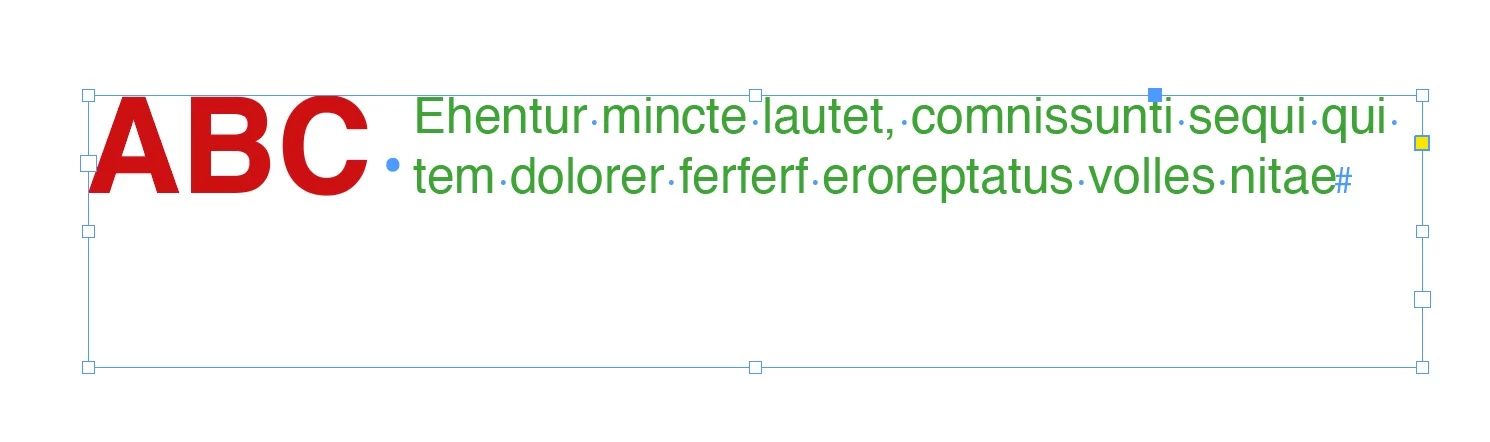
Hello, I'm having trouble figuring out how to create the 2 lines of text (in green) that reside next to the 'ABC ' (in red) text within a single text frame. The picture below for reference.

So far, I've only managed to figure out how to get the green text to where I want by messily forcing tabs onto it. I was wondering what a better approach to this would be?
The original text given before the formatting had the red text and green text on a singular line. Should I have separated the red and green text into two different lines before attempting to format it?
 AdChoices