Participant
August 26, 2020
Answered

Creating high resolution JPEGs and PNG files

  • August 26, 2020
  • 2 replies
  • 428 views

Is there a way of exporting JPEG or PNG files at 300dpi but keeping the original document dimentions?

Currently documents only export at original document dimentions when exported at 72dpi, which cause a loss of quality. If you export at 300dpi it scales up the document size x4...


Thanks in advance   
This topic has been closed for replies.
Correct answer rob day

If you are working with Pixel Ruler Units, you have to export with the Resolution set to 72ppi in order to get matching pixel dimensions in Photoshop.


If you export a PDF and open it in Photoshop you would also have to set the resoltion to 72ppi in order to keep the original pixel dimensions.


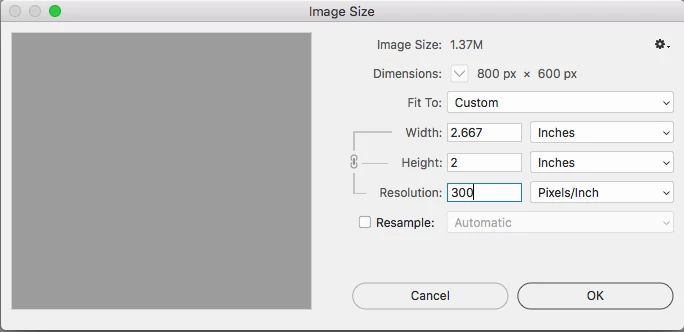
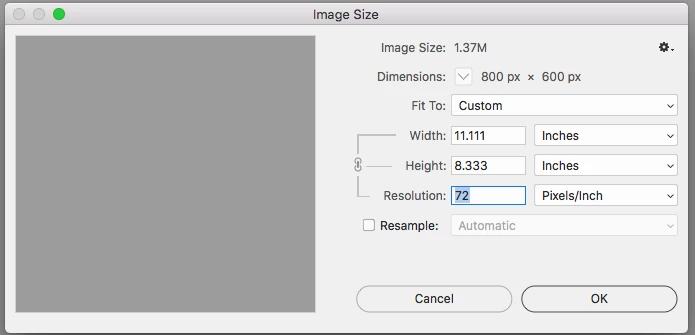
In Photoshop you could use Image Resize with Resample unchecked to change the output Resolution without changing the pixel dimensions, but in that case the output Width and Height dimensions will be reduced by 24%:


2 replies

rob day
Community Expert
rob dayCommunity ExpertCorrect answer
Community Expert
August 26, 2020

If you are working with Pixel Ruler Units, you have to export with the Resolution set to 72ppi in order to get matching pixel dimensions in Photoshop.


If you export a PDF and open it in Photoshop you would also have to set the resoltion to 72ppi in order to keep the original pixel dimensions.


In Photoshop you could use Image Resize with Resample unchecked to change the output Resolution without changing the pixel dimensions, but in that case the output Width and Height dimensions will be reduced by 24%:


Steve Werner
Community Expert
Community Expert
August 26, 2020

You'll get the most control of creating JPEG or PNG files from InDesign if you create a PDF file from InDesign, and open the PDF in Photoshop where you can totally control dimension and resolution settings.

Participant
August 26, 2020

Ah thanks Steve - I am aware of this but was hoping there was just an option within a menu that creates 300dpi at original scale. At times we have to create 20/30 assets and its quite long winded having to open them all in photoshop. 

Steve Werner
Community Expert
Community Expert
August 26, 2020

What you see in the Export PNG or Export JPEG dialogs is what you get.


Unless someone has developed a script that I am not aware of.