
Participant
February 18, 2025
Question

Creating table with grouping based on unique ID

  • February 18, 2025
  • 3 replies
  • 291 views

Good afternoon, comunity,

I am trying to help a friend create a table where data will be pulled from an Excel spreadsheet. The Excel spreadsheet looks as follows:

Report Number Date Title Recommendation Number Recommendation Text Funds


Please see the attached picture for reference.
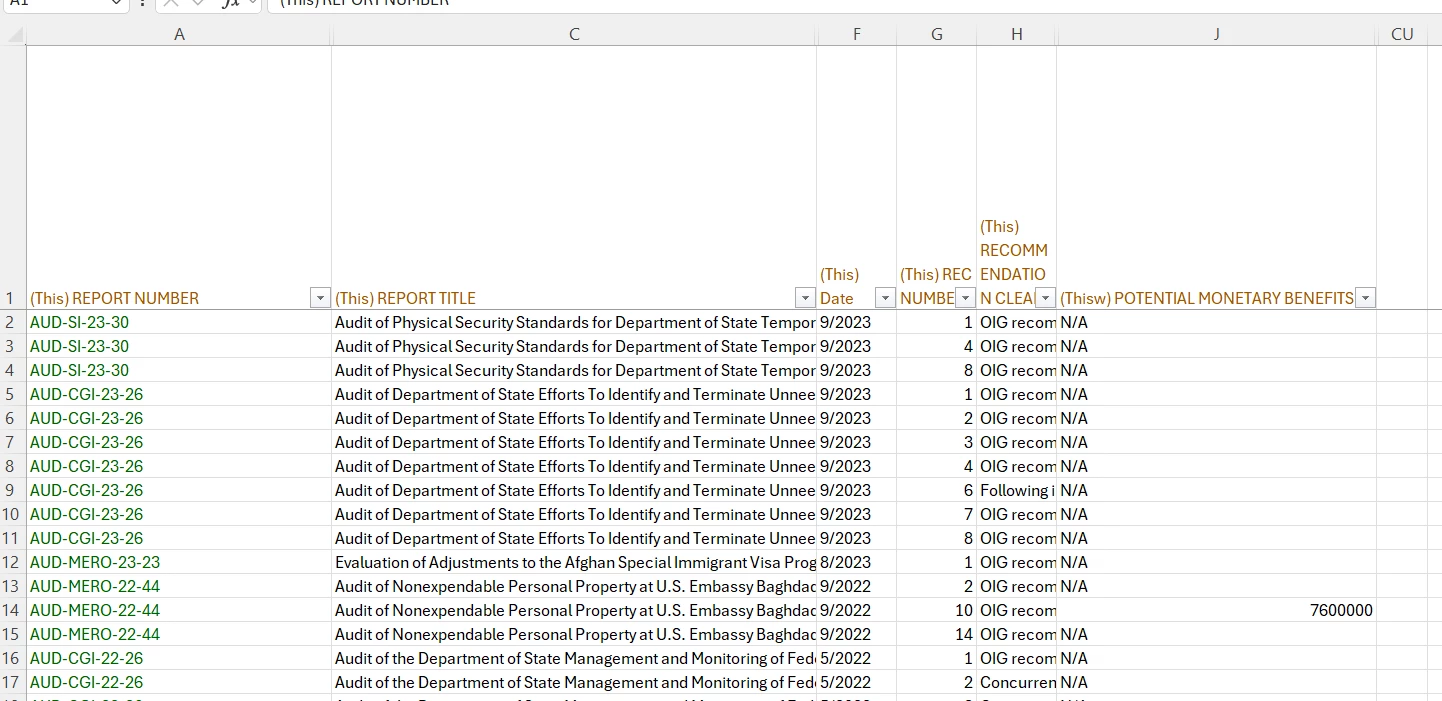
The outcome should be sorted based on the last five characters of the report number (in descending order), and the date (in ascending order). Additionally, the data should be grouped based on the Report Number, Date, and Title. Finally "open Recommendations and Potential Monetary Benefits" as seen in the picture should be repeated on each page. The full file can be found here.

Now, my question is: Is this even doable in InDesign, and if yes, how?

Thank you in advance.


3 replies

Robert at ID-Tasker
Legend
February 18, 2025

How well you or your friend know Excel? 


nammeciAuthor
Participant
February 20, 2025

I apologize for not being able to respond sooner. Yes, both of us are quite good at excel. 

Robert at ID-Tasker
Legend
February 20, 2025
quote

I apologize for not being able to respond sooner. Yes, both of us are quite good at excel. 


By @nammeci


No problem.


Then you could make your life extremely easy 🙂 


There is a format called InDesign Tagged Text and you could generate file that when you import into InDesign - will be 100% styled and formatted. 


Here is an example of a Table:

Attached is a version in mentioned Adobe Tagged Text format.


Its structure is pretty simple:


There is a "header" of the file - first 5 rows in this case - that defines used formatting:


and then there is actual contents.


In short - it's extremely similar to HTML.


The best would be if you prepare a sample Table - as per your 2nd screenshot - with some short texts that you'll be able to quckly recognise - export it and cut it into pieces and using conditions in Excel - fill it with data and build your own version of this TXT file.


Robert at ID-Tasker
Legend
February 18, 2025

"Open Recommendations" and "Potential Monetary Benefits" row can be set as a header and automatically repeated - setting in the Table's preferences. 


Or can be placed on a Parent Page - then body of the table as a separate text flow / Story on the regular pages.


Robert at ID-Tasker
Legend
February 18, 2025

Why not sort / group it in Excel - save in this order - then import to InDesign.