Known Participant
December 27, 2023
Answered

Crop marks and white space around edge of pdf

  • December 27, 2023
  • 3 replies
  • 2129 views

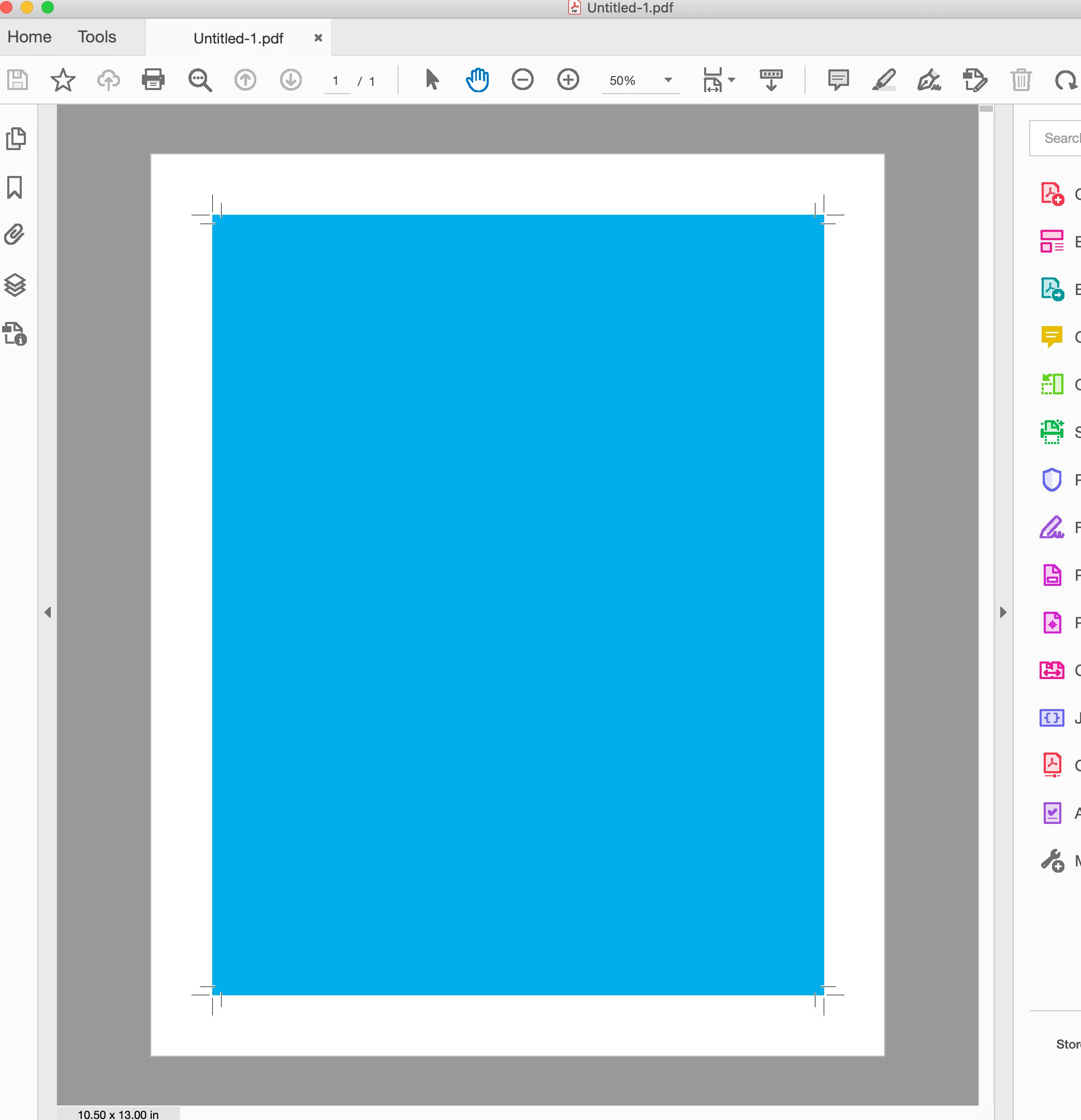
I add crop marks during pdf export.


Is there a way to add white space around the edges of a pdf without the actual crop marks?

I may choose to leave some white space around the exterior during cropping because I liked the way it looks

, but with crop marks the actual crop mark lines will be visible if I leave any white around the edges.
This topic has been closed for replies.
Correct answer rob day

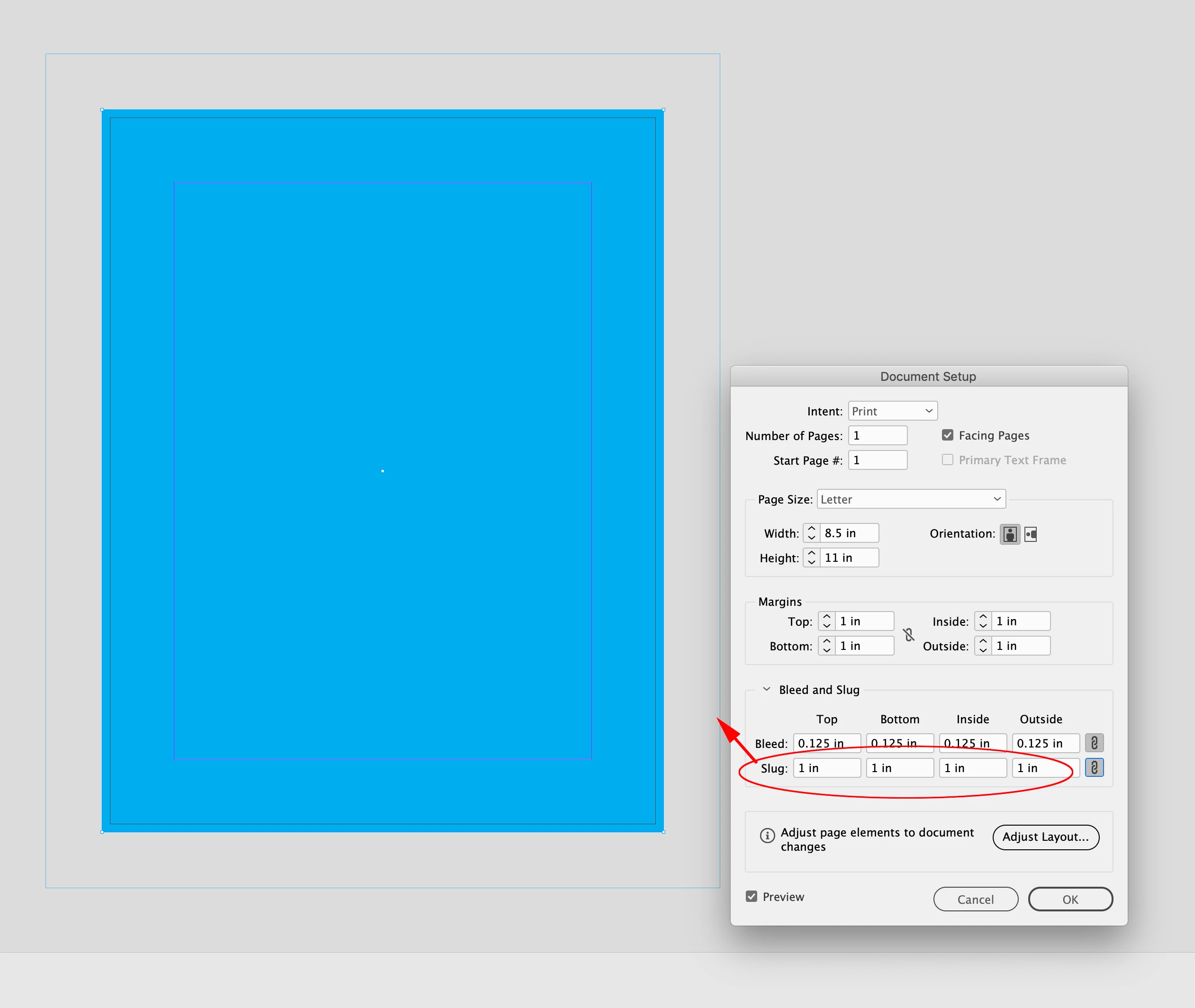
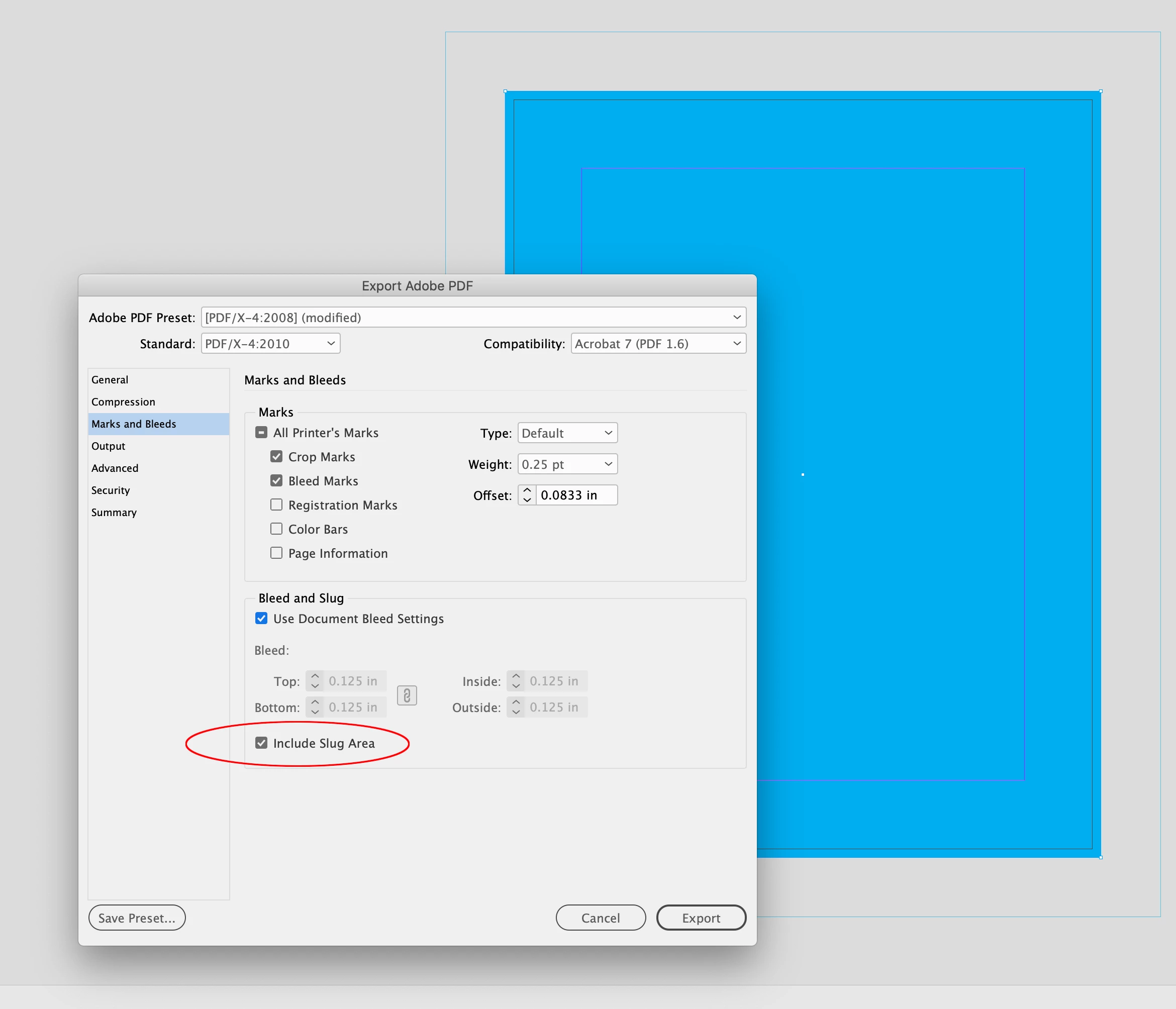
Hi @Theo331728749dq2 , You can include the document’s slug, which can be larger than the bleed:


3 replies

Peter Spier
Community Expert
Community Expert
December 27, 2023

You really have two questions here...

For the white space I would add a Slug allowance in the document setup and include the slug in the xport settings.

If you dont want the crtops to show (and the default crop marks are waay too close to the trim edge) increase the offset. Crop marks shoud ALWAYS have a minimum offset equal to the bleed allowance so they fall outside the bleed area, and more is not a problem.

Known Participant
December 29, 2023

 I basically wanted the option to print with white space without having crop marks.

Robs' suggestion worked best and was easy to implement.

James Gifford—NitroPress
Legend
December 27, 2023

Why not just add the white margin as bleed in the layout, and then you can export with or without it?

Known Participant
December 27, 2023

How would I do this? I tried going to FILE, DOCUMent SETUP, BLEED but this does nothing to the exported pdf?

James Gifford—NitroPress
Legend
December 27, 2023

Hi @Theo331728749dq2 , You can include the document’s slug, which can be larger than the bleed:


This might be more organic than I was thinking:

  • Set doc bleed to preferred margin size (0.25-1 in);
  • Lay a rectangle of bleed size, on its own layer, shuffled to bottom, colored white. Lock layer.


Now an export with bleeds will have that white margin; choice of auto or manual crop marks is up to OP.


Not seeing any difference between bleed and slug (thought there might be a size limit for bleed, or that slug might be automatically white, but neither seems to be the case). Several ways to do this but I think all will require manual crop marks to get the exact effect desired.

Steve Werner
Community Expert
Community Expert
December 27, 2023

I would change to cropping to add the white space around the art. Then create the PDF without crop marks.


If you need the crop marks for the printer, create them manually.