ashimg23377171
Inspiring
July 19, 2019
Answered

CSS in pdf

  • July 19, 2019
  • 4 replies
  • 4949 views

Hello

this is not an InDesign specific query. But i thought the members of this channel would be conversant with the details of this.

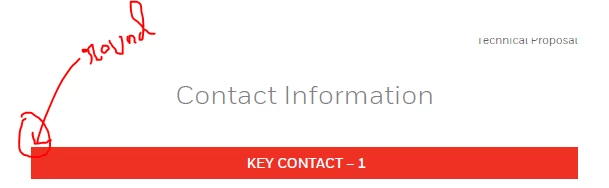
I have converted a document created in MS Word into PDF. Now i wish to round off the border of the 'Key Contact' block.

I wish to know if there is any way i can work with CSS in PDFs to round off the edges of an element.

Screenprint below:
Any guidance would be appreciated.

Regards
    This topic has been closed for replies.
    Correct answer Eugene Tyson

    The same would be true for InDesign! Unfortunately... rounded corners in a table seem to be a mystery to most!

    If there's not too many of them - wonder if you use the Edit Content in Acrobat Pro.

    You could probably edit the rectangle in Illustrator - let me try it real quick

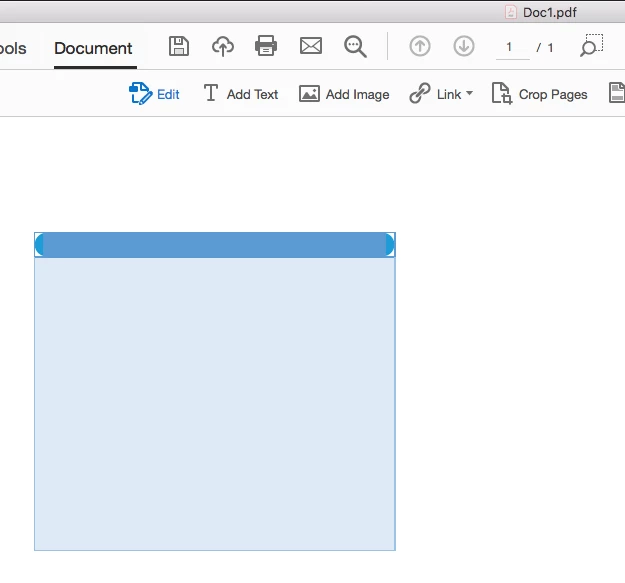
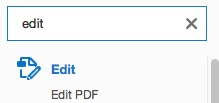
    Search for the edit tool in Acrobat

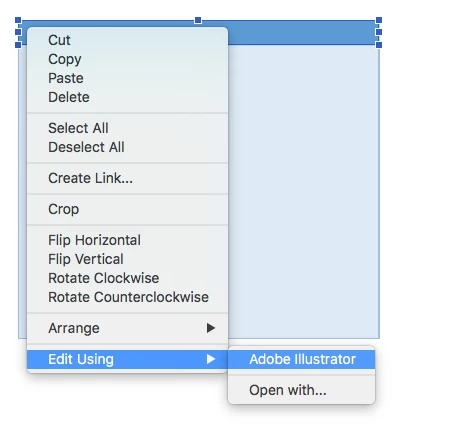
    Select the header in Acrobat and right click and choose Edit Using>Adobe Illustrator

    (If illustrator doesn't show up then it's not the default app)

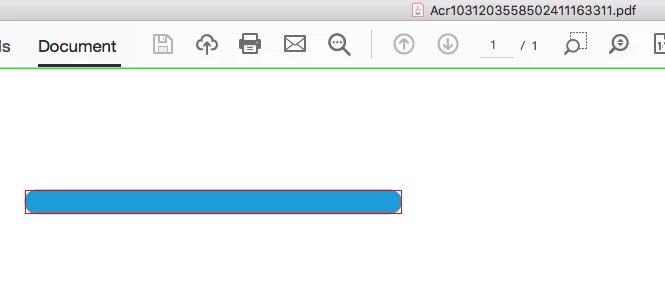
    Make the change in Illustrator (don't move it or resize your artboard or do anything except round corner.

    Save it using File>Save

    A new Acrobat window opens with ACRTEMPNO. file

    IGNORE THIS AND CLOSE IT

    In your real doc in Acrobat the change should be done.

    4 replies

    Peter Villevoye
    Community Expert
    Community Expert
    July 19, 2019

    There absolutely no way to try using CSS specs in a PDF file. It's like trying to sing Norwegian in a 100% Chinese karaoke bar – no one will understand a word of it. Like Eugene already replied, you could open the PDF file in Illustrator, tweak the corners, and save it back.

    (Strangely enough, Illustrator is capable of copying/exporting CSS specs for certain elements.)

    Community Expert
    July 19, 2019

    No no never open a pdf in illustrator... unless saved as a pdf from illustrator with esiting capabilites.

    My method is to edit individual elements by using the Edit function in Acrobat to select the element and Edit with...as per screenshots.

    Please dont open pdfs in Illustrator if at all possible  

    Community Expert
    July 19, 2019

    Round the corners in Word

    Rounded Corners for a Text Box

    1. Select your text box.
    2. Display the Format tab of the ribbon. (This tab is visible only when the text box is selected.)
    3. Click the Edit Shape tool, in the Insert Shapes group. Word displays some options.
    4. Choose Change Shape. ...
    5. Click a shape—the rounded-corner rectangle is a good choice.

    ashimg23377171
    Inspiring
    July 19, 2019

    thanks Eugene. but i created that using a table in MS Word. I guess in order to accomplish the rounded effect, i will have to use shapes.

    Eugene TysonCommunity ExpertCorrect answer
    Community Expert
    July 19, 2019

    The same would be true for InDesign! Unfortunately... rounded corners in a table seem to be a mystery to most!

    If there's not too many of them - wonder if you use the Edit Content in Acrobat Pro.

    You could probably edit the rectangle in Illustrator - let me try it real quick

    Search for the edit tool in Acrobat

    Select the header in Acrobat and right click and choose Edit Using>Adobe Illustrator

    (If illustrator doesn't show up then it's not the default app)

    Make the change in Illustrator (don't move it or resize your artboard or do anything except round corner.

    Save it using File>Save

    A new Acrobat window opens with ACRTEMPNO. file

    IGNORE THIS AND CLOSE IT

    In your real doc in Acrobat the change should be done.

    Derek Cross
    Community Expert
    Community Expert
    July 19, 2019

    Round the corners of the image in another application that can do it – InDesign, Photoshop, Gimp etc – and place that image in your Word document.

    Jongware
    Community Expert
    Community Expert
    July 19, 2019

    "Not InDesign specific" is an understatement as this has noth to do with it.

    Acrobat has a forum of its own: Acrobat

    (They will tell you that "CSS" is a HTML thing and has nothing to do with PDFs, and it's a misconception of the weirdest kind to try and mix these two. But they might have better options.)

    ashimg23377171
    Inspiring
    July 19, 2019

    yup jongware, you are right... i looked that up, but i did not see the 'create discussion' link. but i got it now. thank you.

    Derek Cross
    Community Expert
    Community Expert
    July 19, 2019

    Eugene's not only an Irish InDesign wizard but, it seems, a Word wizard as well!