Known Participant
Sep 7, 2025 9:54 AM UTC
Answered

Current page marker displaying inconsistently to third character

Hi all,


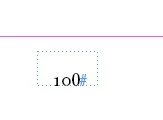
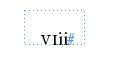
I'm having a strange issues whereby the current page marker on my A-Parent page only applies to the first two characters.


Basically, the traditional style numbering only applies to the first two characters, and for Roman numerals, only the first two letters are in small caps. See examples in the picture.


I've tried this with different styles (and no styles) applied, so the issue isn't to do with the style itself. There is no GREP style applied to the first two characters, or any nested style etc.


Any ideas?
 

jmlevy
jmlevyCorrect answer
Community Expert
Sep 8, 2025 2:07 PM UTC

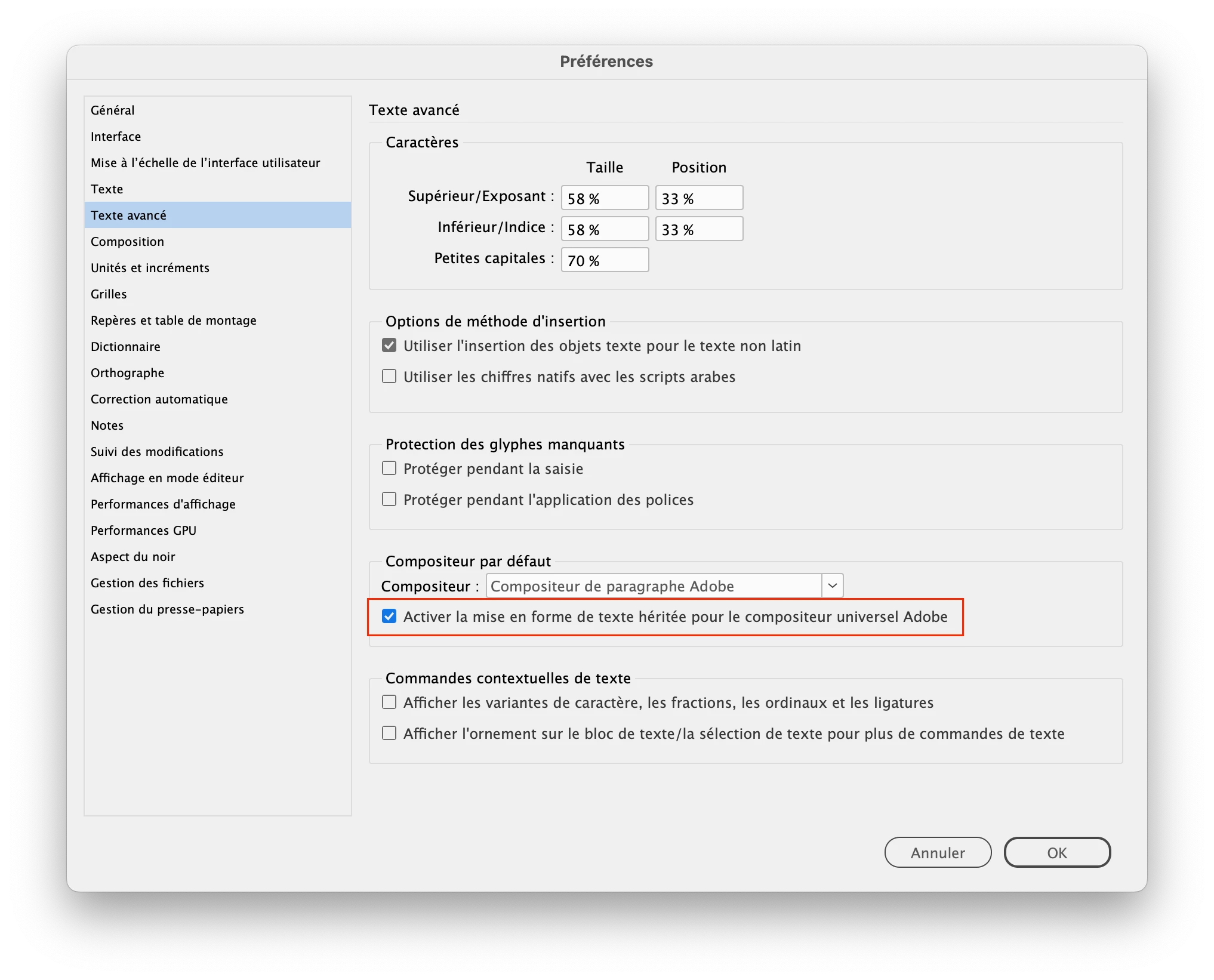
This bug has been listed several times. The workaround is to change the paragraph settings (for the numbering) and to choose “Adobe paragraph composer” instead of “world ready composer”.

Edit: if I remember well you can also keep the world ready composer and tick this check box in the preferences

3 replies

jmlevy
Community Expert
jmlevyCommunity ExpertCorrect answer
Community Expert
Sep 8, 2025 2:07 PM UTC

This bug has been listed several times. The workaround is to change the paragraph settings (for the numbering) and to choose “Adobe paragraph composer” instead of “world ready composer”.

Edit: if I remember well you can also keep the world ready composer and tick this check box in the preferences

Translate
Imran8519Author
Known Participant
Sep 8, 2025 9:59 PM UTC

Oh wow, this has sorted the problem.


Merci bien à vous.

Translate
jmlevy
Community Expert
Community Expert
Sep 8, 2025 11:37 PM UTC

Merci bien à vous

De rien !

Translate