
Answered
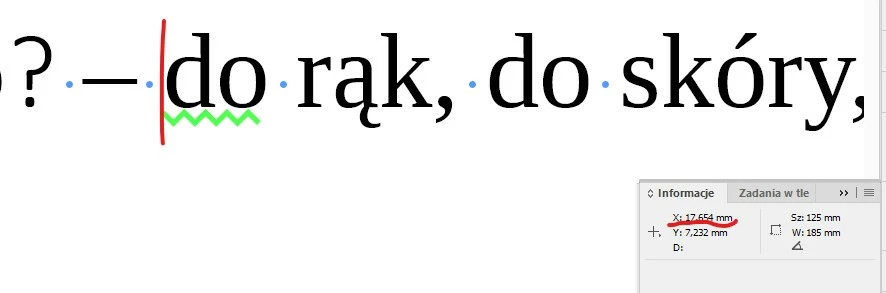
current X value from Info Panel (alignment to the insertion point)
Dear Experts,
is it possible to copy (with a script) the current X value from Info Panel so I will be able to paste it somewhere else?
MJ

Dear Experts,
is it possible to copy (with a script) the current X value from Info Panel so I will be able to paste it somewhere else?
MJ
I didn't check everything but thanks for your support.
For example, when text is centred, the value is measured from the first glyph, not from position 0 mm of a text frame. After running your script I get 28.8480614980062 but it should be 62.424 mm:

Right try this:
//insertion point
var sel = app.documents.item(0).selection[0];
//insertion point’s paragraph
var selp = sel.paragraphs[0];
//insertion point’s h offset
var ho = sel.horizontalOffset;

//get the selected paragraph’s starting x
var sa = selp.justification
var fli = selp.firstLineIndent;
var li = selp.leftIndent
selp.justification = Justification.LEFT_ALIGN;
selp.firstLineIndent = 0;
selp.leftIndent = 0
var so = selp.insertionPoints[0].horizontalOffset;

//the insertion point relative to the container (InDesign’s Info Panel X)
var x = ho-so;

//reset
selp.justification = sa;
selp.firstLineIndent = fli;
selp.leftIndent = li

//copy x to the clipboard
var tf = app.activeDocument.textFrames.add();
tf.contents = x.toString();
app.select([tf.parentStory.texts[0]]);
app.copy();
tf.remove();
app.select(sel);Already have an account? Login
Enter your E-mail address. We'll send you an e-mail with instructions to reset your password.
 AdChoices