Known Participant
January 2, 2017
Answered

Custom bullet contained in text box.

  • January 2, 2017
  • 1 reply
  • 1433 views

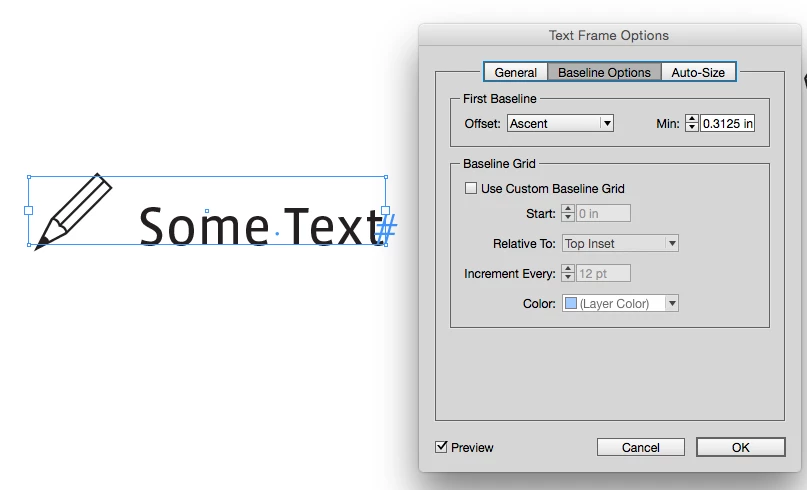
I want to be able to make my textbox fit the custom bullet I am using. Right now if I have the text box fit to the content the custom bullet extends out of the text box. My only work around is to put the custom bullet as an anchored object.

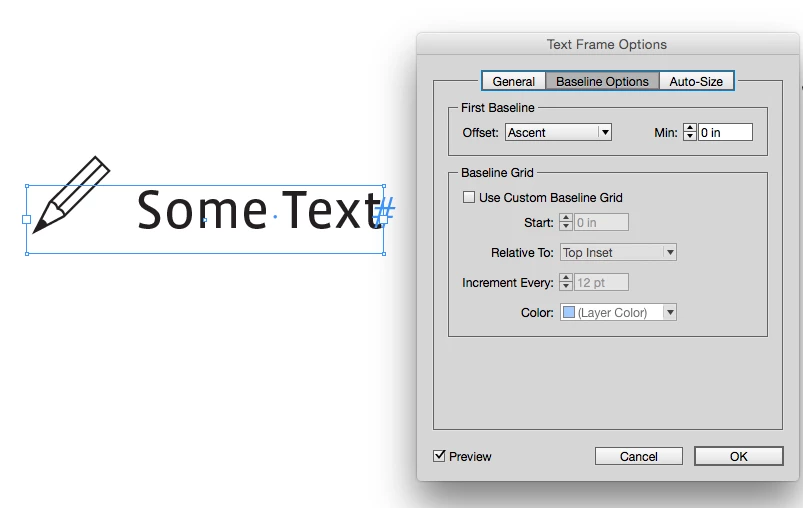
How can I make the custom bullet for Question one, do the same thing as the text box in Question 2 with the anchored object?

    This topic has been closed for replies.
    Correct answer rob day

    The bullet is a font. I created a new font with the icon. I went to the bullet tab in the paragraph style and added it from the glyph panel.


    You can control where the first baseline in a text frame starts via Text Frame Options>Baseline Options>Min:

    1 reply

    vladan saveljic
    Inspiring
    January 2, 2017

    you could create your paragraph style by choosing a symbol what you want as your custom bullet.

    for example:

    - I have created paragraph style "custom bullet" (I have used "Wingdings 2" font for the bullet)

    - then I have created a character style (named "pencil" in my screenshot) for the symbol by increasing the size (text size in my example is 12 pt and bullet size is 24 pt)

    - in the paragraph style I have added space before 3 mm

    skald89Author
    Known Participant
    January 2, 2017

    I have already created the custom bullet. The size of the pencil is set by a character style. I just want the text box to wrap around the custom bullet.

    vladan saveljic
    Inspiring
    January 2, 2017

    ok.

    well you could make a object style for that purpose