


Inspiring
October 24, 2024
Question

Custom Font Missing from InDesign Document

  • October 24, 2024
  • 21 replies
  • 1837 views

For some unknown reason, I lost a custom font that I had used in an Indesign document. It was available for 2 years, but now it is missing!


I need to know 2 things:

1. What is the name of this custom font (see image below)?
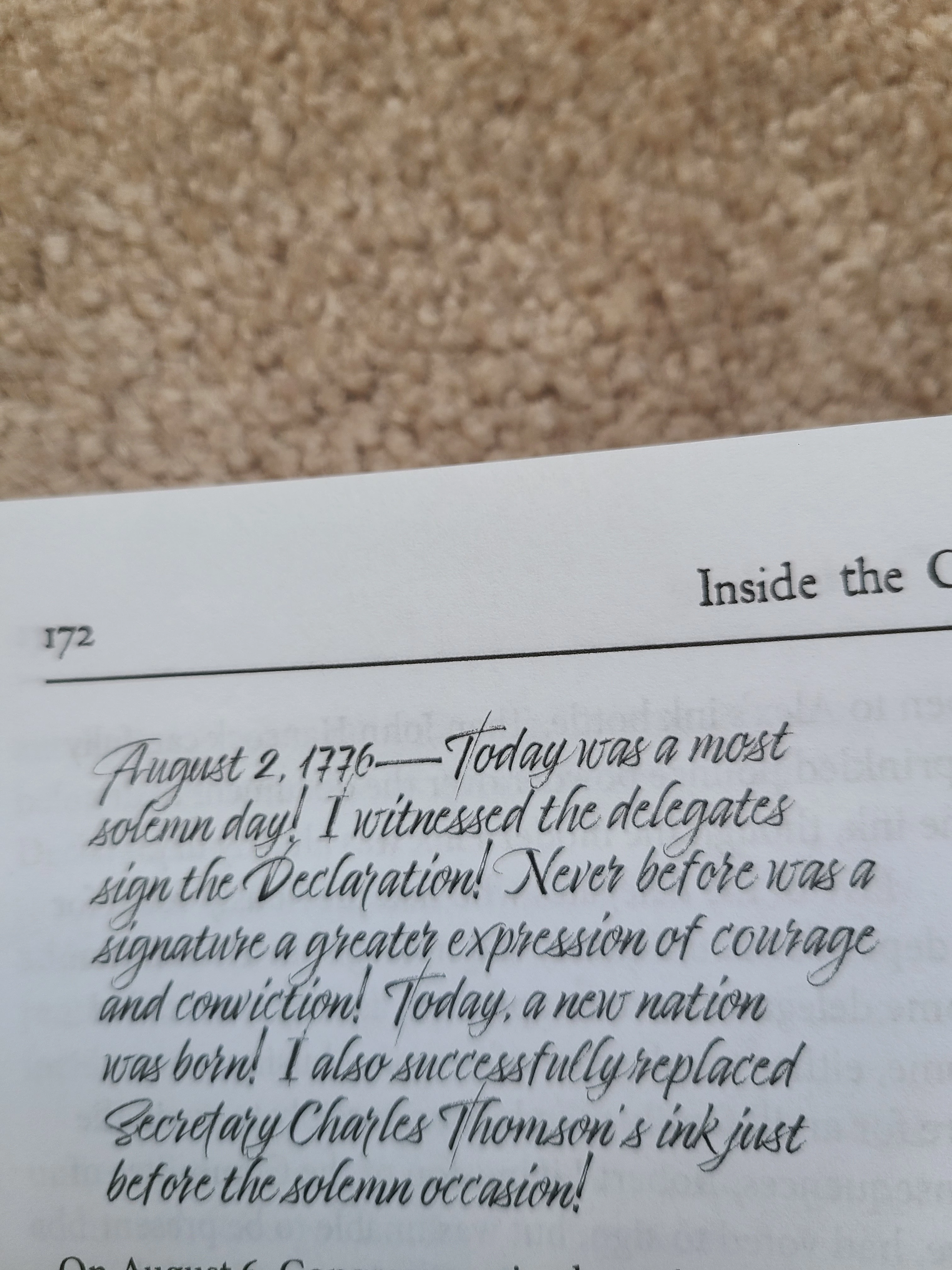


2. What could cause it to go missing?


<Title renamed by MOD>

This topic has been closed for replies.

21 replies

BobLevine
Community Expert
Community Expert
October 24, 2024

Is the font in a document fonts folder? That might cause an issue opening in a new version of InDesign until you save it and close it then reopen it in 2025.

rschlegelAuthor
Inspiring
October 24, 2024

Ah! Re-opeing it after saving it may be the solution. 

Robert at ID-Tasker
Legend
October 24, 2024

Have you just updated to ID 2025? 


rschlegelAuthor
Inspiring
October 24, 2024

I believe I have 2025. It is version 20.0.  What happened?

Robert at ID-Tasker
Legend
October 24, 2024

Check first two pages of the forum - enormous number of posts with problems related to ID 2025. 


If you've old INDD files that used font you are looking for - you should get a warning about this font. 


It's possible that it is still somewhere on your drive.