
Inspiring
April 16, 2024
Answered

Custom Preflight Scripts (.idpp) - Where do they go?

  • April 16, 2024
  • 1 reply
  • 870 views

I'm setting up a new computer and I have to put some custom preflight presets that we use at my company and I have no idea where to put them, nor does anyone else. I put them in a few places and restarted INDD but they didn't show up. They were running on Ventura and now we're on Sonoma... I'm hoping they are not working because of Sonoma now. 

I tried them here and they aren't working:

/Applications/Adobe InDesign 2024/Plug-ins/

&

/Applications/Adobe InDesign 2024/Scripts/Preflight
This topic has been closed for replies.
Correct answer rob day

Hi @Jackie298589920iyr , Looks to me like the presets (.idpp files are not scripts) get saved inside the InDesign Defaults file


~user ▸ ⁨Library⁩ ▸ ⁨Preferences⁩ ▸ ⁨Adobe InDesign⁩ ▸ ⁨Version X.0⁩ ▸ ⁨en_US⁩ ▸ InDesign Defaults


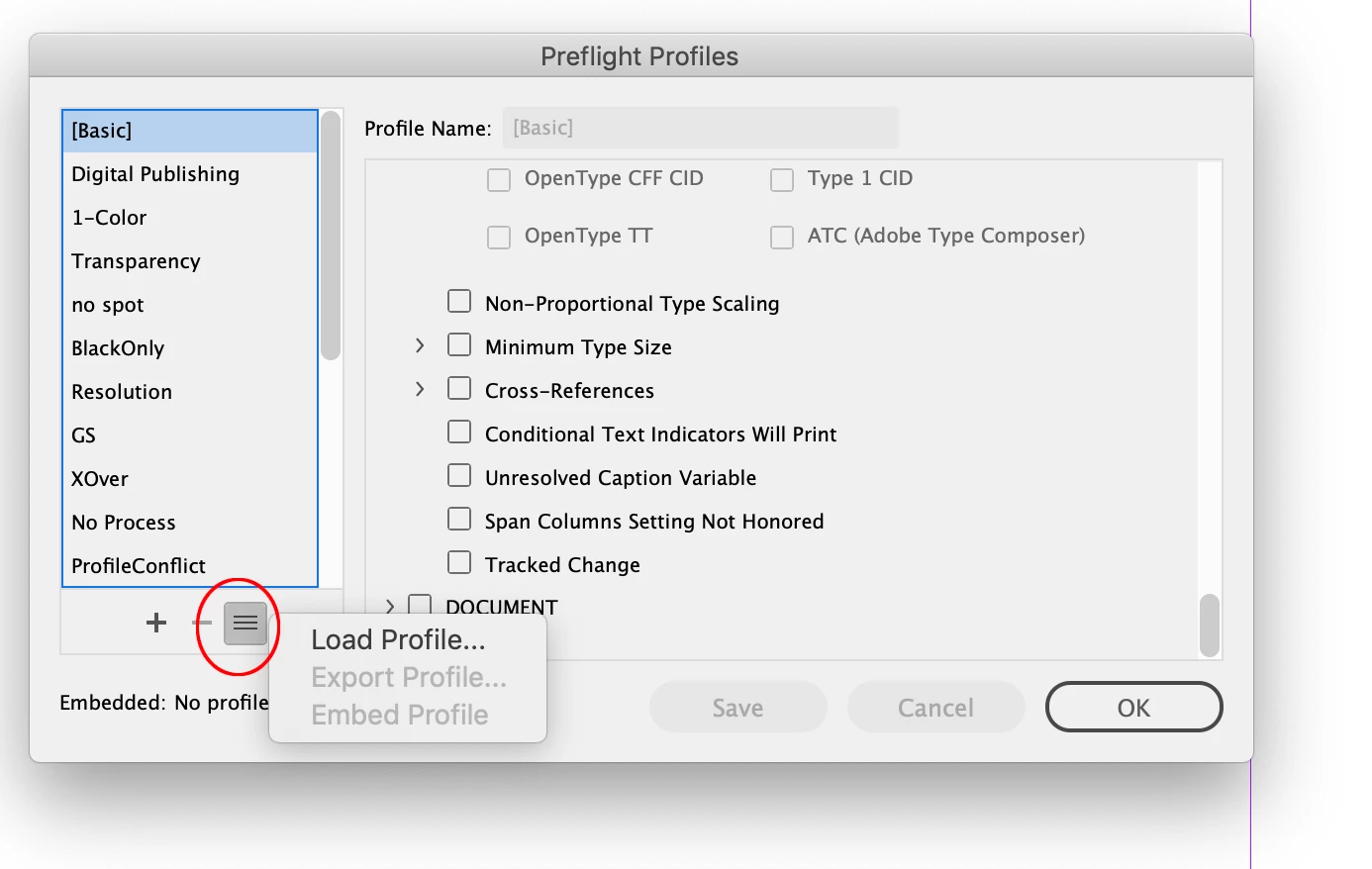
If you have access to the install on your old computer, get and copy the old preferences to the new computer. You could also load the .idpp files from the Preflight Profiles panel:


1 reply

rob day
Community Expert
rob dayCommunity ExpertCorrect answer
Community Expert
April 16, 2024

Hi @Jackie298589920iyr , Looks to me like the presets (.idpp files are not scripts) get saved inside the InDesign Defaults file


~user ▸ ⁨Library⁩ ▸ ⁨Preferences⁩ ▸ ⁨Adobe InDesign⁩ ▸ ⁨Version X.0⁩ ▸ ⁨en_US⁩ ▸ InDesign Defaults


If you have access to the install on your old computer, get and copy the old preferences to the new computer. You could also load the .idpp files from the Preflight Profiles panel:


Inspiring
April 16, 2024

Thank you! Loaded it that way through the profile palette