
Participant
January 11, 2021
Question

Damaged InDesign File

  • January 11, 2021
  • 3 replies
  • 1280 views

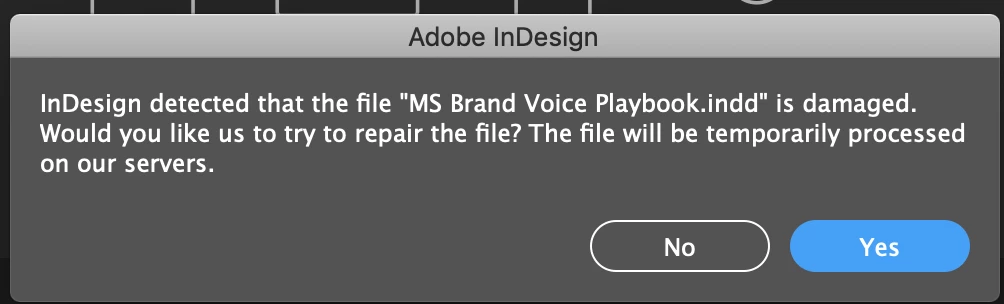
Hi, I have two InDesign files that I'm not able to open. I get the message: "InDesign detected that the file is damaged. Would you like us to try to repair the file? The file will be temporarily processed on our servers."


The repair is unsuccessful. And I've tried the troubleshooting method of opening the file as a copy, but that does not work either. I'm able to open older files from the same folder without a problem. 


Can anyone help?
 

This topic has been closed for replies.

3 replies

Srishti Bali
Community Manager
Community Manager
February 9, 2021

Hi there,


Sorry to hear about this trouble. I am hopeful that the issue is fixed by now. If not, please email your file to idfile@adobe.com & we will take a look at the file.  There are multiple factors that can lead to file corruption, however, we can take a look and see if the file can be repaired.  

If the file is larger than 10 Mb, you can upload to Creative Cloud account ( https://helpx.adobe.com/in/creative-cloud/help/share.html ) and send us the document link.


I must also inform you that file recovery can't be guaranteed with a 100% success. We'll surely try our best.


Regards,

Srishti

Participant
February 8, 2024

Dear Srishti,
I want you to take a close look on one InDesign file I worked on the complete last week and ID corrupted it this morning. I'm trying just for hours to fix it, to reopen it on my MacBook, to start or denie the ID recover options - nothing worked out. ID is still crashing during opening this file. I've no idea what happend to it ...
The deadline for print is coming pretty close, so help is urgently needed. How can I send it to you (82MB) and the creative cloud folder isn't accepting the upload of the native .indd


Thanks for your help!
Ralf

hammer0909
Community Expert
Community Expert
January 11, 2021

It's worth figuring out what caused this for sure. Is it being saved on a server? Have you had other issues like this? This will help to avoid it happening again.


I'm not sure how important these files are to you but #Markzware offers a service to recover corrupt InDesign files. You can read more about it here https://markzware.com/products/file-recovery-service/.

Participant
January 11, 2021

I have it saved on Google Drive which is also synced through Google File Stream. I reinstalled Google File Stream to see if that helped at all, but no luck. 


Thanks for the tip on Markzware but I'd like to avoid spending $150 if possible. I have a backup PDF and a template, so I should be able to manually recreate the files if it comes down to it. (But of course would like to avoid this.)

BobLevine
Community Expert
Community Expert
January 11, 2021
There have been countless issues reported with google drive.

Make sure that smart sync features are turned off and/or download the file to your harddrive along with the links and then try again.
Derek Cross
Community Expert
Community Expert
January 11, 2021

Have you tried saving it as an IDML document?

Alternatively, divide the document in half and see if one half will open and the other doesn't, keep dividing until, hopefully, you isolate the problem, which may be a font corruption.

Participant
January 11, 2021

Thank you for your reply. However, I'm not sure how to try out these tips. How can I save it as an IDML document or divide the document if I can't open it to begin with?