
Known Participant
July 24, 2023
Question

data merge

  • July 24, 2023
  • 1 reply
  • 240 views

Hi guys I need your help

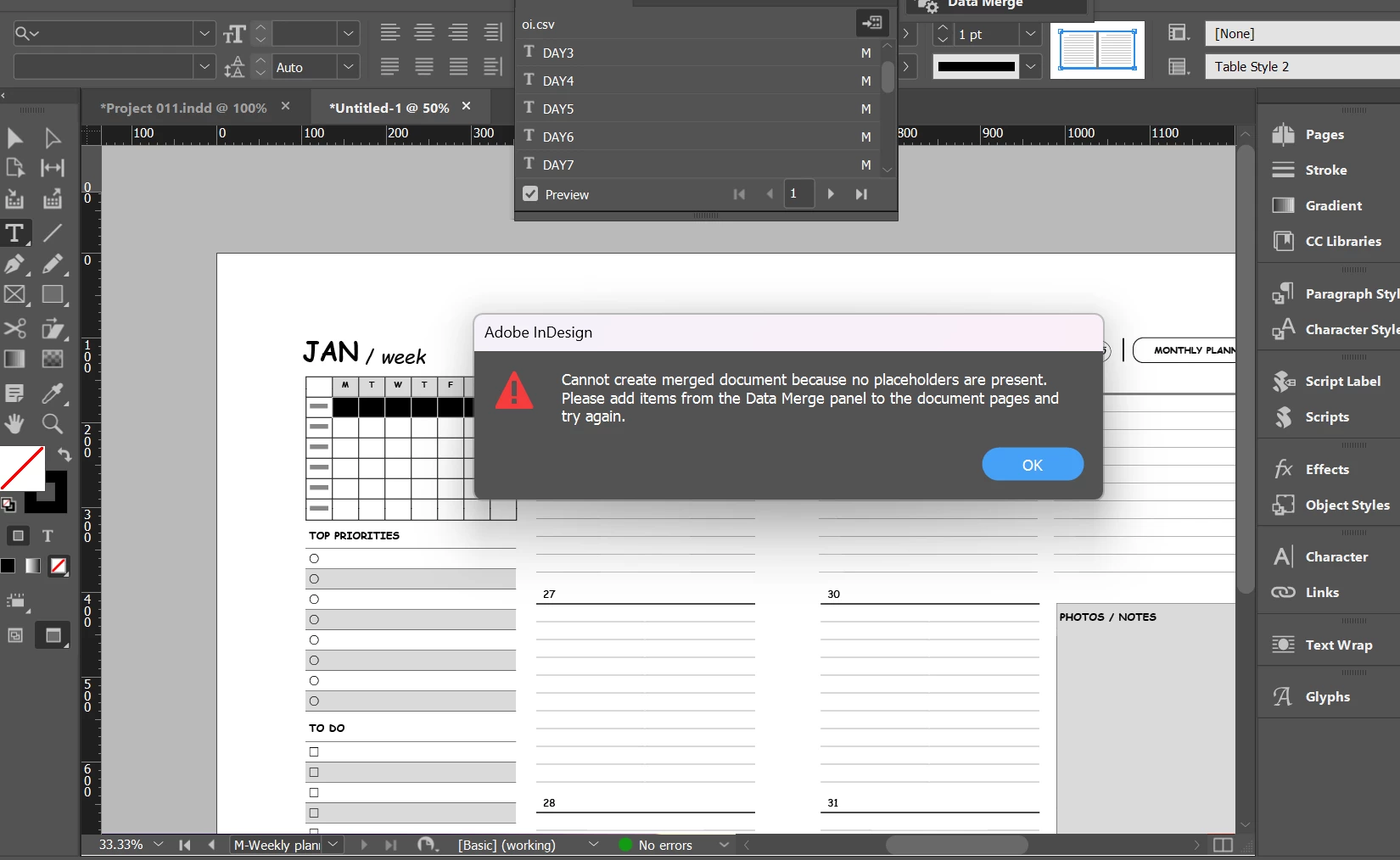
what can I do to fix that , I want to create a digital planner using a data merge But I got this error 

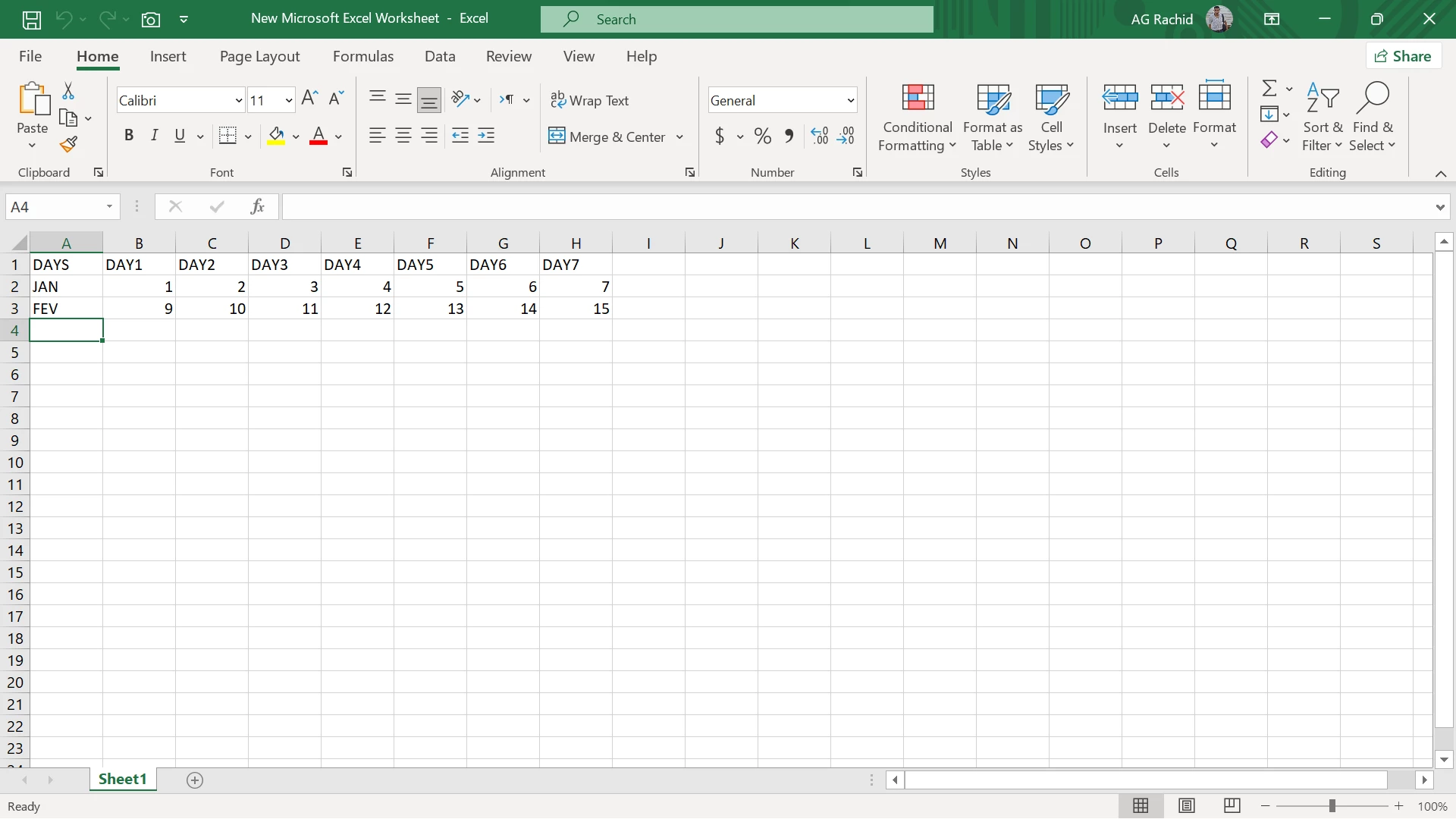
35 days for each month I want to migrate this days to my planner automatically without taping manually

7 days for each spread 

for first spread D1 D2 D3 D4 D5 D6 D7 and I want 12 spreads including The 7 days for each month and same for other thays

using data merge on same page after his design
thanks

This topic has been closed for replies.

1 reply

Community Expert
September 1, 2023

You haven't inserted the placeholder - click into each cell and then press the corresponding data in the data merge panel to place the placeholder into the cell. This placeholder will be used to merge the data linked to each cell. 


However, this is a very complicated way to do it. 

You could use auto numbering for a pargarph style - so in each cell you can place a Paragarph Return and set it to 0pt leading - then use Paragraph Numbering 

Using a Paragraph Style you can change it globally easily


Once you set it up you just delete the date it doesn't start on January 2024 starts on a Monday (by chance)

So I'll delete the dates after 31


Then you can copy it and make the next one


Delete the days up to Thursday
Add a Paragraph Return to make the 29


Sample file attached