Known Participant
February 23, 2021
Question

Data merge fill

  • February 23, 2021
  • 2 replies
  • 480 views

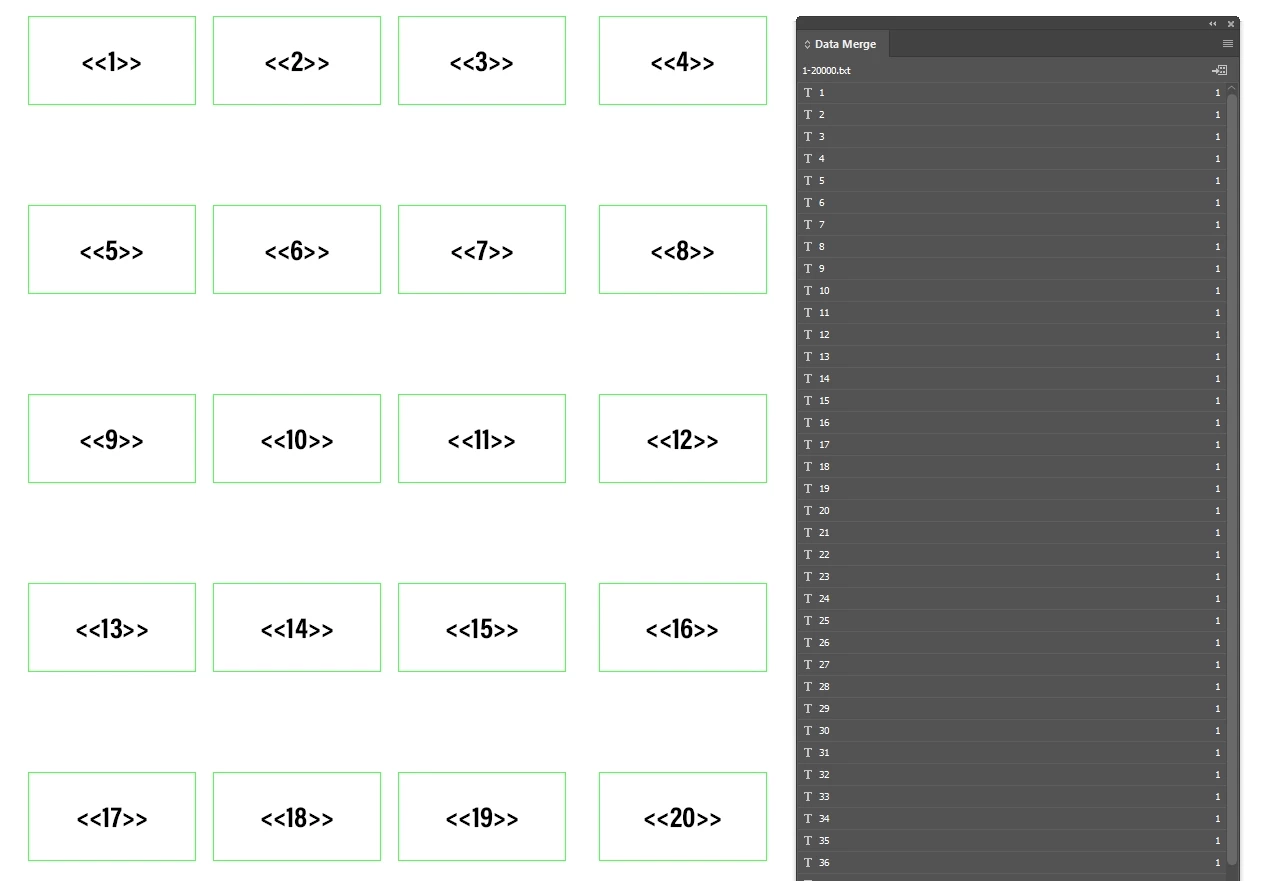
I have a lot of fields that I have to fill in manually with the data merge
Is there any idea that I can do that somehow automatically ?
This topic has been closed for replies.

2 replies

Colin Flashman
Community Expert
Community Expert
February 25, 2021

Loic Aigon of Ozalto (http://www.ozalto.com/en/) wrote a script over at CreativePro that will take text that has the << or >> around them and – if the name of that word or phrase matches a field in the data merge database - will turn it into the form field. The script is here:

https://creativepro.com/topic/assign-data-merge-tag-automatically-using-a-script/

Note though - if you copy the script directly, note that the curly quotes have to change to straight quotes; and the phrase in the script

while ( n– ) {

needs to become

while ( n-- ) {


I've tested this script with text that has nine separate text frames that has the names typed out but not linked to the data merge.

After the script is run, the phrases are now linked to their data merge entries without clicking on the data merge panel once.


If the answer wasn't in my post, perhaps it might be on my blog at colecandoo!
Community Expert
February 23, 2021

This appears as though you might be able to do this with a Multiple Record Layout merge, as opposed to Single Record. But one question, is the larger gap between 3 and 4 intentionally?

Known Participant
February 24, 2021

as far as i know.. you can't do that with multiple records.. 

and the gap isnt intentionally, it was just an example


Community Expert
February 24, 2021

With your data as shown, you would perform a single record merge. What part are you trying to do automatically?