Hi @hibru305572725zfd,
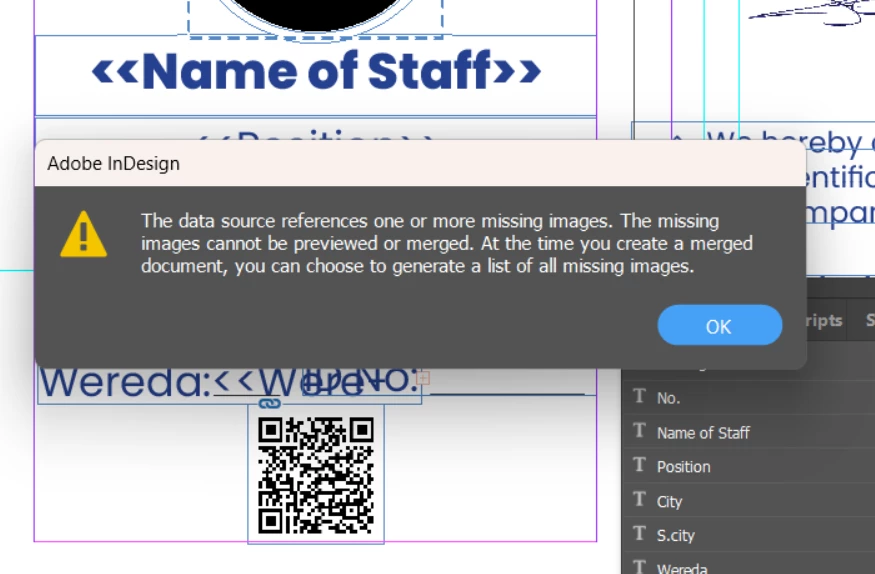
I'm sorry to hear you're encountering this issue with your data merge. I understand how frustrating it can be when everything else is correct, but the images don't appear as expected.
Could you please share which version of InDesign and operating system you're using? This information will help narrow down the potential causes.
For now, could you check:
1. Ensure that the file paths to your images in the Excel sheet are correct and that they point to the right location on your computer. The paths should be absolute paths (full paths) rather than relative paths to ensure InDesign can find them.
2. Make sure the images are in a supported format (like PNG, JPEG, etc.). Also, ensure the file extensions in Excel match exactly with the file names on your computer, including the case sensitivity.
3. Avoid special characters, spaces, or non-English letters in your image filenames, as these might cause issues during the data merge process.
4. Ensure that the image file paths are formatted as text in Excel. Sometimes, Excel may automatically format file paths as hyperlinks, which can cause issues in InDesign.
Please try these steps, and let me know if you still encounter problems. We will wait for your response.
Thank you,
Abhishek Rao




 AdChoices