Data Merge / Image Placeholder Text
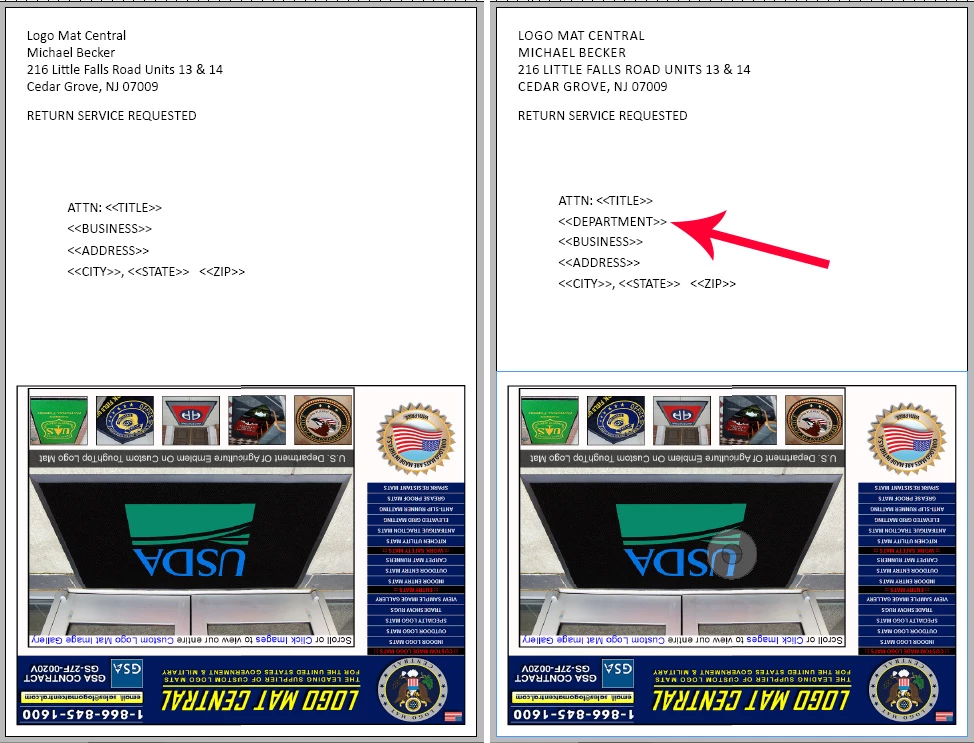
I have direct mailers that Im sending out that have varying amounts of text in their addresses. Generally an address might have either 4 or 5 lines of address information. Is there a way to have InDesign either add or subtract a dynamic text field placeholder to accomodate for when there are varying amounts of address info. I have attached an image showing how sometimes I have 4 lines of address info and then other records that will have 5 lines of address information. I need for these various addresses to print one continuously one after another in sequential order in order to sort them properly, so having a blank space where an address line should be is a no-no by post office standards, It would be good if InDesign knew there is a blank line and raised the other fields to be spaced properly or vice-versa. Is something like that possible?
Thank You.
 AdChoices