Inspiring
February 27, 2018
Answered

Data Merge images from csv file, wrong size

  • February 27, 2018
  • 1 reply
  • 923 views

HALP! Calling all ID experts. I have Merge Master with links to images in the .csv file. The various images are different in width so I added a graphic box. Why does the image come in larger than the actual size? The graphic box has to be large enough for all of the 5 different images. I'm so confused. See attached, real size is on the left I did a file place on that one, on the right its being merged in through the csv file.  These are PDF's.  I tried jpg and ai, still same result
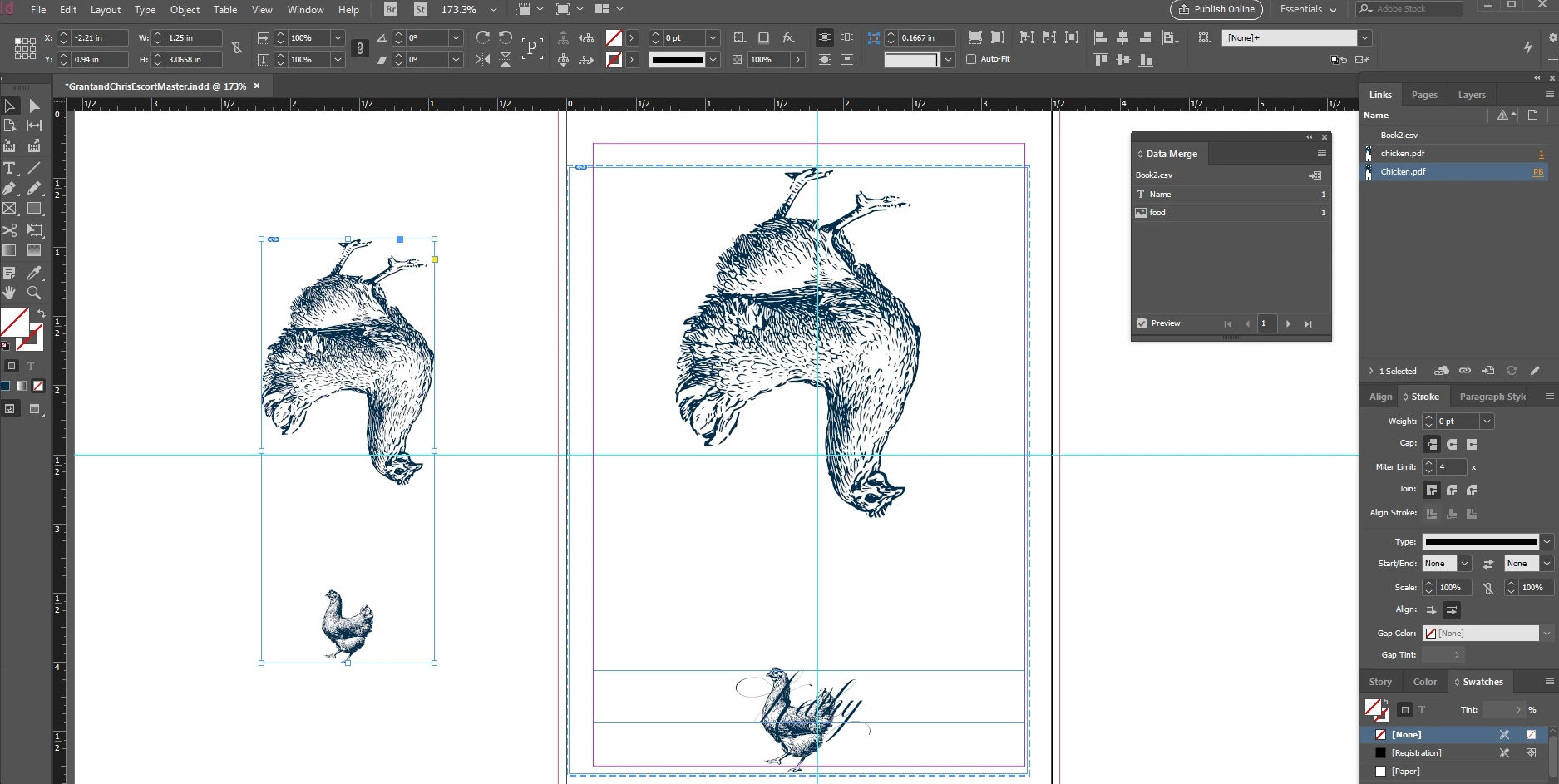
Message was edited by: Katherine Reece

This topic has been closed for replies.
Correct answer SJRiegel

Check your Frame Fitting Options in the Data Merge dialog.

1 reply

SJRiegelCorrect answer
Legend
February 27, 2018

Check your Frame Fitting Options in the Data Merge dialog.

Inspiring
February 27, 2018

Yes that helps, but since the PDF has the 2 images and the actual art boxes are not the same size for each file.  I have 5 different files.  So filling it with the content proportially is not perfect.  Do you know the reason why they won't merge in at their actual size?  A bit frustrating

Colin Flashman
Community Expert
Community Expert
March 1, 2018

I have a poster that may assist you with how Data Merge works with images:

https://colecandoo.files.wordpress.com/2012/08/framefit.pdf

If the answer wasn't in my post, perhaps it might be on my blog at colecandoo!