
Participant
November 22, 2024
Answered

Data merge Multiple Record Layout goes off the page, not matching preview

  • November 22, 2024
  • 2 replies
  • 459 views

Hi, I'm trying to use the Multiple Record Layout option in Indesign's data merge to tile a page of these "tags" from a simple spreadsheet but when I set it up, what I get when creating a merged document doesn't match the preview


Here is my tab-delimeted .txt data that I am only using the first column of

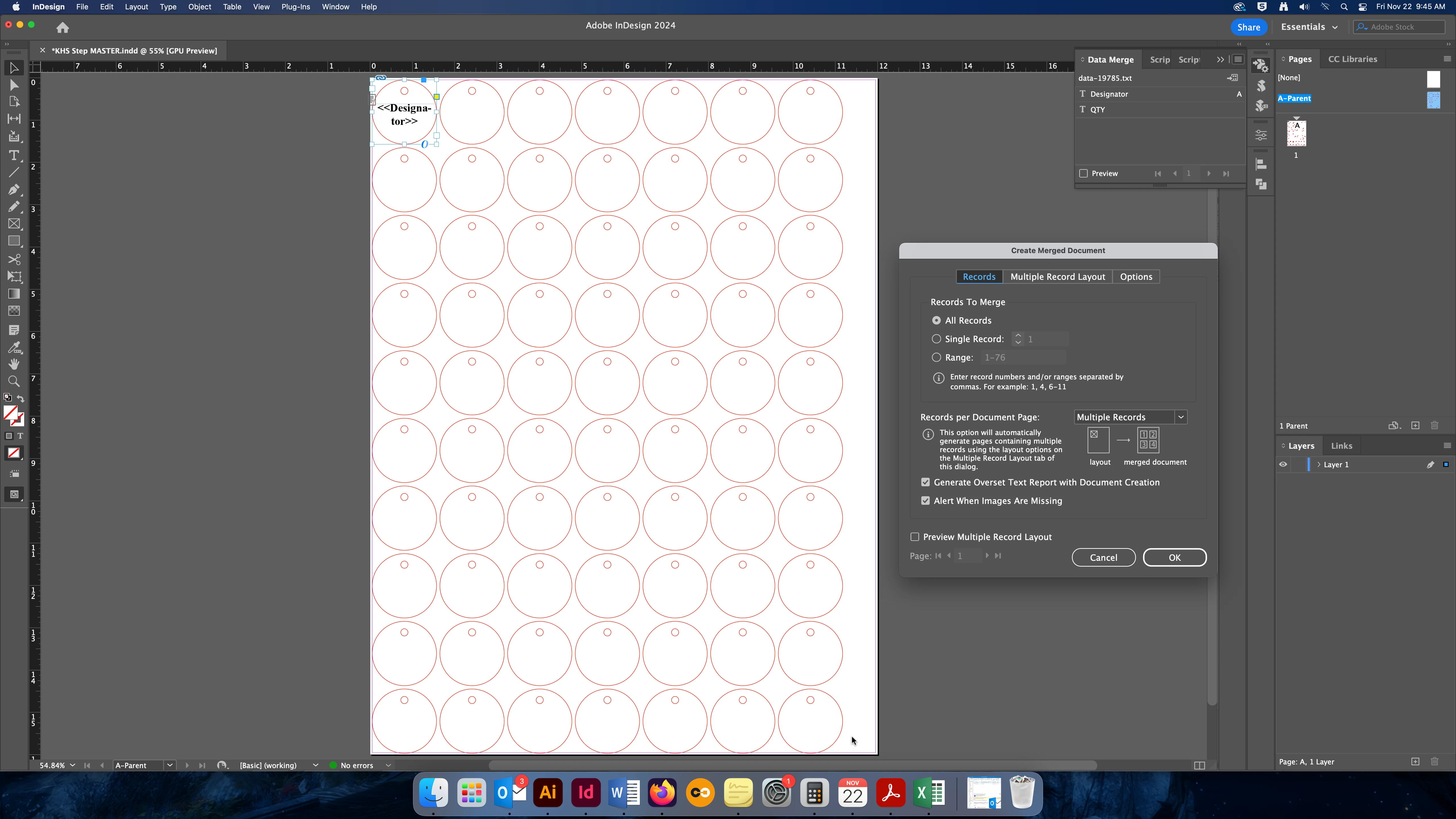
Here is how I set up my page
 

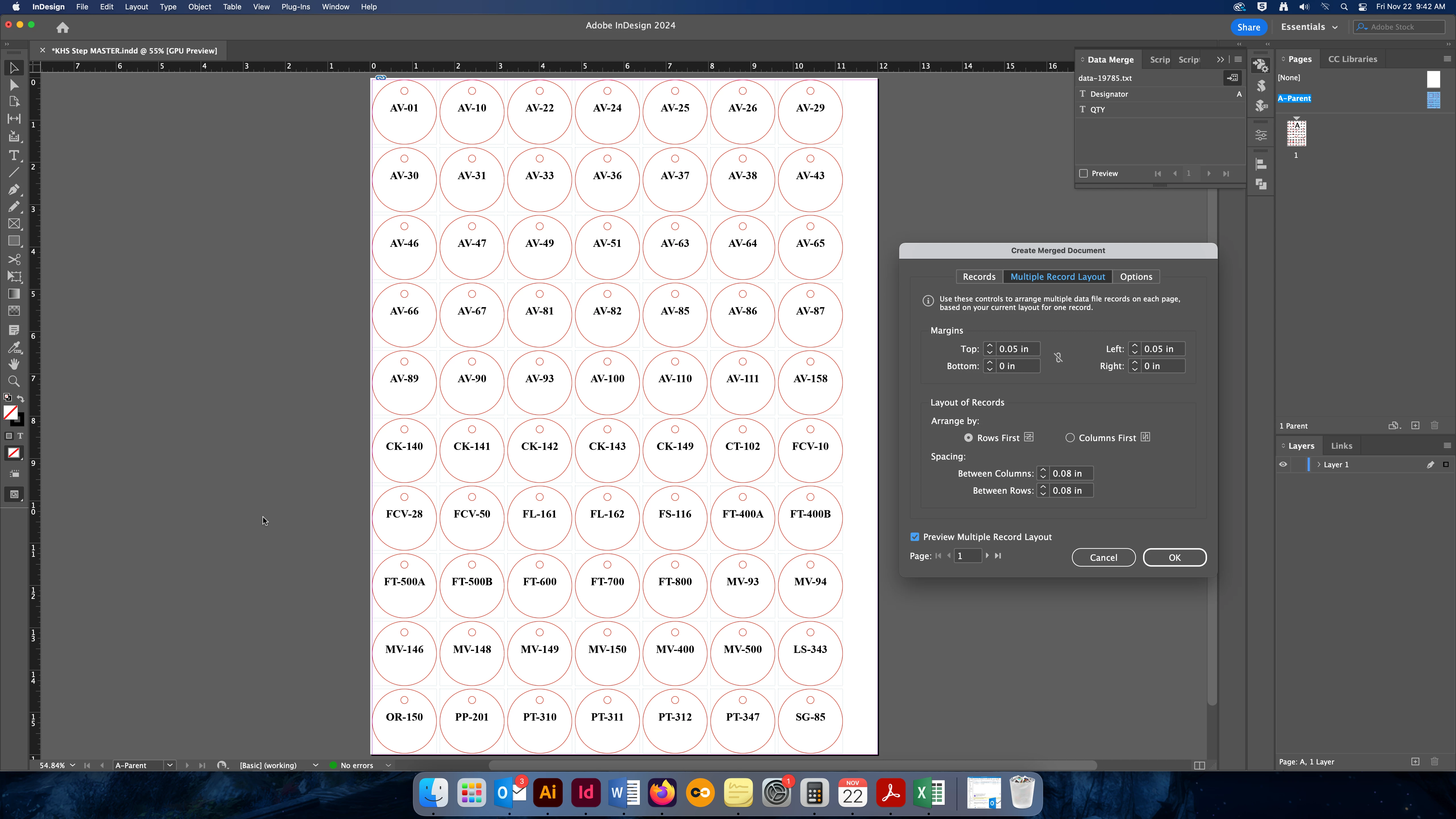
With these options selected for Multiple Record Layout, the preview looks perfect, just what I wanted
 

But when I actually CREATE the merged document, it looks like this:
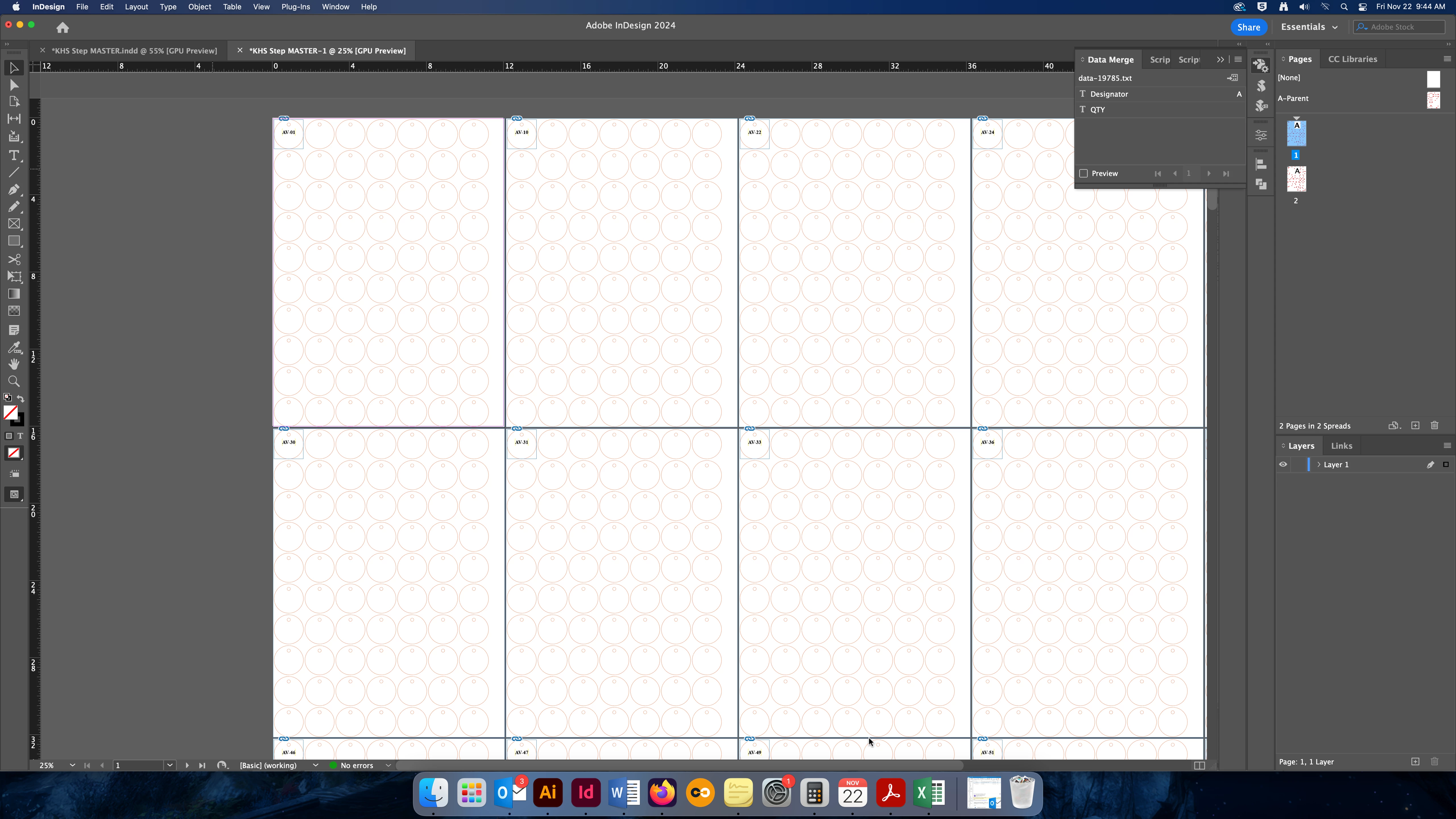
 

Can't figure out what I could be doing wrong. I'm pretty sure I've done multiple record layouts before that haven't turned out like this. Any help?

This topic has been closed for replies.
Correct answer Peter Spier

I might go even further and put the merge field on an otherwise blank page and the circles on a different Parent Page and apply  that parent after the merge. I'm guessing those circles are die lines for cutting, or possibly placeholders for precut labels that aren't actually required except to check positioning.

Also I'm on record here more than a few times as advixing against using preview with multiple record per page merges -- it ofter triggers a corruption of the template unless you "undo" after the preview and before running the merge.

2 replies

Peter Spier
Community Expert
Peter SpierCommunity ExpertCorrect answer
Community Expert
November 23, 2024

I might go even further and put the merge field on an otherwise blank page and the circles on a different Parent Page and apply  that parent after the merge. I'm guessing those circles are die lines for cutting, or possibly placeholders for precut labels that aren't actually required except to check positioning.

Also I'm on record here more than a few times as advixing against using preview with multiple record per page merges -- it ofter triggers a corruption of the template unless you "undo" after the preview and before running the merge.

Participant
November 25, 2024

This worked -- Thank you both!

The circles are die lines for cutting but I wanted to be sure that it was all lining up correctly before I ran the merge. Well, it's very silly that the Preview isn't accurate and can even screw up the template.

Colin Flashman
Community Expert
Community Expert
November 23, 2024

Looks like everything has been set on the parent page. What happens if you put the static bit (the circle shapes) on the parent page only, and then put your variable data text frame on page 1 and then try?

I'm not a fan of InDesign's multiple record feature. I've written about some of its "behaviours" here: https://colecandoo.com/2013/12/28/data-merge-multiple-record-madness/

If the answer wasn't in my post, perhaps it might be on my blog at colecandoo!