
Participating Frequently
August 17, 2022
Answered

Data merge not recognizing text from csv

  • August 17, 2022
  • 3 replies
  • 606 views

Hi All,

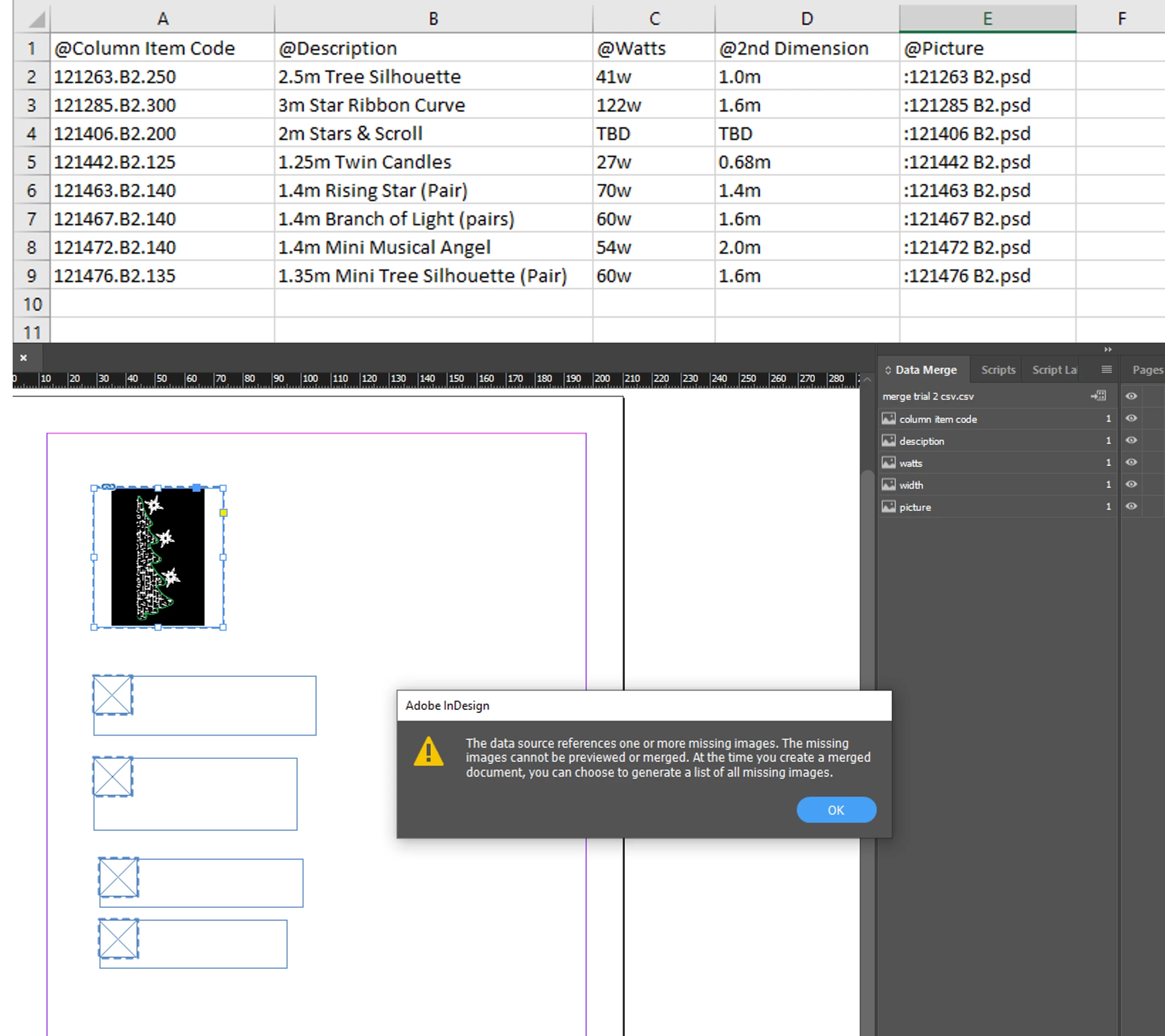
I'm trying to do a data merge trial, from a simple excel .csv, with some text and a picture, before moving onto a much larger scale merge. However, when I merge into InDesign, the merge considers the text as a picture and is then not showing the text as image and is showing the below error message. Any help would be massively appreciated! I don't know if it's a problem with my InDesign or my spreadsheet...??
 

This topic has been closed for replies.
Correct answer SJRiegel

The reason the merge is seeing the text as a picture is that you have named all of your columns with an initial @ symbol. 

Remove the @ symbol from the columns that should be text. That symbol at the start of a column header tells InDesign that the column contains image names and/or paths. 

3 replies

Community Expert
August 17, 2022

Note, that the image files must be in the same folder with the data source file, your currently used csv file, if the data there is not using file paths and just file names.


Regards,
Uwe Laubender
( Adobe Community Professional )


Participating Frequently
August 17, 2022

Thanks. The images are actually working and are in the same folder as the csv file. It's just the other columns.

SJRiegelCorrect answer
Legend
August 17, 2022

The reason the merge is seeing the text as a picture is that you have named all of your columns with an initial @ symbol. 

Remove the @ symbol from the columns that should be text. That symbol at the start of a column header tells InDesign that the column contains image names and/or paths. 

Participating Frequently
August 17, 2022

AMAZING! Thank you so much, worked a treat!

Peter Spier
Community Expert
Community Expert
August 17, 2022

Are the images all in the same folder?