Participant
June 20, 2017
Answered

data merge panel won't open/appear

  • June 20, 2017
  • 1 reply
  • 936 views

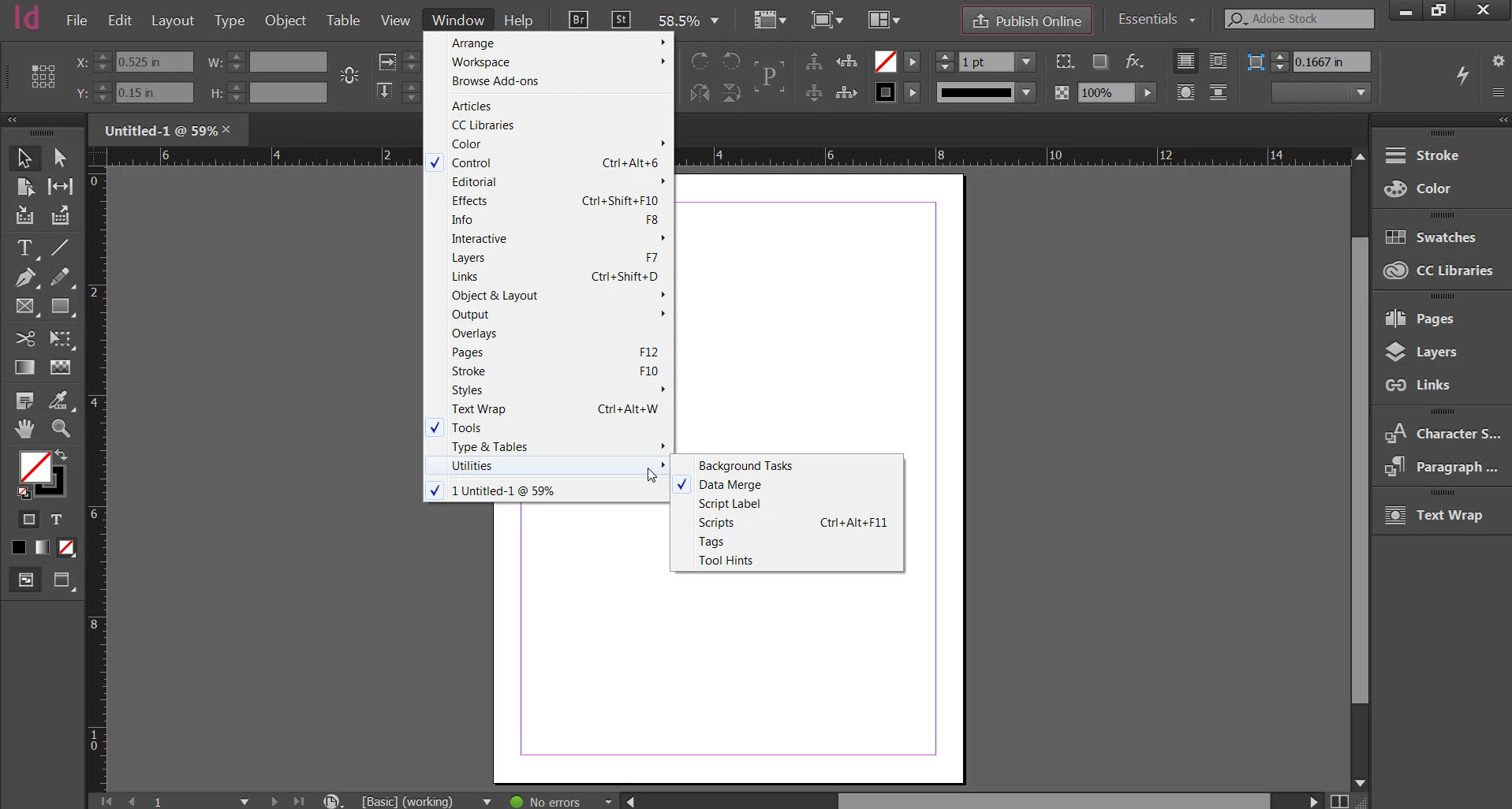
I want to do a data merge and so went to Window menu>Utilities>Data Merge, but the data merge panel did not appear or open anywhere. Tried this in an existing and new doc and still the same result. Restarted computer but that didn't help. When I try to open other panels from the Window menu they open just fine, but none of the panels will open in Window>Utilities. Including a screen shot so you can see that Data Merge is selected but no panel appears. Using InDesign CC 2017 on Windows 7.
    This topic has been closed for replies.
    Correct answer MW Design

    Change the workspace from essentials to, well, something else. That may make it appear. Not at a computer right now so cannot check to see if that is an issue or not.

    1 reply

    MW Design
    MW DesignCorrect answer
    Inspiring
    June 20, 2017

    Change the workspace from essentials to, well, something else. That may make it appear. Not at a computer right now so cannot check to see if that is an issue or not.

    lzenzAuthor
    Participant
    June 20, 2017

    That did the trick--thanks so much! Chose "Advanced" from that list and then the Data Merge panel appeared when I chose it. Who knew that the choices from that menu at the top could prevent panels from appearing? Thanks again!