
Globek
Participant
October 10, 2018
Answered

Data Merge problem - wrong values when Exporting PDF

  • October 10, 2018
  • 1 reply
  • 800 views

Hello.

I am working on a document that creates labels as a merged pdf file. The problem consists of that :

The document contains consequent fields that are causing the trouble. The fields are text boxes for a single digit, so their bounds are quite small. The placeholder field names <<128>> (followed by <<134>>, <<140>>, <<146>> etc.) are larger and creating the merged PDF there is an error "There is overset text on these pages: 1.".
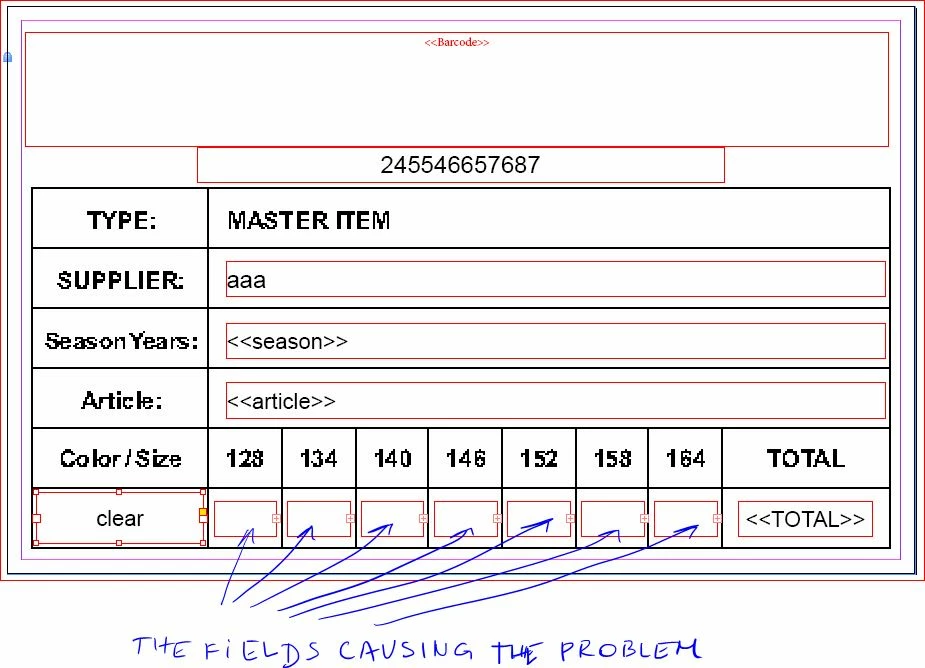
But the big problem is that when Previewing, everything is fine. All the records are correct.

Also fine is if I Create a Merged Document, and export that as PDF.

Also fine is if I Export PDF using just one record.

I only get wrong data if doing Export PDF, "All Records" from the Data Merge panel. If there are for example 25 records, the first one takes the correct values from the tab delimited txt document (as a source) and the following 24 are taking also the values of the first record.

Increasing the bounds of the text box to be at least the size of placeholder text reliably solves the problem. Shrinking it to the size of a single digit ..problem's back. 
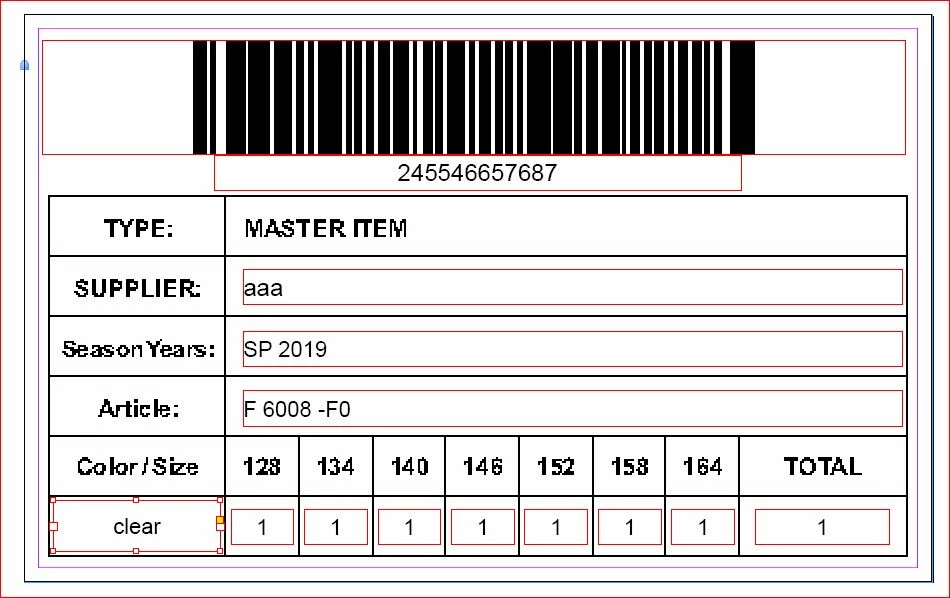
How can I fix the problem without increasing the bounds of the text boxes? Any ideas ?

    This topic has been closed for replies.
    Correct answer Laubender

    Hi vikikoket ,

    your "tag" name in your template with data merge for the numbers is causing overset.

    Obviously that is no problem after merging the data, because you are using only one-digit numbers.

    The result is ok.

    To get rid of the problem you could do the following:

    1. Setup a paragraph style for the tags that will use a very small point size so that the tags will not enforce a overset.

    2. Merge the document. Do not output to PDF.

    3. After the merge change the paragraph style to the right point size.

    Export the merged document to PDF.

    Regards,
    Uwe

    1 reply

    LaubenderCommunity ExpertCorrect answer
    Community Expert
    October 22, 2018

    Hi vikikoket ,

    your "tag" name in your template with data merge for the numbers is causing overset.

    Obviously that is no problem after merging the data, because you are using only one-digit numbers.

    The result is ok.

    To get rid of the problem you could do the following:

    1. Setup a paragraph style for the tags that will use a very small point size so that the tags will not enforce a overset.

    2. Merge the document. Do not output to PDF.

    3. After the merge change the paragraph style to the right point size.

    Export the merged document to PDF.

    Regards,
    Uwe