Participant
November 11, 2023
Answered

Data Merge question from a noob

  • November 11, 2023
  • 2 replies
  • 451 views

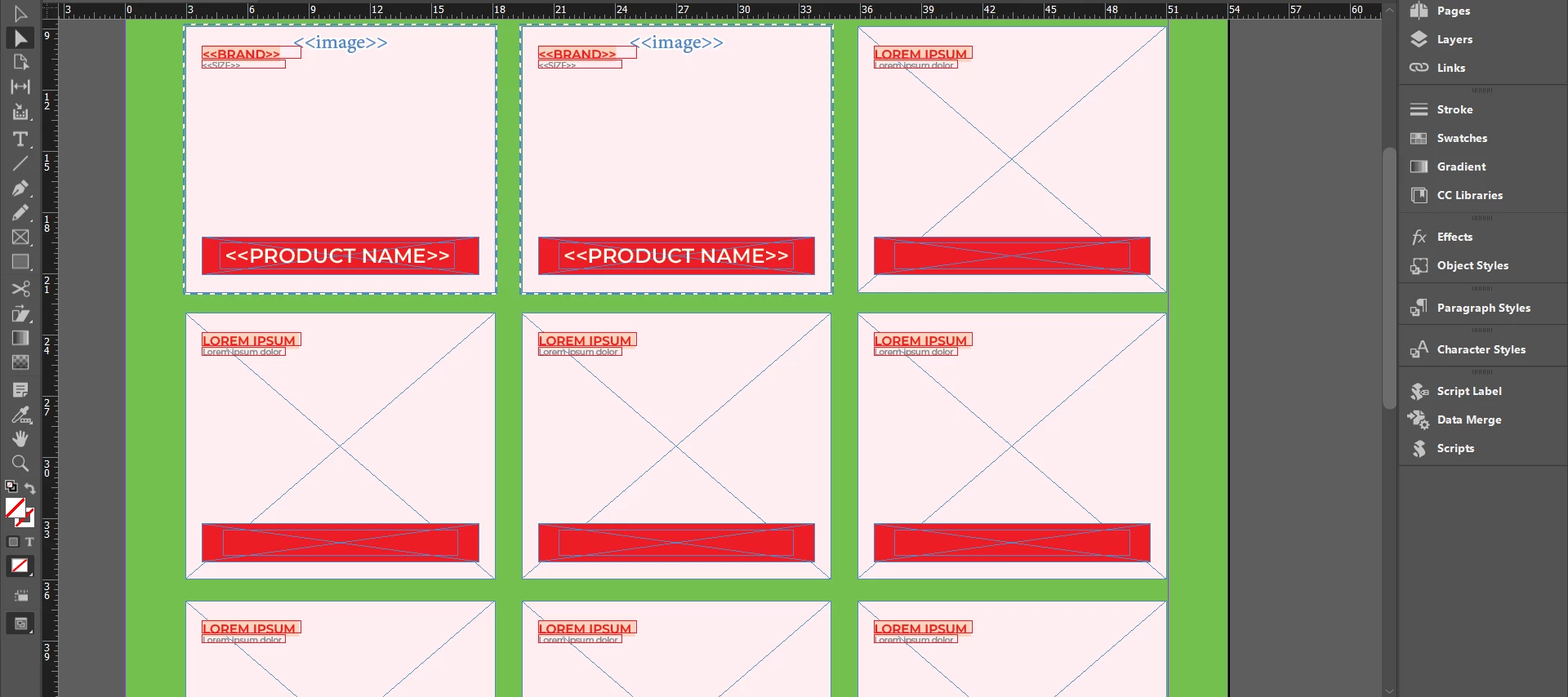
Is it possible to use Data Merge so that it fills up products left to right, with each box having its own contents according to the data source sheet I'm using.

 

This topic has been closed for replies.
Correct answer Colin Flashman

Yes... sort of. Data Merge can do catalog-style setups, but there are dedicated plugins that would be better suited for the purpose. I've written about data merge "multiple record madness" elsewhere https://colecandoo.com/2013/12/28/data-merge-multiple-record-madness/ but you can - sort of - do what you want to do in your screenshot. Difference is that you would set up one record set only (don't populate the whole page) and then upon creating the merged file, use the multiple record option and the rows and the columns for the merge are set there.

Difficulty comes from the scope of the project - that is, how many records are there, how often will the data change, and will the data always conform to the box i've made; or does this go outside the scope of what I've done. This is why my advice leans into using a plug-in if the scope of the project is large.

2 replies

Colin Flashman
Community Expert
Colin FlashmanCommunity ExpertCorrect answer
Community Expert
November 12, 2023

Yes... sort of. Data Merge can do catalog-style setups, but there are dedicated plugins that would be better suited for the purpose. I've written about data merge "multiple record madness" elsewhere https://colecandoo.com/2013/12/28/data-merge-multiple-record-madness/ but you can - sort of - do what you want to do in your screenshot. Difference is that you would set up one record set only (don't populate the whole page) and then upon creating the merged file, use the multiple record option and the rows and the columns for the merge are set there.

Difficulty comes from the scope of the project - that is, how many records are there, how often will the data change, and will the data always conform to the box i've made; or does this go outside the scope of what I've done. This is why my advice leans into using a plug-in if the scope of the project is large.

If the answer wasn't in my post, perhaps it might be on my blog at colecandoo!
Participant
November 12, 2023
quote

Difference is that you would set up one record set only (don't populate the whole page) and then upon creating the merged file, use the multiple record option and the rows and the columns for the merge are set there.


By @Colin Flashman


Yeah, that was the problem. Thanks!

Community Expert
November 12, 2023

This is the best videos I have ever seen on Data Merge

https://www.theindesigner.com/blog/episode-43-data-merge-video


And there's a part 2